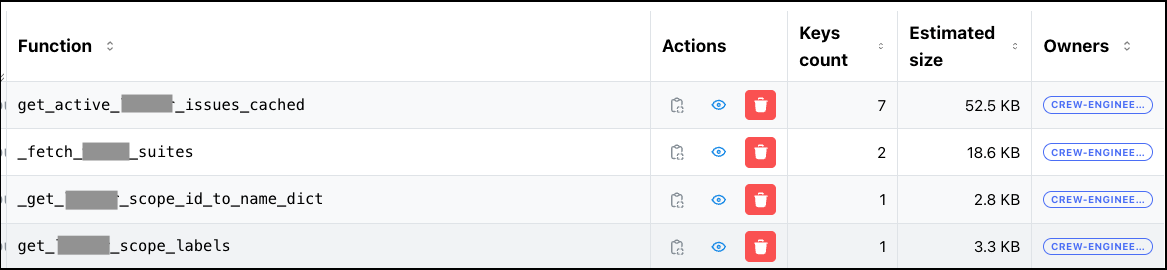
<?xml version="1.0" encoding="utf-8"?><feed xmlns="http://www.w3.org/2005/Atom" xml:lang="en"><generator uri="https://jekyllrb.com/" version="3.10.0">Jekyll</generator><link href="http://damien.krotkine.com/feed.xml" rel="self" type="application/atom+xml" /><link href="http://damien.krotkine.com/" rel="alternate" type="text/html" hreflang="en" /><updated>2026-03-16T09:52:39+00:00</updated><id>http://damien.krotkine.com/feed.xml</id><title type="html">Damien Krotkine</title><subtitle></subtitle><author><name>Damien Krotkine</name></author><entry><title type="html">Alan Cache - building the best python caching library</title><link href="http://damien.krotkine.com/2026/03/15/AlanCache.html" rel="alternate" type="text/html" title="Alan Cache - building the best python caching library" /><published>2026-03-15T00:00:00+00:00</published><updated>2026-03-15T00:00:00+00:00</updated><id>http://damien.krotkine.com/2026/03/15/AlanCache</id><content type="html" xml:base="http://damien.krotkine.com/2026/03/15/AlanCache.html"><![CDATA[<p><img src="/images/admin_dashboard_header.png" alt="Admin dashboard — value inspector" /></p>

<h1 id="1-caching-is-not-easy--a-bit-of-history">1. Caching is not easy — a bit of history</h1>

<p>Alan is a health insurance platform serving multiple countries, powered by a Python/Flask backend with hundreds of web workers and RQ workers (queuing system).</p>

<pre><code class="language-mermaid">flowchart LR
    Users(("Users")) --&gt; Web["Web Workers&lt;br/&gt;(Flask/Gunicorn)"]
    Web &lt;--&gt; Redis[("Redis")]
    Web -- enqueue --&gt; RQ["RQ Workers"]
    RQ &lt;--&gt; Redis
    Cron["Cron"] -- enqueue --&gt; Redis
</code></pre>

<p>And of course, we have some caching.</p>

<p>In appearance, the caching system we used was simple: we used Flask Caching, with a single Redis backend. However, in reality our code was sprinkled with the use of different caching mechanisms.</p>

<p>There were <strong>more than six different ways</strong> to cache data across the codebase:</p>

<ul>
  <li><strong>Local memory</strong> — <code class="language-plaintext highlighter-rouge">functools.lru_cache</code>, ad-hoc dictionaries with no expiration</li>
  <li><strong>Redis with LRU</strong> — Flask-Caching, Redis only, no local RAM layer</li>
  <li><strong>Simple dictionaries</strong> — plain Python dicts used as caches, no TTL management</li>
  <li><strong>PostgreSQL</strong> — some data was cached directly in Postgres tables, with ad-hoc expiration and deletion management</li>
  <li><strong>RQ job results</strong> — engineers were using the results of RQ background jobs as a makeshift cache, accessing them later instead of recomputing</li>
  <li><strong>Directly storing to Redis</strong> — crafting cache keys manually, with various expiration rules.</li>
  <li><strong>other variations…</strong></li>
</ul>

<p>None of these approaches were standard. There was very little observability — no way to know what was cached, how much memory it consumed, or whether stale data was being served. The only administration tool was old, and it could do exactly one thing: invalidate <em>all</em> of Redis caches at once (but nothing about local RAM cached values).</p>

<p>I decided to tackle the systemic problem. The plan was to survey all existing caching methods, understand each team’s needs, and then build a single internal product — an adaptive, hybrid cache that would work both in local memory and on Redis, with proper observability, monitoring, and administration tools, and with a set of advanced features that none of the existing approaches could offer.</p>

<p>After a few months of work, <strong>Alan Cache</strong> was born. It’s a Python library that makes caching <strong>dead-simple</strong> for the common case while offering powerful capabilities for the hard ones. In addition, it provides features that were thought <strong>impossible</strong> before. Here is a shortlist of its interesting features:</p>

<ul>
  <li><strong>Two interfaces</strong> — a <code class="language-plaintext highlighter-rouge">@cached_for(hours=1)</code> decorator for the 90% case, plus a direct <code class="language-plaintext highlighter-rouge">get</code>/<code class="language-plaintext highlighter-rouge">set</code>/<code class="language-plaintext highlighter-rouge">delete</code> API for manual control</li>
  <li><strong>Hybrid RAM + Redis storage</strong> — local RAM for sub-millisecond reads, shared Redis for cross-process persistence, both layers managed transparently</li>
  <li><strong>Async background computation</strong> — expensive functions compute in background workers while stale data is served</li>
  <li><strong>Partial cache invalidation</strong> — purge only the entries matching specific arguments, not the entire function’s cache</li>
  <li><strong>Distributed invalidation</strong> — propagate deletions across hundreds of workers without pub/sub or external message brokers</li>
  <li><strong>Atomic Writes</strong> — avoid double-writing cache values with a choice between optimistic (<code class="language-plaintext highlighter-rouge">at_least_once</code>) and pessimistic (<code class="language-plaintext highlighter-rouge">at_most_once</code>) strategies. Useful when creating side effects</li>
  <li><strong>Periodic refresh</strong> — keep hot caches warm automatically via scheduled recomputation</li>
  <li><strong>Cache warming on startup</strong> — pre-populate critical entries before the first web request hits</li>
  <li><strong>Object-lifetime expiration</strong> — cache tied to an object’s lifecycle, automatically cleaned up on garbage collection</li>
  <li><strong>Request-scoped caching</strong> — deduplicate expensive calls within a single HTTP request, auto-cleanup on response</li>
  <li><strong>Conditional caching</strong> — skip the cache based on runtime conditions (feature flags, user state, HTTP method)</li>
  <li><strong>Full observability</strong> — Datadog metrics per function, an admin API to browse and purge keys, and an internal tool to explore cache state in production</li>
</ul>

<p>Today, Alan Cache is very robust and hasn’t significantly changed in years. It has <strong>258 usages</strong> across the codebase.</p>

<p>This article presents Alan Cache’s features, from simplest to most complex, the use cases and the technical solutions. The goal is that you get inspired by this solution and get to build your own variation to meet your caching needs.</p>

<h1 id="2-the-simplest-case--cached_for">2. The Simplest Case — <code class="language-plaintext highlighter-rouge">@cached_for</code></h1>

<p>One decorator. One line. It works.</p>

<div class="language-python highlighter-rouge"><div class="highlight"><pre class="highlight"><code><span class="o">@</span><span class="n">cached_for</span><span class="p">(</span><span class="n">hours</span><span class="o">=</span><span class="mi">1</span><span class="p">)</span>
<span class="k">def</span> <span class="nf">get_product_catalog</span><span class="p">(</span><span class="n">country</span><span class="p">:</span> <span class="nb">str</span><span class="p">)</span> <span class="o">-&gt;</span> <span class="nb">dict</span><span class="p">:</span>
    <span class="k">return</span> <span class="n">fetch_from_database</span><span class="p">(</span><span class="n">country</span><span class="p">)</span>
</code></pre></div></div>

<p>The first call runs the function’s code, computes the value and stores the result in both local RAM and Redis. Subsequent calls return the cached value — from RAM if available (sub-millisecond), from Redis otherwise (1-5ms). After one hour, the entry expires and the next call recomputes it.</p>

<p>That’s it. No configuration, no setup, no boilerplate.</p>

<p><code class="language-plaintext highlighter-rouge">@cached_for</code> is syntactic sugar for <code class="language-plaintext highlighter-rouge">@cached(expire_in=timedelta(hours=1))</code>. It accepts <code class="language-plaintext highlighter-rouge">weeks</code>, <code class="language-plaintext highlighter-rouge">days</code>, <code class="language-plaintext highlighter-rouge">hours</code>, <code class="language-plaintext highlighter-rouge">minutes</code>, <code class="language-plaintext highlighter-rouge">seconds</code> — any combination. Under the hood, <code class="language-plaintext highlighter-rouge">@cached</code> is the real engine (~1500 lines, 20+ parameters), but you rarely need to touch it directly.</p>

<p>This simple form covers <strong>173 out of 258</strong> caching usages in the codebase — the 80% case.</p>

<h1 id="3-under-the-hood--the-two-layer-architecture">3. Under the Hood — The Two-Layer Architecture</h1>

<p>When you write <code class="language-plaintext highlighter-rouge">@cached_for(hours=1)</code>, here’s what actually happens:</p>

<pre><code class="language-mermaid">flowchart TB
    F["🔧 Your Function&lt;br/&gt;@cached_for(hours=1)"]
    L1["⚡ Layer 1: RAM&lt;br/&gt;SimpleCache — per-process&lt;br/&gt;&lt; 1ms"]
    L2["🗄️ Layer 2: Redis&lt;br/&gt;shared — cross-process — persistent&lt;br/&gt;1–5ms"]

    F --&gt; L1
    L1 -- miss --&gt; L2
</code></pre>

<p><code class="language-plaintext highlighter-rouge">AlanCache</code> manages <strong>four internal cache backends</strong>:</p>

<table>
  <thead>
    <tr>
      <th>Backend</th>
      <th>Type</th>
      <th>Purpose</th>
    </tr>
  </thead>
  <tbody>
    <tr>
      <td><code class="language-plaintext highlighter-rouge">shared_cache</code></td>
      <td>Redis</td>
      <td>Primary shared storage, swallows deserialization errors</td>
    </tr>
    <tr>
      <td><code class="language-plaintext highlighter-rouge">shared_cache_atomic</code></td>
      <td>Redis</td>
      <td>Atomic writes via WATCH/MULTI/EXEC</td>
    </tr>
    <tr>
      <td><code class="language-plaintext highlighter-rouge">local_cache</code></td>
      <td>SimpleCache</td>
      <td>Fast local RAM with serialization</td>
    </tr>
    <tr>
      <td><code class="language-plaintext highlighter-rouge">local_cache_no_serializer</code></td>
      <td>SimpleCache</td>
      <td>Local RAM storing objects as-is (ORM models, etc.)</td>
    </tr>
  </tbody>
</table>

<p>Why four and not two? I couldn’t cleanly make a single Redis backend support both atomic and non-atomic writes, and I needed a serialization-free local cache for objects that don’t pickle well.</p>

<p>The lookup order on <code class="language-plaintext highlighter-rouge">get</code>:</p>

<div class="language-python highlighter-rouge"><div class="highlight"><pre class="highlight"><code><span class="k">def</span> <span class="nf">get</span><span class="p">(</span><span class="bp">self</span><span class="p">,</span> <span class="n">key</span><span class="p">:</span> <span class="nb">str</span><span class="p">)</span> <span class="o">-&gt;</span> <span class="n">Any</span><span class="p">:</span>
    <span class="k">if</span> <span class="bp">self</span><span class="p">.</span><span class="n">local_cache</span><span class="p">.</span><span class="n">has</span><span class="p">(</span><span class="n">key</span><span class="p">):</span>
        <span class="k">return</span> <span class="bp">self</span><span class="p">.</span><span class="n">local_cache</span><span class="p">.</span><span class="n">get</span><span class="p">(</span><span class="n">key</span><span class="p">)</span>
    <span class="k">elif</span> <span class="bp">self</span><span class="p">.</span><span class="n">local_cache_no_serializer</span><span class="p">.</span><span class="n">has</span><span class="p">(</span><span class="n">key</span><span class="p">):</span>
        <span class="k">return</span> <span class="bp">self</span><span class="p">.</span><span class="n">local_cache_no_serializer</span><span class="p">.</span><span class="n">get</span><span class="p">(</span><span class="n">key</span><span class="p">)</span>
    <span class="k">elif</span> <span class="bp">self</span><span class="p">.</span><span class="n">shared_cache</span><span class="p">.</span><span class="n">has</span><span class="p">(</span><span class="n">key</span><span class="p">):</span>
        <span class="k">return</span> <span class="bp">self</span><span class="p">.</span><span class="n">shared_cache</span><span class="p">.</span><span class="n">get</span><span class="p">(</span><span class="n">key</span><span class="p">)</span>
    <span class="k">return</span> <span class="bp">self</span><span class="p">.</span><span class="n">shared_cache_atomic</span><span class="p">.</span><span class="n">get</span><span class="p">(</span><span class="n">key</span><span class="p">)</span>
</code></pre></div></div>

<p>The <code class="language-plaintext highlighter-rouge">AlanCache</code> singleton is instantiated at module level:</p>

<div class="language-python highlighter-rouge"><div class="highlight"><pre class="highlight"><code><span class="n">alan_cache</span> <span class="o">=</span> <span class="n">AlanCache</span><span class="p">()</span>
</code></pre></div></div>

<p>It initializes from environment variables if available, or falls back to defaults (SimpleCache locally, NullCache for Redis). This means the library works in tests without any Redis connection — it gracefully degrades.</p>

<p><strong>Beyond Flask-Caching.</strong> I reimplemented the parts of Flask-Caching I needed — the backend factory (dispatching to Redis/SimpleCache/Null based on config) and the core decorator machinery — without the Flask app context dependency. <code class="language-plaintext highlighter-rouge">Cache.init_from_config()</code> takes a plain dict, not a Flask app object. This lets the cache work from RQ workers, CLI scripts, and anywhere else outside of a Flask request context.</p>

<h1 id="4-manual-control--the-getsetdelete-api">4. Manual Control — The <code class="language-plaintext highlighter-rouge">get</code>/<code class="language-plaintext highlighter-rouge">set</code>/<code class="language-plaintext highlighter-rouge">delete</code> API</h1>

<p>Not everything is a decorator. Sometimes you compute a value in one place and need to cache it for use elsewhere. Or you need to cache something that isn’t a function return value. For those cases, <code class="language-plaintext highlighter-rouge">alan_cache</code> exposes a direct API:</p>

<div class="language-python highlighter-rouge"><div class="highlight"><pre class="highlight"><code><span class="kn">from</span> <span class="nn">shared.caching.cache</span> <span class="kn">import</span> <span class="n">alan_cache</span>

<span class="c1"># Store a value in both RAM and Redis for 1 hour
</span><span class="n">alan_cache</span><span class="p">.</span><span class="nb">set</span><span class="p">(</span><span class="s">"user:123:preferences"</span><span class="p">,</span> <span class="n">preferences</span><span class="p">,</span> <span class="n">timedelta</span><span class="p">(</span><span class="n">hours</span><span class="o">=</span><span class="mi">1</span><span class="p">))</span>

<span class="c1"># Retrieve it (checks RAM first, then Redis)
</span><span class="n">prefs</span> <span class="o">=</span> <span class="n">alan_cache</span><span class="p">.</span><span class="n">get</span><span class="p">(</span><span class="s">"user:123:preferences"</span><span class="p">)</span>

<span class="c1"># Delete from all layers
</span><span class="n">alan_cache</span><span class="p">.</span><span class="n">delete</span><span class="p">(</span><span class="s">"user:123:preferences"</span><span class="p">)</span>

<span class="c1"># Bulk operations
</span><span class="n">alan_cache</span><span class="p">.</span><span class="n">delete_many</span><span class="p">(</span><span class="s">"key1"</span><span class="p">,</span> <span class="s">"key2"</span><span class="p">,</span> <span class="s">"key3"</span><span class="p">)</span>
<span class="n">foo</span><span class="p">,</span> <span class="n">bar</span> <span class="o">=</span> <span class="n">alan_cache</span><span class="p">.</span><span class="n">get_many</span><span class="p">(</span><span class="s">"foo"</span><span class="p">,</span> <span class="s">"bar"</span><span class="p">)</span>
</code></pre></div></div>

<p>The manual API writes to both layers and reads in the same priority order as the decorator: local RAM → local RAM (no serializer) → shared Redis → shared Redis (atomic).</p>

<h1 id="5-choosing-where-to-cache">5. Choosing Where to Cache</h1>

<p>By default, <code class="language-plaintext highlighter-rouge">@cached_for</code> stores values in <strong>both</strong> layers — local RAM and shared Redis. But sometimes you want control over which layer is used.</p>

<h2 id="ram-only--no-redis">RAM Only — No Redis</h2>

<div class="language-python highlighter-rouge"><div class="highlight"><pre class="highlight"><code><span class="o">@</span><span class="n">cached_for</span><span class="p">(</span><span class="n">minutes</span><span class="o">=</span><span class="mi">5</span><span class="p">,</span> <span class="n">local_ram_cache_only</span><span class="o">=</span><span class="bp">True</span><span class="p">)</span>
<span class="k">def</span> <span class="nf">get_orm_objects</span><span class="p">()</span> <span class="o">-&gt;</span> <span class="nb">list</span><span class="p">[</span><span class="n">User</span><span class="p">]:</span>
    <span class="k">return</span> <span class="n">User</span><span class="p">.</span><span class="n">query</span><span class="p">.</span><span class="nb">all</span><span class="p">()</span>
</code></pre></div></div>

<p>No Redis round-trip, no serialization. They stay as Python objects in the process’s memory. Perfect for ORM models and other objects that don’t pickle well. The downside: each process has its own copy, and there’s no cross-process sharing.</p>

<p>For class methods, there’s an even simpler shortcut:</p>

<div class="language-python highlighter-rouge"><div class="highlight"><pre class="highlight"><code><span class="k">class</span> <span class="nc">DateHelper</span><span class="p">:</span>
    <span class="o">@</span><span class="n">memory_only_cache</span>
    <span class="k">def</span> <span class="nf">parse</span><span class="p">(</span><span class="bp">self</span><span class="p">,</span> <span class="n">date_string</span><span class="p">:</span> <span class="nb">str</span><span class="p">)</span> <span class="o">-&gt;</span> <span class="n">date</span><span class="p">:</span>
        <span class="k">return</span> <span class="n">expensive_parse</span><span class="p">(</span><span class="n">date_string</span><span class="p">)</span>
</code></pre></div></div>

<p><code class="language-plaintext highlighter-rouge">@memory_only_cache</code> is a class descriptor — it implements <code class="language-plaintext highlighter-rouge">__get__</code> so it works as an instance method decorator. No Redis, no serialization, no expiration. Permanent in-process cache. 36 usages across the codebase.</p>

<h2 id="skip-serialization">Skip Serialization</h2>

<div class="language-python highlighter-rouge"><div class="highlight"><pre class="highlight"><code><span class="o">@</span><span class="n">cached_for</span><span class="p">(</span><span class="n">minutes</span><span class="o">=</span><span class="mi">10</span><span class="p">,</span> <span class="n">local_ram_cache_only</span><span class="o">=</span><span class="bp">True</span><span class="p">,</span> <span class="n">no_serialization</span><span class="o">=</span><span class="bp">True</span><span class="p">)</span>
<span class="k">def</span> <span class="nf">get_heavy_object</span><span class="p">()</span> <span class="o">-&gt;</span> <span class="n">SomeComplexObject</span><span class="p">:</span>
    <span class="k">return</span> <span class="n">build_complex_object</span><span class="p">()</span>
</code></pre></div></div>

<p><code class="language-plaintext highlighter-rouge">no_serialization=True</code> stores the Python object as-is in RAM — no pickle roundtrip. Use this with <code class="language-plaintext highlighter-rouge">local_ram_cache_only=True</code> for objects that are expensive to serialize.</p>

<h2 id="redis-only--no-local-ram">Redis Only — No Local RAM</h2>

<div class="language-python highlighter-rouge"><div class="highlight"><pre class="highlight"><code><span class="o">@</span><span class="n">cached_for</span><span class="p">(</span><span class="n">hours</span><span class="o">=</span><span class="mi">1</span><span class="p">,</span> <span class="n">shared_redis_cache_only</span><span class="o">=</span><span class="bp">True</span><span class="p">)</span>
<span class="k">def</span> <span class="nf">get_volatile_data</span><span class="p">()</span> <span class="o">-&gt;</span> <span class="nb">dict</span><span class="p">:</span>
    <span class="k">return</span> <span class="n">fetch_frequently_changing_data</span><span class="p">()</span>
</code></pre></div></div>

<p>Skip the local RAM layer. Useful when data changes often and you don’t want stale local copies. Every read goes to Redis.</p>

<h2 id="thread-local-storage">Thread-Local Storage</h2>

<div class="language-python highlighter-rouge"><div class="highlight"><pre class="highlight"><code><span class="k">class</span> <span class="nc">GoogleCalendarService</span><span class="p">:</span>
    <span class="o">@</span><span class="n">thread_local_class_cache</span><span class="p">(</span><span class="s">"calendar_client"</span><span class="p">)</span>
    <span class="k">def</span> <span class="nf">get_client</span><span class="p">(</span><span class="bp">self</span><span class="p">)</span> <span class="o">-&gt;</span> <span class="n">CalendarClient</span><span class="p">:</span>
        <span class="k">return</span> <span class="n">build_calendar_client</span><span class="p">(</span><span class="bp">self</span><span class="p">.</span><span class="n">credentials</span><span class="p">)</span>
</code></pre></div></div>

<p>For objects that shouldn’t be shared across threads — like API clients for external services. Each thread gets its own cached instance. Used for 7 integrations with external services.</p>

<h1 id="6-scoping-cache-to-a-request">6. Scoping Cache to a Request</h1>

<p>Some computations are expensive but only relevant within a single HTTP request — like computing user permissions. You don’t want to hit the database 5 times in one request, but you also don’t want to cache permissions across requests (they might change).</p>

<div class="language-python highlighter-rouge"><div class="highlight"><pre class="highlight"><code><span class="o">@</span><span class="n">request_cached</span><span class="p">()</span>
<span class="k">def</span> <span class="nf">get_user_permissions</span><span class="p">(</span><span class="n">user_id</span><span class="p">:</span> <span class="nb">int</span><span class="p">)</span> <span class="o">-&gt;</span> <span class="nb">set</span><span class="p">[</span><span class="nb">str</span><span class="p">]:</span>
    <span class="k">return</span> <span class="n">compute_permissions</span><span class="p">(</span><span class="n">user_id</span><span class="p">)</span>
</code></pre></div></div>

<p><code class="language-plaintext highlighter-rouge">@request_cached</code> is RAM only, with a 30-second max TTL. The cache key includes the request’s object ID and a UUID, so there’s no cross-request leakage. When the request ends, a <code class="language-plaintext highlighter-rouge">teardown_request</code> callback deletes all cached keys automatically.</p>

<p>By default, it only caches on <code class="language-plaintext highlighter-rouge">GET</code> requests. You can change that:</p>

<div class="language-python highlighter-rouge"><div class="highlight"><pre class="highlight"><code><span class="o">@</span><span class="n">request_cached</span><span class="p">(</span><span class="n">for_http_methods</span><span class="o">=</span><span class="p">{</span><span class="s">"GET"</span><span class="p">,</span> <span class="s">"POST"</span><span class="p">})</span>
<span class="k">def</span> <span class="nf">get_feature_flags</span><span class="p">(</span><span class="n">user_id</span><span class="p">:</span> <span class="nb">int</span><span class="p">)</span> <span class="o">-&gt;</span> <span class="nb">dict</span><span class="p">:</span>
    <span class="k">return</span> <span class="n">compute_feature_flags</span><span class="p">(</span><span class="n">user_id</span><span class="p">)</span>
</code></pre></div></div>

<p>Need to temporarily bypass the cache? Use the context manager:</p>

<div class="language-python highlighter-rouge"><div class="highlight"><pre class="highlight"><code><span class="k">with</span> <span class="n">without_request_cached_for</span><span class="p">(</span><span class="n">get_user_permissions</span><span class="p">):</span>
    <span class="c1"># This call will skip the cache and recompute
</span>    <span class="n">fresh_permissions</span> <span class="o">=</span> <span class="n">get_user_permissions</span><span class="p">(</span><span class="n">user_id</span><span class="p">)</span>
</code></pre></div></div>

<p>6 usages in production — permissions, feature flags, and similar per-request computation.</p>

<h2 id="how-it-works-internally">How It Works Internally</h2>

<p><code class="language-plaintext highlighter-rouge">@request_cached</code> is built on top of <code class="language-plaintext highlighter-rouge">@cached</code> with a carefully constructed set of parameters. The magic is in how it isolates cache entries per request and cleans them up automatically.</p>

<p><strong>Cache key isolation.</strong> The key prefix is a combination of the request’s Python object ID and a UUID generated once per request:</p>

<div class="language-python highlighter-rouge"><div class="highlight"><pre class="highlight"><code><span class="k">def</span> <span class="nf">cache_key_prefix</span><span class="p">()</span> <span class="o">-&gt;</span> <span class="nb">str</span><span class="p">:</span>
    <span class="k">if</span> <span class="n">has_request_context</span><span class="p">():</span>
        <span class="n">request_id</span> <span class="o">=</span> <span class="nb">id</span><span class="p">(</span><span class="n">request</span><span class="p">)</span>
        <span class="n">request_uuid</span> <span class="o">=</span> <span class="nb">getattr</span><span class="p">(</span><span class="n">request</span><span class="p">,</span> <span class="s">"caching_uuid"</span><span class="p">,</span> <span class="bp">None</span><span class="p">)</span>
        <span class="k">if</span> <span class="ow">not</span> <span class="n">request_uuid</span><span class="p">:</span>
            <span class="n">request_uuid</span> <span class="o">=</span> <span class="n">uuid</span><span class="p">.</span><span class="n">uuid4</span><span class="p">()</span>
            <span class="n">request</span><span class="p">.</span><span class="n">caching_uuid</span> <span class="o">=</span> <span class="n">request_uuid</span>
        <span class="k">return</span> <span class="sa">f</span><span class="s">"</span><span class="si">{</span><span class="n">request_id</span><span class="si">}</span><span class="s">-</span><span class="si">{</span><span class="n">request_uuid</span><span class="si">}</span><span class="s">"</span>
    <span class="k">return</span> <span class="s">""</span>
</code></pre></div></div>

<p>Why both? <code class="language-plaintext highlighter-rouge">id(request)</code> alone would be enough within a single request — but Python can reuse memory addresses, so a previous request’s cached values could leak into a new request that happens to reuse the same memory address. The UUID makes each request’s namespace globally unique.</p>

<p><strong>Automatic cleanup.</strong> When the decorator is first used, it registers a Flask <code class="language-plaintext highlighter-rouge">teardown_request</code> callback (once per app). This callback fires after every request and deletes all cached keys:</p>

<div class="language-python highlighter-rouge"><div class="highlight"><pre class="highlight"><code><span class="o">@</span><span class="n">current_app</span><span class="p">.</span><span class="n">teardown_request</span>
<span class="k">def</span> <span class="nf">destroy_request_cached_entries</span><span class="p">(</span><span class="n">_response_or_exc</span><span class="p">):</span>
    <span class="k">try</span><span class="p">:</span>
        <span class="n">cache_keys</span><span class="p">:</span> <span class="nb">set</span><span class="p">[</span><span class="nb">str</span><span class="p">]</span> <span class="o">=</span> <span class="nb">getattr</span><span class="p">(</span><span class="n">request</span><span class="p">,</span> <span class="s">"cache_keys"</span><span class="p">,</span> <span class="nb">set</span><span class="p">())</span>
        <span class="n">alan_cache</span><span class="p">.</span><span class="n">delete_many</span><span class="p">(</span><span class="o">*</span><span class="n">cache_keys</span><span class="p">)</span>
    <span class="k">except</span> <span class="nb">Exception</span><span class="p">:</span>
        <span class="k">pass</span>  <span class="c1"># teardown callbacks must never raise
</span></code></pre></div></div>

<p>How does it know which keys to delete? Every time a value is cached, an <code class="language-plaintext highlighter-rouge">on_cache_computed</code> callback appends the cache key to <code class="language-plaintext highlighter-rouge">request.cache_keys</code>:</p>

<div class="language-python highlighter-rouge"><div class="highlight"><pre class="highlight"><code><span class="k">def</span> <span class="nf">on_cache_computed</span><span class="p">(</span><span class="n">cache_key</span><span class="p">:</span> <span class="nb">str</span><span class="p">,</span> <span class="n">value</span><span class="p">:</span> <span class="n">Any</span><span class="p">)</span> <span class="o">-&gt;</span> <span class="n">Any</span><span class="p">:</span>
    <span class="k">if</span> <span class="n">has_request_context</span><span class="p">():</span>
        <span class="k">if</span> <span class="nb">getattr</span><span class="p">(</span><span class="n">request</span><span class="p">,</span> <span class="s">"cache_keys"</span><span class="p">,</span> <span class="bp">None</span><span class="p">)</span> <span class="ow">is</span> <span class="bp">None</span><span class="p">:</span>
            <span class="n">request</span><span class="p">.</span><span class="n">cache_keys</span> <span class="o">=</span> <span class="nb">set</span><span class="p">()</span>
        <span class="n">request</span><span class="p">.</span><span class="n">cache_keys</span><span class="p">.</span><span class="n">add</span><span class="p">(</span><span class="n">cache_key</span><span class="p">)</span>
    <span class="k">return</span> <span class="n">value</span>
</code></pre></div></div>

<p><strong>HTTP method filtering.</strong> The method check is implemented as an <code class="language-plaintext highlighter-rouge">unless</code> callback passed to the underlying <code class="language-plaintext highlighter-rouge">@cached</code> decorator:</p>

<div class="language-python highlighter-rouge"><div class="highlight"><pre class="highlight"><code><span class="k">def</span> <span class="nf">_request_is_disabled_or_not_the_right_http_method</span><span class="p">(</span><span class="n">f</span><span class="p">,</span> <span class="o">*</span><span class="n">args</span><span class="p">,</span> <span class="o">**</span><span class="n">kwargs</span><span class="p">):</span>
    <span class="k">if</span> <span class="n">unless</span> <span class="ow">is</span> <span class="ow">not</span> <span class="bp">None</span> <span class="ow">and</span> <span class="n">unless</span><span class="p">(</span><span class="n">f</span><span class="p">,</span> <span class="o">*</span><span class="n">args</span><span class="p">,</span> <span class="o">**</span><span class="n">kwargs</span><span class="p">):</span>
        <span class="k">return</span> <span class="bp">True</span>
    <span class="k">return</span> <span class="nb">bool</span><span class="p">(</span>
        <span class="n">_cache_killswitch</span><span class="p">.</span><span class="n">get</span><span class="p">()</span>
        <span class="ow">or</span> <span class="p">(</span><span class="ow">not</span> <span class="n">request</span><span class="p">)</span>
        <span class="ow">or</span> <span class="p">(</span><span class="n">request</span><span class="p">.</span><span class="n">method</span> <span class="ow">not</span> <span class="ow">in</span> <span class="n">http_methods</span><span class="p">)</span>
    <span class="p">)</span>
</code></pre></div></div>

<p>When the HTTP method doesn’t match, <code class="language-plaintext highlighter-rouge">unless</code> returns <code class="language-plaintext highlighter-rouge">True</code>, which means the cache is bypassed entirely — the function runs directly.</p>

<p><strong>The killswitch.</strong> <code class="language-plaintext highlighter-rouge">without_request_cached_for</code> uses a <code class="language-plaintext highlighter-rouge">ContextVar</code> — a thread-safe, async-safe variable scoped to the current execution context:</p>

<div class="language-python highlighter-rouge"><div class="highlight"><pre class="highlight"><code><span class="n">_cache_killswitch</span><span class="p">:</span> <span class="n">ContextVar</span><span class="p">[</span><span class="nb">bool</span><span class="p">]</span> <span class="o">=</span> <span class="n">ContextVar</span><span class="p">(</span><span class="sa">f</span><span class="s">"_cache_killswitch_</span><span class="si">{</span><span class="n">func</span><span class="p">.</span><span class="n">__qualname__</span><span class="si">}</span><span class="s">"</span><span class="p">,</span> <span class="n">default</span><span class="o">=</span><span class="bp">False</span><span class="p">)</span>

<span class="o">@</span><span class="n">contextmanager</span>
<span class="k">def</span> <span class="nf">without_request_cached_for</span><span class="p">(</span><span class="n">func</span><span class="p">):</span>
    <span class="n">func_killswitch</span> <span class="o">=</span> <span class="n">func</span><span class="p">.</span><span class="n">request_cached_killswitch</span>
    <span class="n">token</span> <span class="o">=</span> <span class="n">func_killswitch</span><span class="p">.</span><span class="nb">set</span><span class="p">(</span><span class="bp">True</span><span class="p">)</span>
    <span class="k">try</span><span class="p">:</span>
        <span class="k">yield</span>
    <span class="k">finally</span><span class="p">:</span>
        <span class="n">func_killswitch</span><span class="p">.</span><span class="n">reset</span><span class="p">(</span><span class="n">token</span><span class="p">)</span>
</code></pre></div></div>

<p>The <code class="language-plaintext highlighter-rouge">token</code> mechanism supports nesting — if you nest two <code class="language-plaintext highlighter-rouge">without_request_cached_for</code> blocks, each <code class="language-plaintext highlighter-rouge">reset</code> restores the previous state correctly.</p>

<p><strong>The underlying call.</strong> Putting it all together, <code class="language-plaintext highlighter-rouge">@request_cached</code> delegates to <code class="language-plaintext highlighter-rouge">@cached</code> with these hardcoded parameters:</p>

<div class="language-python highlighter-rouge"><div class="highlight"><pre class="highlight"><code><span class="n">cached</span><span class="p">(</span>
    <span class="n">expire_in</span><span class="o">=</span><span class="n">timedelta</span><span class="p">(</span><span class="n">seconds</span><span class="o">=</span><span class="mi">30</span><span class="p">),</span>       <span class="c1"># safety net TTL
</span>    <span class="n">local_ram_cache_only</span><span class="o">=</span><span class="bp">True</span><span class="p">,</span>             <span class="c1"># no Redis round-trip
</span>    <span class="n">cache_key_with_func_args</span><span class="o">=</span><span class="bp">True</span><span class="p">,</span>         <span class="c1"># include arguments in key
</span>    <span class="n">cache_none_values</span><span class="o">=</span><span class="bp">True</span><span class="p">,</span>                <span class="c1"># None is a valid cached result
</span>    <span class="n">unless</span><span class="o">=</span><span class="n">_request_is_disabled_or_not_the_right_http_method</span><span class="p">,</span>
    <span class="n">cache_key_prefix</span><span class="o">=</span><span class="n">cache_key_prefix</span><span class="p">,</span>     <span class="c1"># request-scoped prefix
</span>    <span class="n">on_cache_computed</span><span class="o">=</span><span class="n">on_cache_computed</span><span class="p">,</span>    <span class="c1"># track keys for cleanup
</span><span class="p">)</span>
</code></pre></div></div>

<p>The 30-second TTL is a safety net, not the primary cleanup mechanism — <code class="language-plaintext highlighter-rouge">teardown_request</code> handles that. But if something goes wrong and the teardown doesn’t fire, values still expire quickly.</p>

<h1 id="7-conditional-caching">7. Conditional Caching</h1>

<p>Sometimes you want to cache <em>most</em> calls but skip the cache for specific cases — guest users, admin debugging, certain feature flags.</p>

<div class="language-python highlighter-rouge"><div class="highlight"><pre class="highlight"><code><span class="o">@</span><span class="n">cached_for</span><span class="p">(</span>
    <span class="n">minutes</span><span class="o">=</span><span class="mi">30</span><span class="p">,</span>
    <span class="n">unless</span><span class="o">=</span><span class="k">lambda</span> <span class="n">func</span><span class="p">,</span> <span class="n">user_id</span><span class="p">,</span> <span class="o">*</span><span class="n">args</span><span class="p">,</span> <span class="o">**</span><span class="n">kwargs</span><span class="p">:</span> <span class="n">user_id</span> <span class="ow">is</span> <span class="bp">None</span><span class="p">,</span>
<span class="p">)</span>
<span class="k">def</span> <span class="nf">get_user_preferences</span><span class="p">(</span><span class="n">user_id</span><span class="p">:</span> <span class="nb">int</span> <span class="o">|</span> <span class="bp">None</span><span class="p">)</span> <span class="o">-&gt;</span> <span class="nb">dict</span><span class="p">:</span>
    <span class="k">return</span> <span class="n">fetch_preferences</span><span class="p">(</span><span class="n">user_id</span><span class="p">)</span> <span class="k">if</span> <span class="n">user_id</span> <span class="k">else</span> <span class="n">get_defaults</span><span class="p">()</span>
</code></pre></div></div>

<p>When <code class="language-plaintext highlighter-rouge">unless</code> returns <code class="language-plaintext highlighter-rouge">True</code>, the cache is bypassed entirely — no read, no write. The <code class="language-plaintext highlighter-rouge">unless</code> callback receives the decorated function and all its arguments, so you can make decisions based on any input.</p>

<p>For simpler cases, <code class="language-plaintext highlighter-rouge">unless</code> can also be a no-arg callable:</p>

<div class="language-python highlighter-rouge"><div class="highlight"><pre class="highlight"><code><span class="o">@</span><span class="n">cached_for</span><span class="p">(</span><span class="n">minutes</span><span class="o">=</span><span class="mi">10</span><span class="p">,</span> <span class="n">unless</span><span class="o">=</span><span class="k">lambda</span><span class="p">:</span> <span class="n">is_admin_mode</span><span class="p">())</span>
<span class="k">def</span> <span class="nf">get_dashboard_data</span><span class="p">()</span> <span class="o">-&gt;</span> <span class="nb">dict</span><span class="p">:</span>
    <span class="k">return</span> <span class="n">compute_dashboard</span><span class="p">()</span>
</code></pre></div></div>

<p><strong>Caching <code class="language-plaintext highlighter-rouge">None</code> values.</strong> By default, <code class="language-plaintext highlighter-rouge">None</code> return values are not cached — the assumption is that <code class="language-plaintext highlighter-rouge">None</code> means “no result, try again.” If <code class="language-plaintext highlighter-rouge">None</code> is a valid result you want to cache, set <code class="language-plaintext highlighter-rouge">cache_none_values=True</code>:</p>

<div class="language-python highlighter-rouge"><div class="highlight"><pre class="highlight"><code><span class="o">@</span><span class="n">cached_for</span><span class="p">(</span><span class="n">hours</span><span class="o">=</span><span class="mi">1</span><span class="p">,</span> <span class="n">cache_none_values</span><span class="o">=</span><span class="bp">True</span><span class="p">)</span>
<span class="k">def</span> <span class="nf">find_user</span><span class="p">(</span><span class="n">email</span><span class="p">:</span> <span class="nb">str</span><span class="p">)</span> <span class="o">-&gt;</span> <span class="n">User</span> <span class="o">|</span> <span class="bp">None</span><span class="p">:</span>
    <span class="k">return</span> <span class="n">User</span><span class="p">.</span><span class="n">query</span><span class="p">.</span><span class="n">filter_by</span><span class="p">(</span><span class="n">email</span><span class="o">=</span><span class="n">email</span><span class="p">).</span><span class="n">first</span><span class="p">()</span>
</code></pre></div></div>

<h2 id="how-it-works-internally-1">How It Works Internally</h2>

<p><strong>The <code class="language-plaintext highlighter-rouge">unless</code> bypass.</strong> The <code class="language-plaintext highlighter-rouge">unless</code> check happens at the <strong>outermost layer</strong> of the decorator chain — before any cache lookup or write. When <code class="language-plaintext highlighter-rouge">unless</code> returns <code class="language-plaintext highlighter-rouge">True</code>, the original function is called directly, with zero cache interaction:</p>

<div class="language-python highlighter-rouge"><div class="highlight"><pre class="highlight"><code><span class="k">def</span> <span class="nf">_wrap_with_disable_cache_and_register</span><span class="p">(</span><span class="o">*</span><span class="n">args</span><span class="p">,</span> <span class="o">**</span><span class="n">kwargs</span><span class="p">):</span>
    <span class="k">if</span> <span class="n">_bypass_cache</span><span class="p">(</span><span class="n">unless</span><span class="p">,</span> <span class="n">func</span><span class="p">,</span> <span class="o">*</span><span class="n">args</span><span class="p">,</span> <span class="o">**</span><span class="n">kwargs</span><span class="p">):</span>
        <span class="n">kwargs</span><span class="p">.</span><span class="n">pop</span><span class="p">(</span><span class="s">"_force_cache_update"</span><span class="p">,</span> <span class="bp">None</span><span class="p">)</span>
        <span class="k">return</span> <span class="n">func</span><span class="p">(</span><span class="o">*</span><span class="n">args</span><span class="p">,</span> <span class="o">**</span><span class="n">kwargs</span><span class="p">)</span>  <span class="c1"># straight to the original function
</span>    <span class="k">return</span> <span class="n">func6</span><span class="p">(</span><span class="o">*</span><span class="n">args</span><span class="p">,</span> <span class="o">**</span><span class="n">kwargs</span><span class="p">)</span>     <span class="c1"># through all caching layers
</span></code></pre></div></div>

<p>This is a <strong>complete bypass</strong> — no cache read, no cache write, no metrics, no key tracking. It’s as if the decorator wasn’t there.</p>

<p><strong>Two-signature detection.</strong> How does <code class="language-plaintext highlighter-rouge">unless</code> support both <code class="language-plaintext highlighter-rouge">lambda: is_admin_mode()</code> and <code class="language-plaintext highlighter-rouge">lambda func, user_id, *args, **kwargs: ...</code>? It inspects the callable’s signature at call time:</p>

<div class="language-python highlighter-rouge"><div class="highlight"><pre class="highlight"><code><span class="k">def</span> <span class="nf">_wants_args</span><span class="p">(</span><span class="n">f</span><span class="p">):</span>
    <span class="n">spec</span> <span class="o">=</span> <span class="n">inspect</span><span class="p">.</span><span class="n">getfullargspec</span><span class="p">(</span><span class="n">f</span><span class="p">)</span>
    <span class="k">return</span> <span class="nb">any</span><span class="p">((</span><span class="n">spec</span><span class="p">.</span><span class="n">args</span><span class="p">,</span> <span class="n">spec</span><span class="p">.</span><span class="n">varargs</span><span class="p">,</span> <span class="n">spec</span><span class="p">.</span><span class="n">varkw</span><span class="p">,</span> <span class="n">spec</span><span class="p">.</span><span class="n">kwonlyargs</span><span class="p">))</span>

<span class="k">def</span> <span class="nf">_bypass_cache</span><span class="p">(</span><span class="n">unless</span><span class="p">,</span> <span class="n">func</span><span class="p">,</span> <span class="o">*</span><span class="n">args</span><span class="p">,</span> <span class="o">**</span><span class="n">kwargs</span><span class="p">):</span>
    <span class="k">if</span> <span class="n">alan_cache</span><span class="p">.</span><span class="n">disable_cache</span><span class="p">:</span>
        <span class="k">return</span> <span class="bp">True</span>
    <span class="k">if</span> <span class="nb">callable</span><span class="p">(</span><span class="n">unless</span><span class="p">):</span>
        <span class="k">if</span> <span class="n">_wants_args</span><span class="p">(</span><span class="n">unless</span><span class="p">):</span>
            <span class="k">if</span> <span class="n">unless</span><span class="p">(</span><span class="n">func</span><span class="p">,</span> <span class="o">*</span><span class="n">args</span><span class="p">,</span> <span class="o">**</span><span class="n">kwargs</span><span class="p">)</span> <span class="ow">is</span> <span class="bp">True</span><span class="p">:</span>
                <span class="k">return</span> <span class="bp">True</span>
        <span class="k">elif</span> <span class="n">unless</span><span class="p">()</span> <span class="ow">is</span> <span class="bp">True</span><span class="p">:</span>
            <span class="k">return</span> <span class="bp">True</span>
    <span class="k">return</span> <span class="bp">False</span>
</code></pre></div></div>

<p>If the callable accepts any parameters at all (positional, <code class="language-plaintext highlighter-rouge">*args</code>, <code class="language-plaintext highlighter-rouge">**kwargs</code>, keyword-only), it’s called with the decorated function and all its arguments. Otherwise, it’s called with no arguments. The check uses <code class="language-plaintext highlighter-rouge">is True</code> — not truthiness — so <code class="language-plaintext highlighter-rouge">unless</code> must explicitly return <code class="language-plaintext highlighter-rouge">True</code> to trigger a bypass.</p>

<p><strong>The <code class="language-plaintext highlighter-rouge">None</code> caching problem.</strong> When a cache backend’s <code class="language-plaintext highlighter-rouge">get()</code> returns <code class="language-plaintext highlighter-rouge">None</code>, it’s ambiguous: does the key not exist, or was <code class="language-plaintext highlighter-rouge">None</code> the cached value? The behavior depends on <code class="language-plaintext highlighter-rouge">cache_none_values</code>:</p>

<div class="language-python highlighter-rouge"><div class="highlight"><pre class="highlight"><code><span class="c1"># Inside the Flask cache layer's get logic:
</span><span class="n">rv</span> <span class="o">=</span> <span class="n">cache</span><span class="p">.</span><span class="n">get</span><span class="p">(</span><span class="n">cache_key</span><span class="p">)</span>
<span class="k">if</span> <span class="n">rv</span> <span class="ow">is</span> <span class="bp">None</span><span class="p">:</span>
    <span class="k">if</span> <span class="ow">not</span> <span class="n">cache_none</span><span class="p">:</span>
        <span class="n">found</span> <span class="o">=</span> <span class="bp">False</span>        <span class="c1"># assume cache miss, don't even check
</span>    <span class="k">else</span><span class="p">:</span>
        <span class="n">found</span> <span class="o">=</span> <span class="n">cache</span><span class="p">.</span><span class="n">has</span><span class="p">(</span><span class="n">cache_key</span><span class="p">)</span>  <span class="c1"># actually check if key exists
</span></code></pre></div></div>

<p>With the default <code class="language-plaintext highlighter-rouge">cache_none_values=False</code>: a <code class="language-plaintext highlighter-rouge">None</code> return is always treated as a cache miss. The function runs again, and if it returns <code class="language-plaintext highlighter-rouge">None</code> again, that <code class="language-plaintext highlighter-rouge">None</code> is <strong>not stored</strong> — the function will run on every call. This is the right default for functions like “find user by email” where <code class="language-plaintext highlighter-rouge">None</code> means “not found, might exist later.”</p>

<p>With <code class="language-plaintext highlighter-rouge">cache_none_values=True</code>: an extra <code class="language-plaintext highlighter-rouge">has()</code> call distinguishes “key doesn’t exist” from “key exists and its value is <code class="language-plaintext highlighter-rouge">None</code>.” This costs one additional Redis round-trip, but it’s necessary when <code class="language-plaintext highlighter-rouge">None</code> is a meaningful result you want to cache — like “this feature flag doesn’t exist, stop querying for it.”</p>

<h1 id="8-cache-keys--how-they-work-and-how-to-control-them">8. Cache Keys — How They Work and How to Control Them</h1>

<p>Every cached function gets a deterministic key. Understanding the structure helps when debugging and when you need partial invalidation (next section).</p>

<h2 id="default-key-structure">Default Key Structure</h2>

<div class="language-plaintext highlighter-rouge"><div class="highlight"><pre class="highlight"><code>{funcname}-{hash(args)}-{hash(kwargs)}-{hash(request_path)}-{hash(query_string)}
</code></pre></div></div>

<p>The function’s fully qualified name (<code class="language-plaintext highlighter-rouge">module.qualname</code>) is always prepended. Each part is MD5-hashed (inherited from Flask-Caching):</p>

<div class="language-python highlighter-rouge"><div class="highlight"><pre class="highlight"><code><span class="k">def</span> <span class="nf">_encode</span><span class="p">(</span><span class="n">t</span><span class="p">):</span>
    <span class="k">return</span> <span class="nb">str</span><span class="p">(</span><span class="n">md5</span><span class="p">(</span><span class="nb">str</span><span class="p">(</span><span class="n">t</span><span class="p">).</span><span class="n">encode</span><span class="p">()).</span><span class="n">hexdigest</span><span class="p">())</span>
</code></pre></div></div>

<h2 id="controlling-what-goes-into-the-key">Controlling What Goes Into the Key</h2>

<p><strong><code class="language-plaintext highlighter-rouge">cache_key_prefix</code></strong> — add a static or dynamic prefix:</p>

<div class="language-python highlighter-rouge"><div class="highlight"><pre class="highlight"><code><span class="c1"># Static prefix
</span><span class="o">@</span><span class="n">cached_for</span><span class="p">(</span><span class="n">hours</span><span class="o">=</span><span class="mi">1</span><span class="p">,</span> <span class="n">cache_key_prefix</span><span class="o">=</span><span class="s">"v2"</span><span class="p">)</span>

<span class="c1"># Dynamic prefix based on context
</span><span class="o">@</span><span class="n">cached_for</span><span class="p">(</span><span class="n">hours</span><span class="o">=</span><span class="mi">1</span><span class="p">,</span> <span class="n">cache_key_prefix</span><span class="o">=</span><span class="k">lambda</span><span class="p">:</span> <span class="n">get_current_tenant_id</span><span class="p">())</span>
</code></pre></div></div>

<p><strong><code class="language-plaintext highlighter-rouge">cache_key_with_request_path</code></strong> and <strong><code class="language-plaintext highlighter-rouge">cache_key_with_query_string</code></strong> — include HTTP context in the key. Useful for caching entire page responses where the same function serves different URLs:</p>

<div class="language-python highlighter-rouge"><div class="highlight"><pre class="highlight"><code><span class="o">@</span><span class="n">cached_for</span><span class="p">(</span><span class="n">minutes</span><span class="o">=</span><span class="mi">5</span><span class="p">,</span> <span class="n">cache_key_with_request_path</span><span class="o">=</span><span class="bp">True</span><span class="p">,</span> <span class="n">cache_key_with_query_string</span><span class="o">=</span><span class="bp">True</span><span class="p">)</span>
<span class="k">def</span> <span class="nf">render_page</span><span class="p">()</span> <span class="o">-&gt;</span> <span class="nb">str</span><span class="p">:</span>
    <span class="k">return</span> <span class="n">expensive_template_rendering</span><span class="p">()</span>
</code></pre></div></div>

<p><strong><code class="language-plaintext highlighter-rouge">args_to_ignore</code></strong>, <strong><code class="language-plaintext highlighter-rouge">ignore_self</code></strong>, <strong><code class="language-plaintext highlighter-rouge">ignore_cls</code></strong> — exclude specific arguments:</p>

<div class="language-python highlighter-rouge"><div class="highlight"><pre class="highlight"><code><span class="o">@</span><span class="n">cached_for</span><span class="p">(</span><span class="n">hours</span><span class="o">=</span><span class="mi">1</span><span class="p">,</span> <span class="n">ignore_self</span><span class="o">=</span><span class="bp">True</span><span class="p">)</span>
<span class="k">def</span> <span class="nf">get_data</span><span class="p">(</span><span class="bp">self</span><span class="p">,</span> <span class="n">query</span><span class="p">:</span> <span class="nb">str</span><span class="p">)</span> <span class="o">-&gt;</span> <span class="nb">dict</span><span class="p">:</span>
    <span class="c1"># 'self' is excluded from the key, so all instances share the cache
</span>    <span class="k">return</span> <span class="bp">self</span><span class="p">.</span><span class="n">db</span><span class="p">.</span><span class="n">execute</span><span class="p">(</span><span class="n">query</span><span class="p">)</span>
</code></pre></div></div>

<p><strong><code class="language-plaintext highlighter-rouge">cache_key_with_func_args=False</code></strong> — ignore all arguments entirely. Every call returns the same cached value regardless of inputs. Used with <code class="language-plaintext highlighter-rouge">warmup_on_startup</code> and <code class="language-plaintext highlighter-rouge">async_refresh_every</code> (covered later).</p>

<h1 id="9-partial-invalidation--purge-surgically">9. Partial Invalidation — Purge Surgically</h1>

<p>This is where cache key design pays off.</p>

<p>Consider a function that caches product definitions by three parameters:</p>

<div class="language-python highlighter-rouge"><div class="highlight"><pre class="highlight"><code><span class="o">@</span><span class="n">cached_for</span><span class="p">(</span>
    <span class="n">hours</span><span class="o">=</span><span class="mi">24</span><span class="p">,</span>
    <span class="n">cache_key_with_full_args</span><span class="o">=</span><span class="bp">True</span><span class="p">,</span>
<span class="p">)</span>
<span class="k">def</span> <span class="nf">get_product_definition</span><span class="p">(</span><span class="n">product_type</span><span class="p">:</span> <span class="nb">str</span><span class="p">,</span> <span class="n">country</span><span class="p">:</span> <span class="nb">str</span><span class="p">,</span> <span class="n">version</span><span class="p">:</span> <span class="nb">int</span><span class="p">)</span> <span class="o">-&gt;</span> <span class="nb">dict</span><span class="p">:</span>
    <span class="k">return</span> <span class="n">fetch_product_from_database</span><span class="p">(</span><span class="n">product_type</span><span class="p">,</span> <span class="n">country</span><span class="p">,</span> <span class="n">version</span><span class="p">)</span>
</code></pre></div></div>

<p>The crucial difference is <code class="language-plaintext highlighter-rouge">cache_key_with_full_args=True</code>. Instead of hashing all arguments together into a single part, <strong>each argument gets its own hash slot</strong>:</p>

<div class="language-plaintext highlighter-rouge"><div class="highlight"><pre class="highlight"><code># Default (cache_key_with_full_args=False):
get_product_definition-{hash((product_type, country, version))}

# With full_args:
get_product_definition-{hash(product_type)}-{hash(country)}-{hash(version)}
</code></pre></div></div>

<p>Now, when the “health” product type changes, you can purge just those entries:</p>

<div class="language-python highlighter-rouge"><div class="highlight"><pre class="highlight"><code><span class="n">alan_cache</span><span class="p">.</span><span class="n">clear_cached_func_some</span><span class="p">(</span>
    <span class="n">get_product_definition</span><span class="p">,</span>
    <span class="n">product_type</span><span class="o">=</span><span class="s">"health"</span><span class="p">,</span>
<span class="p">)</span>
</code></pre></div></div>

<h2 id="how-it-works-internally-2">How It Works Internally</h2>

<ol>
  <li><strong>Introspects the function signature</strong> to figure out which arguments were provided and which were omitted</li>
  <li><strong>Builds a glob pattern</strong> replacing omitted arguments with <code class="language-plaintext highlighter-rouge">*</code>:
    <div class="language-plaintext highlighter-rouge"><div class="highlight"><pre class="highlight"><code>get_product_definition-{hash("health")}-*-*
</code></pre></div>    </div>
  </li>
  <li><strong>Delegates to async deletion</strong> — an RQ job scans the function’s <code class="language-plaintext highlighter-rouge">CACHED_FUNC_KEYS_{funcname}</code> Redis SET using <code class="language-plaintext highlighter-rouge">SSCAN</code> with the glob pattern, deletes matching keys in batches of 1000, then broadcasts to all workers for local cache cleanup</li>
</ol>

<p>About 10 functions use this in production. It’s marginal in volume but critical in impact — it lets you have a simple caching system for product definitions, contract rules, and similar domain data, with surgical invalidation when only one product or rule changes. No need to manage dozens of specific cache keys manually.</p>

<p>For other invalidation needs:</p>

<div class="language-python highlighter-rouge"><div class="highlight"><pre class="highlight"><code><span class="c1"># Delete one specific cached value (exact args match)
</span><span class="n">alan_cache</span><span class="p">.</span><span class="n">clear_cached_func</span><span class="p">(</span><span class="n">get_product_definition</span><span class="p">,</span> <span class="s">"health"</span><span class="p">,</span> <span class="s">"FR"</span><span class="p">,</span> <span class="mi">3</span><span class="p">)</span>

<span class="c1"># Delete ALL cached values for a function
</span><span class="n">alan_cache</span><span class="p">.</span><span class="n">clear_cached_func_all</span><span class="p">(</span><span class="n">get_product_definition</span><span class="p">)</span>
</code></pre></div></div>

<h1 id="10-distributed-invalidation--the-hard-problem">10. Distributed Invalidation — The Hard Problem</h1>

<p>With up to 300 RQ workers and multiple web server processes, each running its own local <code class="language-plaintext highlighter-rouge">SimpleCache</code>, how do you propagate a cache deletion across all of them?</p>

<p>This is the hardest problem Alan Cache solves. The answer is a <strong>three-stage protocol</strong> that doesn’t require pub/sub, message brokers, or any external infrastructure beyond Redis.</p>

<h2 id="stage-1-local-immediate-delete">Stage 1: Local Immediate Delete</h2>

<p>First, delete matching keys in the current process using <code class="language-plaintext highlighter-rouge">re2</code> regex:</p>

<div class="language-python highlighter-rouge"><div class="highlight"><pre class="highlight"><code><span class="k">def</span> <span class="nf">_delete_local_cache_keys_from_patterns</span><span class="p">(</span><span class="n">patterns_to_del</span><span class="p">:</span> <span class="nb">list</span><span class="p">[</span><span class="nb">str</span><span class="p">])</span> <span class="o">-&gt;</span> <span class="nb">set</span><span class="p">[</span><span class="nb">str</span><span class="p">]:</span>
    <span class="n">patterns_to_del</span> <span class="o">=</span> <span class="p">[</span><span class="s">"^"</span> <span class="o">+</span> <span class="n">p</span> <span class="o">+</span> <span class="s">"$"</span> <span class="k">for</span> <span class="n">p</span> <span class="ow">in</span> <span class="n">patterns_to_del</span><span class="p">]</span>
    <span class="n">regex</span> <span class="o">=</span> <span class="n">re2</span><span class="p">.</span><span class="nb">compile</span><span class="p">(</span><span class="s">"|"</span><span class="p">.</span><span class="n">join</span><span class="p">(</span><span class="n">patterns_to_del</span><span class="p">))</span>
    <span class="n">deleted_keys</span> <span class="o">=</span> <span class="nb">set</span><span class="p">()</span>
    <span class="k">for</span> <span class="n">cache</span> <span class="ow">in</span> <span class="p">[</span><span class="n">alan_cache</span><span class="p">.</span><span class="n">local_cache</span><span class="p">.</span><span class="n">cache</span><span class="p">,</span> <span class="n">alan_cache</span><span class="p">.</span><span class="n">local_cache_no_serializer</span><span class="p">.</span><span class="n">cache</span><span class="p">]:</span>
        <span class="n">_cache</span> <span class="o">=</span> <span class="n">cache</span><span class="p">.</span><span class="n">_cache</span>
        <span class="n">to_del</span> <span class="o">=</span> <span class="p">[</span><span class="n">key</span> <span class="k">for</span> <span class="n">key</span> <span class="ow">in</span> <span class="n">_cache</span> <span class="k">if</span> <span class="n">re2</span><span class="p">.</span><span class="n">search</span><span class="p">(</span><span class="n">regex</span><span class="p">,</span> <span class="n">key</span><span class="p">)]</span>
        <span class="k">for</span> <span class="n">key</span> <span class="ow">in</span> <span class="n">to_del</span><span class="p">:</span>
            <span class="k">del</span> <span class="n">_cache</span><span class="p">[</span><span class="n">key</span><span class="p">]</span>
        <span class="n">deleted_keys</span><span class="p">.</span><span class="n">update</span><span class="p">(</span><span class="n">to_del</span><span class="p">)</span>
    <span class="k">return</span> <span class="n">deleted_keys</span>
</code></pre></div></div>

<p>I use Google’s <strong>RE2</strong> library instead of Python’s <code class="language-plaintext highlighter-rouge">re</code> for two reasons: RE2 guarantees <strong>linear-time</strong> matching (no exponential blowup on pathological patterns), and it’s immune to <strong>ReDoS</strong> attacks from crafted patterns. Since deletion patterns come from function names and argument hashes, RE2’s safety guarantees matter.</p>

<h2 id="stage-2-redis-async-delete">Stage 2: Redis Async Delete</h2>

<p>An RQ job (on the <code class="language-plaintext highlighter-rouge">CACHE_BUILDER_QUEUE</code>) scans the function’s key set and deletes matching Redis keys in batches of 1000:</p>

<div class="language-python highlighter-rouge"><div class="highlight"><pre class="highlight"><code><span class="k">for</span> <span class="n">funcname</span><span class="p">,</span> <span class="n">filter_pattern</span> <span class="ow">in</span> <span class="n">funcnames_and_filters</span><span class="p">:</span>
    <span class="n">set_name</span> <span class="o">=</span> <span class="n">CACHED_FUNC_KEYS_SET_PREFIX</span> <span class="o">+</span> <span class="n">funcname</span>

    <span class="k">if</span> <span class="n">filter_pattern</span> <span class="o">==</span> <span class="s">"*"</span><span class="p">:</span>
        <span class="n">keys</span> <span class="o">=</span> <span class="nb">list</span><span class="p">(</span><span class="n">redis</span><span class="p">.</span><span class="n">smembers</span><span class="p">(</span><span class="n">set_name</span><span class="p">))</span>
        <span class="k">if</span> <span class="n">keys</span><span class="p">:</span>
            <span class="k">for</span> <span class="n">batch_keys</span> <span class="ow">in</span> <span class="n">group_iter</span><span class="p">(</span><span class="n">keys</span><span class="p">,</span> <span class="mi">1000</span><span class="p">):</span>
                <span class="n">redis</span><span class="p">.</span><span class="n">delete</span><span class="p">(</span><span class="o">*</span><span class="n">batch_keys</span><span class="p">)</span>
            <span class="n">redis</span><span class="p">.</span><span class="n">delete</span><span class="p">(</span><span class="n">set_name</span><span class="p">)</span>
    <span class="k">else</span><span class="p">:</span>
        <span class="n">keys_to_delete</span> <span class="o">=</span> <span class="p">[]</span>
        <span class="k">for</span> <span class="n">key_bytes</span> <span class="ow">in</span> <span class="n">redis</span><span class="p">.</span><span class="n">sscan_iter</span><span class="p">(</span><span class="n">set_name</span><span class="p">,</span> <span class="n">match</span><span class="o">=</span><span class="p">...):</span>
            <span class="n">keys_to_delete</span><span class="p">.</span><span class="n">append</span><span class="p">(</span><span class="n">key_bytes</span><span class="p">)</span>
        <span class="k">for</span> <span class="n">batch_keys</span> <span class="ow">in</span> <span class="n">group_iter</span><span class="p">(</span><span class="n">keys_to_delete</span><span class="p">,</span> <span class="mi">1000</span><span class="p">):</span>
            <span class="n">redis</span><span class="p">.</span><span class="n">delete</span><span class="p">(</span><span class="o">*</span><span class="n">batch_keys</span><span class="p">)</span>
            <span class="n">redis</span><span class="p">.</span><span class="n">srem</span><span class="p">(</span><span class="n">set_name</span><span class="p">,</span> <span class="o">*</span><span class="n">batch_keys</span><span class="p">)</span>
</code></pre></div></div>

<h2 id="stage-3-broadcast-via-zset">Stage 3: Broadcast via ZSET</h2>

<p>After Redis keys are deleted, the job needs to tell <strong>every other worker</strong> to clean up its local RAM cache. It does this by adding deletion patterns to a Redis Sorted Set, <code class="language-plaintext highlighter-rouge">CACHED_FUNCS_TO_DELETE</code>, scored by the Redis server’s epoch time (not the local clock — avoids clock drift issues across machines):</p>

<div class="language-python highlighter-rouge"><div class="highlight"><pre class="highlight"><code><span class="p">(</span><span class="n">epoch</span><span class="p">,</span> <span class="n">_</span><span class="p">)</span> <span class="o">=</span> <span class="n">redis</span><span class="p">.</span><span class="n">time</span><span class="p">()</span>
<span class="n">patterns_for_dict</span> <span class="o">=</span> <span class="p">[</span>
    <span class="sa">f</span><span class="s">"</span><span class="si">{</span><span class="n">funcname</span><span class="si">}</span><span class="s">-</span><span class="si">{</span><span class="n">filter_pattern</span><span class="si">}</span><span class="s">"</span><span class="p">.</span><span class="n">replace</span><span class="p">(</span><span class="s">"*"</span><span class="p">,</span> <span class="s">".*"</span><span class="p">)</span>
    <span class="k">for</span> <span class="n">funcname</span><span class="p">,</span> <span class="n">filter_pattern</span> <span class="ow">in</span> <span class="n">funcnames_and_filters</span>
<span class="p">]</span>
<span class="n">redis</span><span class="p">.</span><span class="n">zadd</span><span class="p">(</span><span class="n">CACHED_FUNCS_TO_DELETE</span><span class="p">,</span> <span class="nb">dict</span><span class="p">.</span><span class="n">fromkeys</span><span class="p">(</span><span class="n">patterns_for_dict</span><span class="p">,</span> <span class="n">epoch</span><span class="p">))</span>
<span class="n">redis</span><span class="p">.</span><span class="n">expire</span><span class="p">(</span><span class="n">CACHED_FUNCS_TO_DELETE</span><span class="p">,</span> <span class="mi">3600</span><span class="p">)</span>  <span class="c1"># 1h TTL
</span></code></pre></div></div>

<h2 id="worker-pickup-piggyback-on-cache-access">Worker Pickup: Piggyback on Cache Access</h2>

<p>Workers don’t poll a dedicated channel. Instead, every cached function call checks (at most every 5 minutes) if there are new patterns in the ZSET:</p>

<div class="language-python highlighter-rouge"><div class="highlight"><pre class="highlight"><code><span class="n">DELETION_CHECK_FREQUENCY_SECS</span> <span class="o">=</span> <span class="mi">60</span> <span class="o">*</span> <span class="mi">5</span>

<span class="k">def</span> <span class="nf">_cleanup_local_cache_keys</span><span class="p">()</span> <span class="o">-&gt;</span> <span class="bp">None</span><span class="p">:</span>
    <span class="k">global</span> <span class="n">_last_time_check_for_deletion</span>
    <span class="n">now</span> <span class="o">=</span> <span class="n">datetime</span><span class="p">.</span><span class="n">now</span><span class="p">(</span><span class="n">UTC</span><span class="p">)</span>
    <span class="n">epoch</span> <span class="o">=</span> <span class="nb">int</span><span class="p">(</span><span class="n">_last_time_check_for_deletion</span><span class="p">.</span><span class="n">timestamp</span><span class="p">())</span>
    <span class="k">if</span> <span class="n">patterns_to_del_bytes</span> <span class="p">:</span><span class="o">=</span> <span class="n">alan_cache</span><span class="p">.</span><span class="n">redis</span><span class="p">.</span><span class="n">zrangebyscore</span><span class="p">(</span>
        <span class="n">CACHED_FUNCS_TO_DELETE</span><span class="p">,</span> <span class="n">epoch</span><span class="p">,</span> <span class="s">"+inf"</span>
    <span class="p">):</span>
        <span class="n">patterns_to_del</span> <span class="o">=</span> <span class="p">[</span><span class="n">p</span><span class="p">.</span><span class="n">decode</span><span class="p">(</span><span class="s">"utf-8"</span><span class="p">)</span> <span class="k">for</span> <span class="n">p</span> <span class="ow">in</span> <span class="n">patterns_to_del_bytes</span><span class="p">]</span>
        <span class="n">_delete_local_cache_keys_from_patterns</span><span class="p">(</span><span class="n">patterns_to_del</span><span class="p">)</span>
    <span class="n">_last_time_check_for_deletion</span> <span class="o">=</span> <span class="n">now</span>
</code></pre></div></div>

<p><strong>Consistency guarantee.</strong> The ZSET expires after 1 hour. Workers are recycled every 30 minutes. This means even if a worker doesn’t access the cache for a while, it will be replaced by a fresh one before the patterns expire — no worker ever misses an invalidation.</p>

<h2 id="function-registry">Function Registry</h2>

<p>Every cached function registers its fully qualified name in the <code class="language-plaintext highlighter-rouge">CACHED_FUNCS</code> Redis SET on first call:</p>

<div class="language-python highlighter-rouge"><div class="highlight"><pre class="highlight"><code><span class="k">if</span> <span class="n">funcname</span> <span class="ow">not</span> <span class="ow">in</span> <span class="n">_registered_funcnames</span><span class="p">:</span>
    <span class="n">alan_cache</span><span class="p">.</span><span class="n">redis</span><span class="p">.</span><span class="n">sadd</span><span class="p">(</span><span class="n">CACHED_FUNCS</span><span class="p">,</span> <span class="n">funcname</span><span class="p">)</span>
    <span class="n">_registered_funcnames</span><span class="p">.</span><span class="n">add</span><span class="p">(</span><span class="n">funcname</span><span class="p">)</span>
</code></pre></div></div>

<p>This makes all cached functions discoverable by admin tools. Each function’s keys are tracked in a dedicated SET (<code class="language-plaintext highlighter-rouge">cached_func_keys_{funcname}</code>), enabling efficient key counting, pattern-matching deletion, and space estimation.</p>

<h1 id="11-atomic-writes--caching-functions-with-side-effects">11. Atomic Writes — Caching Functions with Side Effects</h1>

<h2 id="the-problem">The Problem</h2>

<p>Not all cached functions are pure. Some compute a value <strong>and</strong> produce a side effect — sending a Slack message, creating a channel, provisioning a resource, calling an external API that charges money.</p>

<p>Consider a cached function that sends a Slack notification as part of an automated task. Two workers race — both see an empty cache, both compute, both send the message. The user gets a duplicate notification. This was a real bug at Alan.</p>

<p>The issue isn’t the redundant computation. It’s the <strong>duplicate side effect</strong>. Whenever a cached function does something beyond returning a value, a race condition on cache miss becomes a correctness problem. You need a guarantee about how many times the function body actually executes.</p>

<p>Alan Cache solves this with two strategies, named after distributed systems concepts. Both ensure that concurrent cache misses don’t cause the function to run multiple times uncontrollably.</p>

<h2 id="at_least_once--optimistic-concurrency"><code class="language-plaintext highlighter-rouge">at_least_once</code> — Optimistic Concurrency</h2>

<p>The idea: let everyone compute, but only the first write to the cache wins.</p>

<p>This uses Redis’s <code class="language-plaintext highlighter-rouge">WATCH</code>/<code class="language-plaintext highlighter-rouge">MULTI</code>/<code class="language-plaintext highlighter-rouge">EXEC</code> transaction mechanism — the same primitive used for optimistic concurrency control in databases. Here’s how it works:</p>

<ol>
  <li><code class="language-plaintext highlighter-rouge">WATCH</code> the cache key</li>
  <li>Compute the value (side effects may happen here)</li>
  <li>Start a <code class="language-plaintext highlighter-rouge">MULTI</code> transaction, <code class="language-plaintext highlighter-rouge">SET</code> the key, <code class="language-plaintext highlighter-rouge">EXEC</code></li>
  <li>If another process wrote the key between the <code class="language-plaintext highlighter-rouge">WATCH</code> and <code class="language-plaintext highlighter-rouge">EXEC</code>, Redis raises <code class="language-plaintext highlighter-rouge">WatchError</code></li>
  <li>On <code class="language-plaintext highlighter-rouge">WatchError</code>: retry — but now the key exists, so the cache hit returns the value immediately</li>
</ol>

<div class="language-python highlighter-rouge"><div class="highlight"><pre class="highlight"><code><span class="k">def</span> <span class="nf">_retry_on_watch_exception</span><span class="p">(</span><span class="o">*</span><span class="n">args</span><span class="p">,</span> <span class="o">**</span><span class="n">kwargs</span><span class="p">):</span>
    <span class="n">retval</span> <span class="o">=</span> <span class="bp">None</span>
    <span class="k">while</span> <span class="bp">True</span><span class="p">:</span>
        <span class="k">try</span><span class="p">:</span>
            <span class="n">retval</span> <span class="o">=</span> <span class="n">func3_cache_shared</span><span class="p">(</span><span class="o">*</span><span class="n">args</span><span class="p">,</span> <span class="o">**</span><span class="n">kwargs</span><span class="p">)</span>
            <span class="k">break</span>
        <span class="k">except</span> <span class="n">WatchError</span><span class="p">:</span>
            <span class="k">continue</span>
    <span class="k">return</span> <span class="n">retval</span>
</code></pre></div></div>

<p>Multiple processes may compute the value (hence “at least once”), but only one write to the cache succeeds. The others discover the cached value on retry and don’t write again.</p>

<p><strong>When to use:</strong> functions where the side effect is <strong>idempotent</strong> or cheap enough that running it twice is acceptable — e.g. fetching data from an external API (you pay the latency twice, but no visible harm). The guarantee here is about cache consistency (no double-write), not about side-effect uniqueness.</p>

<h2 id="at_most_once--pessimistic-locking"><code class="language-plaintext highlighter-rouge">at_most_once</code> — Pessimistic Locking</h2>

<p>The idea: only one process runs the function, everyone else waits for the result.</p>

<p>This is the strategy for <strong>non-idempotent side effects</strong> — when running the function twice would cause visible problems. Instead of computing the real value, the winning process first writes a lock sentinel to the cache:</p>

<div class="language-python highlighter-rouge"><div class="highlight"><pre class="highlight"><code><span class="k">def</span> <span class="nf">_build_at_most_once_lock</span><span class="p">(</span><span class="o">*</span><span class="n">args</span><span class="p">,</span> <span class="o">**</span><span class="n">kwargs</span><span class="p">)</span> <span class="o">-&gt;</span> <span class="nb">str</span><span class="p">:</span>
    <span class="k">return</span> <span class="sa">f</span><span class="s">"__atomic_lock_proc:</span><span class="si">{</span><span class="n">_get_proc_thread_id</span><span class="p">()</span><span class="si">}</span><span class="s">"</span>
</code></pre></div></div>

<p>The process ID and thread ID identify who holds the lock. Now:</p>

<ol>
  <li>The winning process (whose PID matches the sentinel) <strong>runs the function</strong> — side effects happen exactly once — then replaces the sentinel with the real value</li>
  <li>All other processes <strong>detect the sentinel</strong> (it starts with <code class="language-plaintext highlighter-rouge">__atomic_lock_proc:</code>), <strong>sleep 10ms</strong>, and retry</li>
  <li>Eventually, the real value appears and everyone gets it</li>
</ol>

<div class="language-python highlighter-rouge"><div class="highlight"><pre class="highlight"><code><span class="k">def</span> <span class="nf">set_real_value_after_lock_is_set</span><span class="p">(</span><span class="o">*</span><span class="n">args</span><span class="p">,</span> <span class="o">**</span><span class="n">kwargs</span><span class="p">):</span>
    <span class="n">key</span> <span class="o">=</span> <span class="n">make_cache_key</span><span class="p">(</span><span class="o">*</span><span class="n">args</span><span class="p">,</span> <span class="o">**</span><span class="n">kwargs</span><span class="p">)</span>
    <span class="k">while</span> <span class="bp">True</span><span class="p">:</span>
        <span class="n">retval</span> <span class="o">=</span> <span class="n">func3_handle_atomic_conflict</span><span class="p">(</span><span class="o">*</span><span class="n">args</span><span class="p">,</span> <span class="o">**</span><span class="n">kwargs</span><span class="p">)</span>
        <span class="n">retval_str</span> <span class="o">=</span> <span class="nb">str</span><span class="p">(</span><span class="n">retval</span> <span class="ow">or</span> <span class="s">""</span><span class="p">)</span>
        <span class="k">if</span> <span class="ow">not</span> <span class="n">retval_str</span><span class="p">.</span><span class="n">startswith</span><span class="p">(</span><span class="s">"__atomic_lock_proc:"</span><span class="p">):</span>
            <span class="k">return</span> <span class="n">retval</span>  <span class="c1"># Real value ready
</span>        <span class="n">proc_thread_id</span> <span class="o">=</span> <span class="n">retval_str</span><span class="p">.</span><span class="n">split</span><span class="p">(</span><span class="s">":"</span><span class="p">)[</span><span class="mi">1</span><span class="p">]</span>
        <span class="k">if</span> <span class="n">proc_thread_id</span> <span class="o">==</span> <span class="n">_get_proc_thread_id</span><span class="p">():</span>
            <span class="c1"># I won the lock — compute and store
</span>            <span class="n">computed_val</span> <span class="o">=</span> <span class="n">orig_func3</span><span class="p">(</span><span class="o">*</span><span class="n">args</span><span class="p">,</span> <span class="o">**</span><span class="n">kwargs</span><span class="p">)</span>
            <span class="n">alan_cache</span><span class="p">.</span><span class="nb">set</span><span class="p">(</span><span class="n">key</span><span class="p">,</span> <span class="n">computed_val</span><span class="p">,</span> <span class="n">expire_in</span> <span class="ow">or</span> <span class="n">timedelta</span><span class="p">(</span><span class="n">seconds</span><span class="o">=</span><span class="mi">0</span><span class="p">))</span>
            <span class="k">return</span> <span class="n">computed_val</span>
        <span class="c1"># Another process holds the lock — wait
</span>        <span class="n">time</span><span class="p">.</span><span class="n">sleep</span><span class="p">(</span><span class="mf">0.01</span><span class="p">)</span>
</code></pre></div></div>

<p><strong>When to use:</strong> functions with <strong>non-idempotent side effects</strong> — sending a Slack message, creating a channel, provisioning a cloud resource, calling a billing API. The function runs exactly once; everyone else gets the cached result.</p>

<h2 id="production-usage">Production Usage</h2>

<div class="language-python highlighter-rouge"><div class="highlight"><pre class="highlight"><code><span class="o">@</span><span class="n">cached_for</span><span class="p">(</span><span class="n">hours</span><span class="o">=</span><span class="mi">24</span><span class="p">,</span> <span class="n">atomic_writes</span><span class="o">=</span><span class="s">"at_least_once"</span><span class="p">)</span>
<span class="k">def</span> <span class="nf">get_user_lifecycle_data</span><span class="p">(</span><span class="n">provider</span><span class="p">:</span> <span class="nb">str</span><span class="p">)</span> <span class="o">-&gt;</span> <span class="nb">dict</span><span class="p">:</span>
    <span class="k">return</span> <span class="n">fetch_from_external_api</span><span class="p">(</span><span class="n">provider</span><span class="p">)</span>
</code></pre></div></div>

<p>70 usages across 39 files — heavily used in internal tooling that integrates with external providers. With up to 300 concurrent RQ workers, I haven’t observed congestion.</p>

<h1 id="12-async-background-computation--never-block-the-user">12. Async Background Computation — Never Block the User</h1>

<p>Some computations take 30+ seconds — aggregating data from external APIs, generating reports, scanning infrastructure. You can’t make the user wait.</p>

<div class="language-python highlighter-rouge"><div class="highlight"><pre class="highlight"><code><span class="o">@</span><span class="n">cached_for</span><span class="p">(</span><span class="n">minutes</span><span class="o">=</span><span class="mi">10</span><span class="p">,</span> <span class="n">async_compute</span><span class="o">=</span><span class="bp">True</span><span class="p">)</span>
<span class="k">def</span> <span class="nf">get_infrastructure_status</span><span class="p">()</span> <span class="o">-&gt;</span> <span class="nb">dict</span><span class="p">:</span>
    <span class="k">return</span> <span class="n">scan_all_kubernetes_clusters</span><span class="p">()</span>  <span class="c1"># Takes 45 seconds
</span></code></pre></div></div>

<p>When <code class="language-plaintext highlighter-rouge">async_compute=True</code>:</p>

<ol>
  <li><strong>First call</strong>: enqueues an RQ job on <code class="language-plaintext highlighter-rouge">CACHE_BUILDER_QUEUE</code>, raises <code class="language-plaintext highlighter-rouge">AsyncValueBeingBuiltException</code>. The caller catches this and shows a loading state.</li>
  <li><strong>While computing</strong>: subsequent calls keep raising the exception.</li>
  <li><strong>Once computed</strong>: the value lands in Redis, and subsequent calls return it instantly.</li>
</ol>

<h2 id="the-rq-serialization-trick">The RQ Serialization Trick</h2>

<p>RQ serializes function references as strings like <code class="language-plaintext highlighter-rouge">module.function_name</code> and uses <code class="language-plaintext highlighter-rouge">import_attribute</code> to load them. But for class methods, the path has two levels (<code class="language-plaintext highlighter-rouge">module.Class.method</code>), which <code class="language-plaintext highlighter-rouge">import_attribute</code> can’t handle.</p>

<p>The workaround: I dynamically inject a module-level sync wrapper:</p>

<div class="language-python highlighter-rouge"><div class="highlight"><pre class="highlight"><code><span class="n">sync_func_name</span> <span class="o">=</span> <span class="sa">f</span><span class="s">"_sync_</span><span class="si">{</span><span class="n">func</span><span class="p">.</span><span class="n">__qualname__</span><span class="si">}</span><span class="s">"</span>

<span class="o">@</span><span class="n">functools</span><span class="p">.</span><span class="n">wraps</span><span class="p">(</span><span class="n">func</span><span class="p">)</span>
<span class="k">def</span> <span class="nf">_sync_func</span><span class="p">(</span><span class="o">*</span><span class="n">args</span><span class="p">,</span> <span class="o">**</span><span class="n">kwargs</span><span class="p">):</span>
    <span class="n">alan_cache</span><span class="p">.</span><span class="n">_running_in_an_async_worker</span> <span class="o">+=</span> <span class="mi">1</span>
    <span class="k">try</span><span class="p">:</span>
        <span class="n">ret</span> <span class="o">=</span> <span class="n">func</span><span class="p">(</span><span class="o">*</span><span class="n">args</span><span class="p">,</span> <span class="o">**</span><span class="n">kwargs</span><span class="p">)</span>
    <span class="k">finally</span><span class="p">:</span>
        <span class="n">alan_cache</span><span class="p">.</span><span class="n">_running_in_an_async_worker</span> <span class="o">-=</span> <span class="mi">1</span>
    <span class="k">return</span> <span class="n">ret</span>

<span class="n">_sync_func</span><span class="p">.</span><span class="n">__qualname__</span> <span class="o">=</span> <span class="n">sync_func_name</span>
<span class="n">sync_func_module</span> <span class="o">=</span> <span class="n">getmodule</span><span class="p">(</span><span class="n">func</span><span class="p">)</span>
<span class="nb">setattr</span><span class="p">(</span><span class="n">sync_func_module</span><span class="p">,</span> <span class="n">sync_func_name</span><span class="p">,</span> <span class="n">enqueueable</span><span class="p">(</span><span class="n">_sync_func</span><span class="p">))</span>
</code></pre></div></div>

<p>The <code class="language-plaintext highlighter-rouge">_running_in_an_async_worker</code> counter solves another subtle problem: <strong>recursive async</strong>. If an async-cached function calls another async-cached function, the inner one would also try to enqueue a job and raise <code class="language-plaintext highlighter-rouge">AsyncValueBeingBuiltException</code> — crashing the outer job. The counter forces inner calls to run synchronously when already inside an async worker.</p>

<h1 id="13-keeping-caches-warm--periodic-refresh--startup-warming">13. Keeping Caches Warm — Periodic Refresh &amp; Startup Warming</h1>

<h2 id="periodic-refresh">Periodic Refresh</h2>

<p>Some data should always be fresh in the cache — Kubernetes cluster state, Cloudflare deployments, CI pipeline configs. You don’t want the first user after expiry to pay the recomputation cost.</p>

<div class="language-python highlighter-rouge"><div class="highlight"><pre class="highlight"><code><span class="o">@</span><span class="n">cached_for</span><span class="p">(</span>
    <span class="n">minutes</span><span class="o">=</span><span class="mi">10</span><span class="p">,</span>
    <span class="n">async_compute</span><span class="o">=</span><span class="bp">True</span><span class="p">,</span>
    <span class="n">async_refresh_every</span><span class="o">=</span><span class="n">timedelta</span><span class="p">(</span><span class="n">minutes</span><span class="o">=</span><span class="mi">5</span><span class="p">),</span>
<span class="p">)</span>
<span class="k">def</span> <span class="nf">_get_applications</span><span class="p">()</span> <span class="o">-&gt;</span> <span class="nb">dict</span><span class="p">[</span><span class="nb">str</span><span class="p">,</span> <span class="n">Any</span><span class="p">]:</span>
    <span class="k">return</span> <span class="n">run_cli_command</span><span class="p">(...)</span>
</code></pre></div></div>

<p><code class="language-plaintext highlighter-rouge">async_refresh_every</code> registers the function and its refresh period in a Redis HASH:</p>

<div class="language-python highlighter-rouge"><div class="highlight"><pre class="highlight"><code><span class="n">alan_cache</span><span class="p">.</span><span class="n">redis</span><span class="p">.</span><span class="n">hset</span><span class="p">(</span><span class="n">CACHED_FUNCS_TO_REFRESH</span><span class="p">,</span> <span class="n">funcname</span><span class="p">,</span> <span class="n">to_seconds</span><span class="p">(</span><span class="n">async_refresh_every</span><span class="p">))</span>
</code></pre></div></div>

<p>An external cron job triggers the <code class="language-plaintext highlighter-rouge">refresh_periodic_cached_values()</code> RQ command, which iterates all registered functions and recomputes the ones that are due:</p>

<div class="language-python highlighter-rouge"><div class="highlight"><pre class="highlight"><code><span class="k">def</span> <span class="nf">_refresh_periodic_cached_values</span><span class="p">()</span> <span class="o">-&gt;</span> <span class="bp">None</span><span class="p">:</span>
    <span class="n">cached_funcs</span> <span class="o">=</span> <span class="n">alan_cache</span><span class="p">.</span><span class="n">redis</span><span class="p">.</span><span class="n">hgetall</span><span class="p">(</span><span class="n">CACHED_FUNCS_TO_REFRESH</span><span class="p">)</span>
    <span class="n">cached_funcs_last_run_start</span> <span class="o">=</span> <span class="n">alan_cache</span><span class="p">.</span><span class="n">redis</span><span class="p">.</span><span class="n">hgetall</span><span class="p">(</span>
        <span class="n">CACHED_FUNCS_TO_REFRESH_LAST_RUN_FINISHED</span>
    <span class="p">)</span>
    <span class="k">for</span> <span class="n">func_name</span><span class="p">,</span> <span class="n">period_sec</span> <span class="ow">in</span> <span class="n">cached_funcs</span><span class="p">.</span><span class="n">items</span><span class="p">():</span>
        <span class="n">last_run_start</span> <span class="o">=</span> <span class="n">cached_funcs_last_run_start</span><span class="p">.</span><span class="n">get</span><span class="p">(</span><span class="n">func_name</span><span class="p">,</span> <span class="mi">0</span><span class="p">)</span>
        <span class="k">if</span> <span class="nb">int</span><span class="p">(</span><span class="n">last_run_start</span><span class="p">)</span> <span class="o">+</span> <span class="nb">int</span><span class="p">(</span><span class="n">period_sec</span><span class="p">)</span> <span class="o">&lt;</span> <span class="n">time</span><span class="p">.</span><span class="n">time</span><span class="p">():</span>
            <span class="n">func</span> <span class="o">=</span> <span class="n">import_attribute</span><span class="p">(</span><span class="n">func_name_str</span><span class="p">)</span>
            <span class="k">try</span><span class="p">:</span>
                <span class="n">func</span><span class="p">(</span><span class="n">_force_cache_update</span><span class="o">=</span><span class="bp">True</span><span class="p">)</span>
            <span class="k">except</span> <span class="n">AsyncValueBeingBuiltException</span><span class="p">:</span>
                <span class="k">pass</span>  <span class="c1"># Already running, check next time
</span></code></pre></div></div>

<p>When combined with <code class="language-plaintext highlighter-rouge">async_compute=True</code>, the refresh happens in a background worker — the old cached value continues to be served until the new one is ready. Users never see a loading state after the first computation.</p>

<p><strong>Constraints:</strong> minimum 5-minute granularity, must be shorter than <code class="language-plaintext highlighter-rouge">expire_in</code>, can’t be used on functions that take arguments — there’s no way to know which arguments to call them with.</p>

<p>9 functions use periodic refresh in production.</p>

<h2 id="startup-warming">Startup Warming</h2>

<p>For critical cache entries that should be ready before the first request:</p>

<div class="language-python highlighter-rouge"><div class="highlight"><pre class="highlight"><code><span class="o">@</span><span class="n">cached_for</span><span class="p">(</span><span class="n">hours</span><span class="o">=</span><span class="mi">1</span><span class="p">,</span> <span class="n">warmup_on_startup</span><span class="o">=</span><span class="bp">True</span><span class="p">,</span> <span class="n">async_compute</span><span class="o">=</span><span class="bp">True</span><span class="p">)</span>
<span class="k">def</span> <span class="nf">get_system_config</span><span class="p">()</span> <span class="o">-&gt;</span> <span class="nb">dict</span><span class="p">:</span>
    <span class="k">return</span> <span class="n">load_system_configuration</span><span class="p">()</span>
</code></pre></div></div>

<p>On application startup, a <code class="language-plaintext highlighter-rouge">before_first_request</code> callback eagerly computes the value:</p>

<div class="language-python highlighter-rouge"><div class="highlight"><pre class="highlight"><code><span class="o">@</span><span class="n">current_app</span><span class="p">.</span><span class="n">before_first_request</span>
<span class="k">def</span> <span class="nf">_warmup_cache</span><span class="p">():</span>
    <span class="k">if</span> <span class="ow">not</span> <span class="n">alan_cache</span><span class="p">.</span><span class="n">disable_cache</span><span class="p">:</span>
        <span class="n">timeout_end</span> <span class="o">=</span> <span class="n">time</span><span class="p">.</span><span class="n">monotonic</span><span class="p">()</span> <span class="o">+</span> <span class="n">warmup_timeout</span><span class="p">.</span><span class="n">total_seconds</span><span class="p">()</span>
        <span class="k">while</span> <span class="bp">True</span><span class="p">:</span>
            <span class="k">try</span><span class="p">:</span>
                <span class="n">func7</span><span class="p">(</span><span class="n">_force_cache_update</span><span class="o">=</span><span class="bp">True</span><span class="p">)</span>
                <span class="k">break</span>
            <span class="k">except</span> <span class="n">AsyncValueBeingBuiltException</span><span class="p">:</span>
                <span class="k">pass</span>
            <span class="k">if</span> <span class="n">time</span><span class="p">.</span><span class="n">monotonic</span><span class="p">()</span> <span class="o">&gt;</span> <span class="n">timeout_end</span><span class="p">:</span>
                <span class="k">raise</span> <span class="nb">TimeoutError</span><span class="p">(</span><span class="sa">f</span><span class="s">"warming up cache value took more than </span><span class="si">{</span><span class="n">warmup_timeout</span><span class="si">}</span><span class="s">"</span><span class="p">)</span>
            <span class="n">time</span><span class="p">.</span><span class="n">sleep</span><span class="p">(</span><span class="mf">0.1</span><span class="p">)</span>
</code></pre></div></div>

<p>It polls until the value is computed or the <code class="language-plaintext highlighter-rouge">warmup_timeout</code> (default: 10 seconds) expires. This prevents cold-start penalties — the first real user request gets a cache hit.</p>

<p><strong>Constraints:</strong> same as periodic refresh — no arguments, no request-path keys.</p>

<h1 id="14-object-lifetime-caching">14. Object-Lifetime Caching</h1>

<p>Sometimes cache entries should live as long as a specific Python object — and be automatically cleaned up when that object is garbage collected.</p>

<div class="language-python highlighter-rouge"><div class="highlight"><pre class="highlight"><code><span class="k">class</span> <span class="nc">RequestContext</span><span class="p">:</span>
    <span class="o">@</span><span class="n">cached</span><span class="p">(</span><span class="n">local_ram_cache_only</span><span class="o">=</span><span class="bp">True</span><span class="p">,</span> <span class="n">expire_when</span><span class="o">=</span><span class="s">"object_is_destroyed"</span><span class="p">)</span>
    <span class="k">def</span> <span class="nf">get_expensive_data</span><span class="p">(</span><span class="bp">self</span><span class="p">,</span> <span class="n">key</span><span class="p">:</span> <span class="nb">str</span><span class="p">)</span> <span class="o">-&gt;</span> <span class="nb">dict</span><span class="p">:</span>
        <span class="k">return</span> <span class="n">compute_expensive_data</span><span class="p">(</span><span class="n">key</span><span class="p">)</span>
</code></pre></div></div>

<p>When <code class="language-plaintext highlighter-rouge">expire_when="object_is_destroyed"</code>:</p>

<ol>
  <li>Alan Cache <strong>injects a <code class="language-plaintext highlighter-rouge">__del__</code> destructor</strong> on the class (preserving any existing destructor)</li>
  <li>It <strong>tracks all cache keys</strong> created for each instance in an <code class="language-plaintext highlighter-rouge">_instance_keys</code> dict, indexed by class name and instance identity</li>
  <li>When the object is garbage collected, the destructor fires and calls <code class="language-plaintext highlighter-rouge">alan_cache.delete_many(*keys)</code> to clean up all associated cache entries</li>
</ol>

<div class="language-python highlighter-rouge"><div class="highlight"><pre class="highlight"><code><span class="k">def</span> <span class="nf">destructor</span><span class="p">(</span><span class="bp">self</span><span class="p">):</span>
    <span class="n">keys</span> <span class="o">=</span> <span class="n">_instance_keys</span><span class="p">.</span><span class="n">get</span><span class="p">(</span><span class="n">class_name</span><span class="p">,</span> <span class="p">{}).</span><span class="n">get</span><span class="p">(</span><span class="nb">str</span><span class="p">(</span><span class="bp">self</span><span class="p">),</span> <span class="nb">set</span><span class="p">())</span>
    <span class="n">alan_cache</span><span class="p">.</span><span class="n">delete_many</span><span class="p">(</span><span class="o">*</span><span class="n">keys</span><span class="p">)</span>
    <span class="n">_instance_keys</span><span class="p">.</span><span class="n">get</span><span class="p">(</span><span class="n">class_name</span><span class="p">,</span> <span class="p">{}).</span><span class="n">pop</span><span class="p">(</span><span class="nb">str</span><span class="p">(</span><span class="bp">self</span><span class="p">),</span> <span class="bp">None</span><span class="p">)</span>
    <span class="k">if</span> <span class="n">existing_destructor</span> <span class="ow">is</span> <span class="ow">not</span> <span class="bp">None</span><span class="p">:</span>
        <span class="k">return</span> <span class="n">existing_destructor</span><span class="p">(</span><span class="bp">self</span><span class="p">)</span>
</code></pre></div></div>

<p>Must be paired with <code class="language-plaintext highlighter-rouge">local_ram_cache_only=True</code> — this feature is designed for in-memory objects whose lifecycle is tied to something transient like a request handler or a temporary computation context.</p>

<h1 id="15-observability--admin">15. Observability &amp; Admin</h1>

<p>Observability was a <strong>first-class design goal</strong> — not an afterthought. One of the main pain points with the old caching mess was having no visibility into what was cached.</p>

<h2 id="metrics">Metrics</h2>

<p>Every cache get and set is wrapped with Datadog timing metrics:</p>

<div class="language-python highlighter-rouge"><div class="highlight"><pre class="highlight"><code><span class="n">metrics</span><span class="p">.</span><span class="n">timed</span><span class="p">(</span><span class="sa">f</span><span class="s">"cache.</span><span class="si">{</span><span class="n">name</span><span class="si">}</span><span class="s">.duration"</span><span class="p">,</span> <span class="n">tags</span><span class="o">=</span><span class="p">[</span>
    <span class="sa">f</span><span class="s">"cache_type:</span><span class="si">{</span><span class="n">cache_type</span><span class="si">}</span><span class="s">"</span><span class="p">,</span>
    <span class="sa">f</span><span class="s">"async:</span><span class="si">{</span><span class="n">async_compute</span><span class="si">}</span><span class="s">"</span><span class="p">,</span>
    <span class="sa">f</span><span class="s">"func_name:</span><span class="si">{</span><span class="n">funcname</span><span class="si">}</span><span class="s">"</span><span class="p">,</span>
<span class="p">])</span>
</code></pre></div></div>

<p>This gives me <code class="language-plaintext highlighter-rouge">cache.get.duration</code> and <code class="language-plaintext highlighter-rouge">cache.set.duration</code> histograms with per-function granularity. Since Datadog histograms include count, I also get hit rate and throughput for free.</p>

<h2 id="admin-api">Admin API</h2>

<p>Internal endpoints for cache inspection:</p>

<table>
  <thead>
    <tr>
      <th>Endpoint</th>
      <th>Method</th>
      <th>Purpose</th>
    </tr>
  </thead>
  <tbody>
    <tr>
      <td><code class="language-plaintext highlighter-rouge">/alan_cache/funcnames</code></td>
      <td>GET</td>
      <td>List all cached functions with code owners</td>
    </tr>
    <tr>
      <td><code class="language-plaintext highlighter-rouge">/alan_cache/funcnames</code></td>
      <td>POST</td>
      <td>Delete all keys for specified functions</td>
    </tr>
    <tr>
      <td><code class="language-plaintext highlighter-rouge">/alan_cache/function_keys</code></td>
      <td>GET</td>
      <td>List keys for a specific function</td>
    </tr>
    <tr>
      <td><code class="language-plaintext highlighter-rouge">/alan_cache/count_keys_and_space</code></td>
      <td>GET</td>
      <td>Key counts and estimated memory per function</td>
    </tr>
    <tr>
      <td><code class="language-plaintext highlighter-rouge">/alan_cache/default_set_keys</code></td>
      <td>GET</td>
      <td>Paginated key browser (sortable by name or size)</td>
    </tr>
  </tbody>
</table>

<p>The admin API itself uses Alan Cache — the <code class="language-plaintext highlighter-rouge">_count_keys_and_space</code> function is decorated with <code class="language-plaintext highlighter-rouge">@cached_for(minutes=60, async_compute=True, async_refresh_every=timedelta(minutes=30))</code>. It uses Redis <code class="language-plaintext highlighter-rouge">PIPELINE</code> and <code class="language-plaintext highlighter-rouge">MEMORY USAGE</code> commands to estimate space without transferring values.</p>

<h2 id="function-discovery">Function Discovery</h2>

<p>The <code class="language-plaintext highlighter-rouge">CACHED_FUNCS</code> Redis SET serves as a live registry. Combined with per-function key SETs (with alphabetical and size-sorted variants), it provides:</p>
<ul>
  <li>Complete list of which functions are cached in production</li>
  <li>Key count per function</li>
  <li>Estimated memory consumption per function</li>
  <li>Code ownership mapping (via <code class="language-plaintext highlighter-rouge">get_code_owners_of_function</code>)</li>
</ul>

<h1 id="16-the-admin-dashboard--exploring-cache-state-in-production">16. The Admin Dashboard — Exploring Cache State in Production</h1>

<p>The API endpoints from Chapter 15 power a React-based internal admin dashboard. It turns raw Redis data into something anyone on the team can browse — no Redis CLI required.</p>

<h2 id="functions-overview">Functions Overview</h2>

<p>The main view lists every cached function in production:</p>

<p><img src="/images/admin_dashboard_functions.png" alt="Admin dashboard — functions overview" /></p>

<p>Each row shows:</p>
<ul>
  <li><strong>Module &amp; Function name</strong> — which Python function is cached</li>
  <li><strong>Key count</strong> — how many cache entries exist for this function</li>
  <li><strong>Estimated memory</strong> — computed via Redis <code class="language-plaintext highlighter-rouge">MEMORY USAGE</code> across all keys (itself cached and refreshed async every 30 min)</li>
  <li><strong>Code owners</strong> — extracted from CODEOWNERS, so you know who to ping</li>
  <li><strong>Actions</strong> — delete all keys for a function, or drill down into individual keys</li>
</ul>

<p>The search bar at the top filters by function name or module. The bulk delete button lets you wipe multiple functions at once — useful after a deploy that changes return types.</p>

<h2 id="key-browser">Key Browser</h2>

<p>Clicking a function drills into its individual cache keys:</p>

<p><img src="/images/admin_dashboard_keys.png" alt="Admin dashboard — key browser" /></p>

<p>Keys are sortable by name or size. The key format is structured: <code class="language-plaintext highlighter-rouge">flask_cache_{funcname}-{hash(arg₀)}-{hash(arg₁)}-...</code>. You can spot outliers — a single key consuming disproportionate memory usually means someone is caching a large queryset that should be paginated.</p>

<h2 id="value-inspector">Value Inspector</h2>

<p>Clicking a key shows its deserialized value:</p>

<p><img src="/images/admin_dashboard_value.png" alt="Admin dashboard — value inspector" /></p>

<p>The dashboard deserializes the pickled value and renders it as formatted JSON. This is invaluable for debugging — you can verify that the cached data matches expectations without adding print statements or breakpoints. For cached objects containing user data, the dashboard shows the actual field values (PII is visible only on the internal network).</p>

<h1 id="17-the-full-picture">17. The Full Picture</h1>

<p>Now that you’ve seen every feature — from simple decorators to distributed invalidation, atomic writes, async computation, and observability — here’s the complete infrastructure that Alan Cache operates in:</p>

<pre><code class="language-mermaid">flowchart TB
    Clients["🌐 Clients"]

    subgraph Gunicorn["Web Server (Gunicorn, ×N)"]
        W1["Worker 1&lt;br/&gt;🧠 Local RAM Cache"]
        W2["Worker 2&lt;br/&gt;🧠 Local RAM Cache"]
        Wn["Worker …&lt;br/&gt;🧠 Local RAM Cache"]
    end

    subgraph RQ["RQ Workers (up to 300, recycled every 30 min)"]
        R1["Worker 1&lt;br/&gt;🧠 Local RAM Cache"]
        R2["Worker 2&lt;br/&gt;🧠 Local RAM Cache"]
        Rn["Worker …&lt;br/&gt;🧠 Local RAM Cache"]
    end

    subgraph Redis["Redis"]
        subgraph Storage["Cache Storage"]
            STR["flask_cache_ funcname - hash args  — STR"]
        end
        subgraph Registry["Function Registry &amp; Key Tracking"]
            SET1["CACHED_FUNCS — SET"]
            SET2["cached_func_keys_ funcname  — SET"]
            ZSET1["cached_func_keys_ funcname _alpha — ZSET"]
            ZSET2["cached_func_keys_ funcname _size — ZSET"]
        end
        subgraph Invalidation["Distributed Invalidation"]
            ZSET3["CACHED_FUNCS_TO_DELETE — ZSET&lt;br/&gt;1h TTL, checked every 5 min"]
        end
        subgraph Refresh["Periodic Refresh"]
            HASH1["cached_funcs_to_refresh — HASH"]
            HASH2["cached_funcs_to_refresh_last_run — HASH"]
        end
        subgraph Queue["Job Queues (RQ)"]
            LIST["CACHE_BUILDER_QUEUE — LIST"]
        end
    end

    Cron["⏰ Cron Job"]

    Clients -- HTTP --&gt; Gunicorn
    Gunicorn -- "read/write + enqueue" --&gt; Redis
    RQ -- "dequeue + read/write" --&gt; Redis
    Cron -- "enqueues refresh jobs" --&gt; Redis
</code></pre>

<p>Inside every worker process, the <code class="language-plaintext highlighter-rouge">AlanCache</code> singleton manages four cache backends — two local, two remote:</p>

<pre><code class="language-mermaid">flowchart TB
    subgraph AlanCache["AlanCache singleton (one per process)"]
        subgraph Layer1["⚡ Layer 1 — Local RAM (per-process, &lt; 1ms)"]
            LC["local_cache&lt;br/&gt;SimpleCache — pickled values"]
            LCNS["local_cache_no_serializer&lt;br/&gt;SimpleCache — raw Python objects (no I/O)"]
        end
        subgraph Layer2["🗄️ Layer 2 — Shared Redis (cross-process, 1–5ms)"]
            SC["shared_cache&lt;br/&gt;RedisCache — primary, swallows errors"]
            SCA["shared_cache_atomic&lt;br/&gt;RedisCache — WATCH/MULTI/EXEC writes"]
        end
    end

    LC -- miss --&gt; LCNS
    LCNS -- miss --&gt; SC
    SC -- miss --&gt; SCA
</code></pre>

<h1 id="18-build-vs-buy--why-not-use-an-existing-library">18. Build vs Buy — Why Not Use an Existing Library?</h1>

<p>I considered the existing Python caching landscape:</p>

<ul>
  <li><strong><code class="language-plaintext highlighter-rouge">functools.cache</code> / <code class="language-plaintext highlighter-rouge">functools.lru_cache</code></strong> — Built into Python, zero dependencies. But strictly in-process RAM, no TTL support (<code class="language-plaintext highlighter-rouge">cache</code> has no expiration at all, <code class="language-plaintext highlighter-rouge">lru_cache</code> only evicts by size), no Redis layer, no invalidation beyond <code class="language-plaintext highlighter-rouge">cache_clear()</code> which wipes everything. We were already using <code class="language-plaintext highlighter-rouge">lru_cache</code> in places — it was one of the six fragmented approaches we wanted to consolidate</li>
  <li><strong>cachetools</strong> — Same idea as <code class="language-plaintext highlighter-rouge">functools.lru_cache</code> but with more eviction policies (TTL, LFU, LRU). Still RAM-only, no Redis backend, no shared state across processes</li>
  <li><strong>cache-tower</strong> — The closest in spirit: a multi-layer cache with RAM + Redis support. But it’s a minimal library focused on <code class="language-plaintext highlighter-rouge">get</code>/<code class="language-plaintext highlighter-rouge">set</code> with TTL and LRU eviction — no decorator interface, no distributed invalidation, no partial invalidation, no atomic writes, no background computation</li>
  <li><strong>dogpile.cache</strong> — Good two-layer support, but no distributed invalidation, no partial invalidation, no async computation</li>
  <li><strong>aiocache</strong> — Multi-backend support (Redis, Memcached, in-memory) with a clean decorator API, but built entirely around <code class="language-plaintext highlighter-rouge">asyncio</code>. Our stack is synchronous Flask + RQ — adopting aiocache would have meant either running an async event loop inside sync workers (fragile and complex) or migrating to an async framework first. It also lacked distributed invalidation, partial invalidation, and atomic writes</li>
  <li><strong>redis-simple-cache</strong> — Thin decorator around Redis with TTL support. Redis-only, no local RAM layer — every read is a network round-trip. No partial invalidation, no atomic writes, no background computation. Too simple for our needs</li>
  <li><strong>Flask-Caching itself</strong> — No local RAM layer, no atomic writes, no async computation, no partial invalidation</li>
</ul>

<p>None of them gave me what I needed: a unified decorator with two-layer storage, partial invalidation, distributed cache deletion across 300+ workers, async background computation, and atomic writes with semantic choices (<code class="language-plaintext highlighter-rouge">at_least_once</code> vs <code class="language-plaintext highlighter-rouge">at_most_once</code>).</p>

<p>So I reimplemented the useful parts of Flask-Caching — the backend factory and decorator core — without the Flask app context dependency, and built everything else on top. The key inspiration from CHI (Perl) was the philosophy: <strong>one interface, infinite configurability, observable by default</strong>.</p>

<p>The trade-off is maintenance cost — ~1500 lines of decorator logic. But the return is total control: every feature in Alan Cache exists because a real production incident demanded it.</p>

<h1 id="19-numbers">19. Numbers</h1>

<p>All numbers from Datadog, February 2026. The two-tier architecture shows its value at scale: ~300–500M cache GETs per day, with RAM absorbing ~10x more writes than Redis. The Redis infrastructure itself is barely loaded — ~1% CPU, zero swap, ~200 GiB memory headroom per node — despite serving ~29K GET commands per second.</p>

<table>
  <thead>
    <tr>
      <th>Metric</th>
      <th>Value</th>
    </tr>
  </thead>
  <tbody>
    <tr>
      <td>Decorator usages across codebase</td>
      <td><strong>258</strong></td>
    </tr>
    <tr>
      <td><code class="language-plaintext highlighter-rouge">@cached_for</code> usages</td>
      <td>173</td>
    </tr>
    <tr>
      <td><code class="language-plaintext highlighter-rouge">@cached</code> usages</td>
      <td>36</td>
    </tr>
    <tr>
      <td><code class="language-plaintext highlighter-rouge">@memory_only_cache</code> usages</td>
      <td>36</td>
    </tr>
    <tr>
      <td><code class="language-plaintext highlighter-rouge">@request_cached</code> usages</td>
      <td>6</td>
    </tr>
    <tr>
      <td><code class="language-plaintext highlighter-rouge">@thread_local_class_cache</code> usages</td>
      <td>7</td>
    </tr>
    <tr>
      <td><code class="language-plaintext highlighter-rouge">atomic_writes</code> usages</td>
      <td>70 across 39 files</td>
    </tr>
    <tr>
      <td><code class="language-plaintext highlighter-rouge">async_refresh_every</code> usages</td>
      <td>9</td>
    </tr>
    <tr>
      <td><code class="language-plaintext highlighter-rouge">clear_cached_func_some</code> usages</td>
      <td>~10</td>
    </tr>
    <tr>
      <td>Max concurrent RQ workers</td>
      <td>300</td>
    </tr>
    <tr>
      <td>Deletion check frequency</td>
      <td>5 minutes</td>
    </tr>
    <tr>
      <td>ZSET expiry (broadcast)</td>
      <td>1 hour</td>
    </tr>
    <tr>
      <td>Worker recycling interval</td>
      <td>30 minutes</td>
    </tr>
    <tr>
      <td>Redis keys</td>
      <td>[XXX — prod numbers TBD]</td>
    </tr>
    <tr>
      <td>Redis memory</td>
      <td><strong>~111 GiB</strong> total across clusters</td>
    </tr>
    <tr>
      <td> </td>
      <td> </td>
    </tr>
    <tr>
      <td><strong>Daily throughput</strong></td>
      <td> </td>
    </tr>
    <tr>
      <td>Cache GETs/day</td>
      <td>~300–500M (peak ~490M)</td>
    </tr>
    <tr>
      <td>Cache SETs in RAM/day</td>
      <td>~80–170M (peak ~170M)</td>
    </tr>
    <tr>
      <td>Cache SETs in Redis/day</td>
      <td>~5–25M (peak ~25M)</td>
    </tr>
    <tr>
      <td> </td>
      <td> </td>
    </tr>
    <tr>
      <td><strong>Redis infrastructure</strong></td>
      <td> </td>
    </tr>
    <tr>
      <td>Redis GET cmd/s</td>
      <td>~29K</td>
    </tr>
    <tr>
      <td>Redis SET cmd/s</td>
      <td>~9K</td>
    </tr>
    <tr>
      <td>Redis memory (total)</td>
      <td>~111 GiB across clusters</td>
    </tr>
    <tr>
      <td>Redis CPU</td>
      <td>~1%</td>
    </tr>
    <tr>
      <td>Redis swap</td>
      <td>0</td>
    </tr>
    <tr>
      <td> </td>
      <td> </td>
    </tr>
    <tr>
      <td>Core engine lines of code</td>
      <td>~1500</td>
    </tr>
  </tbody>
</table>

<h1 id="summary-tldr">Summary (TL;DR)</h1>

<p><strong>Alan Cache</strong> is the in-house Python caching library I built at Alan in January 2023. Inspired by Perl’s CHI, it replaced many fragmented caching methods with one unified two-layer system.</p>

<p><strong>The basics:</strong> <code class="language-plaintext highlighter-rouge">@cached_for(hours=1)</code> stores values in both local RAM (&lt;1ms) and shared Redis (1-5ms). Covers 173 of 258 usages. A direct <code class="language-plaintext highlighter-rouge">get</code>/<code class="language-plaintext highlighter-rouge">set</code>/<code class="language-plaintext highlighter-rouge">delete</code> API handles the rest.</p>

<p><strong>Storage control:</strong> choose RAM-only (<code class="language-plaintext highlighter-rouge">local_ram_cache_only</code>), Redis-only (<code class="language-plaintext highlighter-rouge">shared_redis_cache_only</code>), or both. Specialized decorators for class methods (<code class="language-plaintext highlighter-rouge">@memory_only_cache</code>), thread-local state (<code class="language-plaintext highlighter-rouge">@thread_local_class_cache</code>), and request-scoped computation (<code class="language-plaintext highlighter-rouge">@request_cached</code>).</p>

<p><strong>Cache keys &amp; invalidation:</strong> keys are structured as <code class="language-plaintext highlighter-rouge">{funcname}-{hash(arg0)}-{hash(arg1)}-...</code>. With <code class="language-plaintext highlighter-rouge">cache_key_with_full_args=True</code>, each argument gets its own slot, enabling <code class="language-plaintext highlighter-rouge">clear_cached_func_some(func, product_type="health")</code> to purge surgically.</p>

<p><strong>Distributed invalidation:</strong> 3-stage protocol — local delete with RE2 regex → async Redis scan+delete in batches of 1000 → broadcast via ZSET scored by Redis server epoch. Workers pick up patterns piggyback-style every 5 min. ZSET TTL 1h + 30min worker recycling = no missed invalidations.</p>

<p><strong>Side-effect safety:</strong> <code class="language-plaintext highlighter-rouge">at_least_once</code> (WATCH/MULTI/EXEC, optimistic, first write wins — for idempotent side effects) and <code class="language-plaintext highlighter-rouge">at_most_once</code> (lock sentinel + polling, pessimistic, exactly-once — for non-idempotent side effects). 70 usages, zero congestion with 300 workers.</p>

<p><strong>Advanced:</strong> async background computation via RQ workers with dynamic function injection. Periodic refresh via external cron (9 functions). Startup warming with configurable timeout. Object-lifetime caching with <code class="language-plaintext highlighter-rouge">__del__</code> injection.</p>

<p><strong>Observability:</strong> Datadog metrics per function, admin API with key browser and space estimation, internal admin dashboard.</p>

<p><strong>Result:</strong> No cache-related incidents since deployment.</p>]]></content><author><name>Damien Krotkine</name></author><summary type="html"><![CDATA[1. Caching is not easy — a bit of history Alan is a health insurance platform serving multiple countries, powered by a Python/Flask backend with hundreds of web workers and RQ workers (queuing system). flowchart LR Users(("Users")) --&gt; Web["Web Workers&lt;br/&gt;(Flask/Gunicorn)"] Web &lt;--&gt; Redis[("Redis")] Web -- enqueue --&gt; RQ["RQ Workers"] RQ &lt;--&gt; Redis Cron["Cron"] -- enqueue --&gt; Redis And of course, we have some caching. In appearance, the caching system we used was simple: we used Flask Caching, with a single Redis backend. However, in reality our code was sprinkled with the use of different caching mechanisms. There were more than six different ways to cache data across the codebase: Local memory — functools.lru_cache, ad-hoc dictionaries with no expiration Redis with LRU — Flask-Caching, Redis only, no local RAM layer Simple dictionaries — plain Python dicts used as caches, no TTL management PostgreSQL — some data was cached directly in Postgres tables, with ad-hoc expiration and deletion management RQ job results — engineers were using the results of RQ background jobs as a makeshift cache, accessing them later instead of recomputing Directly storing to Redis — crafting cache keys manually, with various expiration rules. other variations… None of these approaches were standard. There was very little observability — no way to know what was cached, how much memory it consumed, or whether stale data was being served. The only administration tool was old, and it could do exactly one thing: invalidate all of Redis caches at once (but nothing about local RAM cached values). I decided to tackle the systemic problem. The plan was to survey all existing caching methods, understand each team’s needs, and then build a single internal product — an adaptive, hybrid cache that would work both in local memory and on Redis, with proper observability, monitoring, and administration tools, and with a set of advanced features that none of the existing approaches could offer. After a few months of work, Alan Cache was born. It’s a Python library that makes caching dead-simple for the common case while offering powerful capabilities for the hard ones. In addition, it provides features that were thought impossible before. Here is a shortlist of its interesting features: Two interfaces — a @cached_for(hours=1) decorator for the 90% case, plus a direct get/set/delete API for manual control Hybrid RAM + Redis storage — local RAM for sub-millisecond reads, shared Redis for cross-process persistence, both layers managed transparently Async background computation — expensive functions compute in background workers while stale data is served Partial cache invalidation — purge only the entries matching specific arguments, not the entire function’s cache Distributed invalidation — propagate deletions across hundreds of workers without pub/sub or external message brokers Atomic Writes — avoid double-writing cache values with a choice between optimistic (at_least_once) and pessimistic (at_most_once) strategies. Useful when creating side effects Periodic refresh — keep hot caches warm automatically via scheduled recomputation Cache warming on startup — pre-populate critical entries before the first web request hits Object-lifetime expiration — cache tied to an object’s lifecycle, automatically cleaned up on garbage collection Request-scoped caching — deduplicate expensive calls within a single HTTP request, auto-cleanup on response Conditional caching — skip the cache based on runtime conditions (feature flags, user state, HTTP method) Full observability — Datadog metrics per function, an admin API to browse and purge keys, and an internal tool to explore cache state in production Today, Alan Cache is very robust and hasn’t significantly changed in years. It has 258 usages across the codebase. This article presents Alan Cache’s features, from simplest to most complex, the use cases and the technical solutions. The goal is that you get inspired by this solution and get to build your own variation to meet your caching needs. 2. The Simplest Case — @cached_for One decorator. One line. It works. @cached_for(hours=1) def get_product_catalog(country: str) -&gt; dict: return fetch_from_database(country) The first call runs the function’s code, computes the value and stores the result in both local RAM and Redis. Subsequent calls return the cached value — from RAM if available (sub-millisecond), from Redis otherwise (1-5ms). After one hour, the entry expires and the next call recomputes it. That’s it. No configuration, no setup, no boilerplate. @cached_for is syntactic sugar for @cached(expire_in=timedelta(hours=1)). It accepts weeks, days, hours, minutes, seconds — any combination. Under the hood, @cached is the real engine (~1500 lines, 20+ parameters), but you rarely need to touch it directly. This simple form covers 173 out of 258 caching usages in the codebase — the 80% case. 3. Under the Hood — The Two-Layer Architecture When you write @cached_for(hours=1), here’s what actually happens: flowchart TB F["🔧 Your Function&lt;br/&gt;@cached_for(hours=1)"] L1["⚡ Layer 1: RAM&lt;br/&gt;SimpleCache — per-process&lt;br/&gt;&lt; 1ms"] L2["🗄️ Layer 2: Redis&lt;br/&gt;shared — cross-process — persistent&lt;br/&gt;1–5ms"] F --&gt; L1 L1 -- miss --&gt; L2 AlanCache manages four internal cache backends: Backend Type Purpose shared_cache Redis Primary shared storage, swallows deserialization errors shared_cache_atomic Redis Atomic writes via WATCH/MULTI/EXEC local_cache SimpleCache Fast local RAM with serialization local_cache_no_serializer SimpleCache Local RAM storing objects as-is (ORM models, etc.) Why four and not two? I couldn’t cleanly make a single Redis backend support both atomic and non-atomic writes, and I needed a serialization-free local cache for objects that don’t pickle well. The lookup order on get: def get(self, key: str) -&gt; Any: if self.local_cache.has(key): return self.local_cache.get(key) elif self.local_cache_no_serializer.has(key): return self.local_cache_no_serializer.get(key) elif self.shared_cache.has(key): return self.shared_cache.get(key) return self.shared_cache_atomic.get(key) The AlanCache singleton is instantiated at module level: alan_cache = AlanCache() It initializes from environment variables if available, or falls back to defaults (SimpleCache locally, NullCache for Redis). This means the library works in tests without any Redis connection — it gracefully degrades. Beyond Flask-Caching. I reimplemented the parts of Flask-Caching I needed — the backend factory (dispatching to Redis/SimpleCache/Null based on config) and the core decorator machinery — without the Flask app context dependency. Cache.init_from_config() takes a plain dict, not a Flask app object. This lets the cache work from RQ workers, CLI scripts, and anywhere else outside of a Flask request context. 4. Manual Control — The get/set/delete API Not everything is a decorator. Sometimes you compute a value in one place and need to cache it for use elsewhere. Or you need to cache something that isn’t a function return value. For those cases, alan_cache exposes a direct API: from shared.caching.cache import alan_cache # Store a value in both RAM and Redis for 1 hour alan_cache.set("user:123:preferences", preferences, timedelta(hours=1)) # Retrieve it (checks RAM first, then Redis) prefs = alan_cache.get("user:123:preferences") # Delete from all layers alan_cache.delete("user:123:preferences") # Bulk operations alan_cache.delete_many("key1", "key2", "key3") foo, bar = alan_cache.get_many("foo", "bar") The manual API writes to both layers and reads in the same priority order as the decorator: local RAM → local RAM (no serializer) → shared Redis → shared Redis (atomic). 5. Choosing Where to Cache By default, @cached_for stores values in both layers — local RAM and shared Redis. But sometimes you want control over which layer is used. RAM Only — No Redis @cached_for(minutes=5, local_ram_cache_only=True) def get_orm_objects() -&gt; list[User]: return User.query.all() No Redis round-trip, no serialization. They stay as Python objects in the process’s memory. Perfect for ORM models and other objects that don’t pickle well. The downside: each process has its own copy, and there’s no cross-process sharing. For class methods, there’s an even simpler shortcut: class DateHelper: @memory_only_cache def parse(self, date_string: str) -&gt; date: return expensive_parse(date_string) @memory_only_cache is a class descriptor — it implements __get__ so it works as an instance method decorator. No Redis, no serialization, no expiration. Permanent in-process cache. 36 usages across the codebase. Skip Serialization @cached_for(minutes=10, local_ram_cache_only=True, no_serialization=True) def get_heavy_object() -&gt; SomeComplexObject: return build_complex_object() no_serialization=True stores the Python object as-is in RAM — no pickle roundtrip. Use this with local_ram_cache_only=True for objects that are expensive to serialize. Redis Only — No Local RAM @cached_for(hours=1, shared_redis_cache_only=True) def get_volatile_data() -&gt; dict: return fetch_frequently_changing_data() Skip the local RAM layer. Useful when data changes often and you don’t want stale local copies. Every read goes to Redis. Thread-Local Storage class GoogleCalendarService: @thread_local_class_cache("calendar_client") def get_client(self) -&gt; CalendarClient: return build_calendar_client(self.credentials) For objects that shouldn’t be shared across threads — like API clients for external services. Each thread gets its own cached instance. Used for 7 integrations with external services. 6. Scoping Cache to a Request Some computations are expensive but only relevant within a single HTTP request — like computing user permissions. You don’t want to hit the database 5 times in one request, but you also don’t want to cache permissions across requests (they might change). @request_cached() def get_user_permissions(user_id: int) -&gt; set[str]: return compute_permissions(user_id) @request_cached is RAM only, with a 30-second max TTL. The cache key includes the request’s object ID and a UUID, so there’s no cross-request leakage. When the request ends, a teardown_request callback deletes all cached keys automatically. By default, it only caches on GET requests. You can change that: @request_cached(for_http_methods={"GET", "POST"}) def get_feature_flags(user_id: int) -&gt; dict: return compute_feature_flags(user_id) Need to temporarily bypass the cache? Use the context manager: with without_request_cached_for(get_user_permissions): # This call will skip the cache and recompute fresh_permissions = get_user_permissions(user_id) 6 usages in production — permissions, feature flags, and similar per-request computation. How It Works Internally @request_cached is built on top of @cached with a carefully constructed set of parameters. The magic is in how it isolates cache entries per request and cleans them up automatically. Cache key isolation. The key prefix is a combination of the request’s Python object ID and a UUID generated once per request: def cache_key_prefix() -&gt; str: if has_request_context(): request_id = id(request) request_uuid = getattr(request, "caching_uuid", None) if not request_uuid: request_uuid = uuid.uuid4() request.caching_uuid = request_uuid return f"{request_id}-{request_uuid}" return "" Why both? id(request) alone would be enough within a single request — but Python can reuse memory addresses, so a previous request’s cached values could leak into a new request that happens to reuse the same memory address. The UUID makes each request’s namespace globally unique. Automatic cleanup. When the decorator is first used, it registers a Flask teardown_request callback (once per app). This callback fires after every request and deletes all cached keys: @current_app.teardown_request def destroy_request_cached_entries(_response_or_exc): try: cache_keys: set[str] = getattr(request, "cache_keys", set()) alan_cache.delete_many(*cache_keys) except Exception: pass # teardown callbacks must never raise How does it know which keys to delete? Every time a value is cached, an on_cache_computed callback appends the cache key to request.cache_keys: def on_cache_computed(cache_key: str, value: Any) -&gt; Any: if has_request_context(): if getattr(request, "cache_keys", None) is None: request.cache_keys = set() request.cache_keys.add(cache_key) return value HTTP method filtering. The method check is implemented as an unless callback passed to the underlying @cached decorator: def _request_is_disabled_or_not_the_right_http_method(f, *args, **kwargs): if unless is not None and unless(f, *args, **kwargs): return True return bool( _cache_killswitch.get() or (not request) or (request.method not in http_methods) ) When the HTTP method doesn’t match, unless returns True, which means the cache is bypassed entirely — the function runs directly. The killswitch. without_request_cached_for uses a ContextVar — a thread-safe, async-safe variable scoped to the current execution context: _cache_killswitch: ContextVar[bool] = ContextVar(f"_cache_killswitch_{func.__qualname__}", default=False) @contextmanager def without_request_cached_for(func): func_killswitch = func.request_cached_killswitch token = func_killswitch.set(True) try: yield finally: func_killswitch.reset(token) The token mechanism supports nesting — if you nest two without_request_cached_for blocks, each reset restores the previous state correctly. The underlying call. Putting it all together, @request_cached delegates to @cached with these hardcoded parameters: cached( expire_in=timedelta(seconds=30), # safety net TTL local_ram_cache_only=True, # no Redis round-trip cache_key_with_func_args=True, # include arguments in key cache_none_values=True, # None is a valid cached result unless=_request_is_disabled_or_not_the_right_http_method, cache_key_prefix=cache_key_prefix, # request-scoped prefix on_cache_computed=on_cache_computed, # track keys for cleanup ) The 30-second TTL is a safety net, not the primary cleanup mechanism — teardown_request handles that. But if something goes wrong and the teardown doesn’t fire, values still expire quickly. 7. Conditional Caching Sometimes you want to cache most calls but skip the cache for specific cases — guest users, admin debugging, certain feature flags. @cached_for( minutes=30, unless=lambda func, user_id, *args, **kwargs: user_id is None, ) def get_user_preferences(user_id: int | None) -&gt; dict: return fetch_preferences(user_id) if user_id else get_defaults() When unless returns True, the cache is bypassed entirely — no read, no write. The unless callback receives the decorated function and all its arguments, so you can make decisions based on any input. For simpler cases, unless can also be a no-arg callable: @cached_for(minutes=10, unless=lambda: is_admin_mode()) def get_dashboard_data() -&gt; dict: return compute_dashboard() Caching None values. By default, None return values are not cached — the assumption is that None means “no result, try again.” If None is a valid result you want to cache, set cache_none_values=True: @cached_for(hours=1, cache_none_values=True) def find_user(email: str) -&gt; User | None: return User.query.filter_by(email=email).first() How It Works Internally The unless bypass. The unless check happens at the outermost layer of the decorator chain — before any cache lookup or write. When unless returns True, the original function is called directly, with zero cache interaction: def _wrap_with_disable_cache_and_register(*args, **kwargs): if _bypass_cache(unless, func, *args, **kwargs): kwargs.pop("_force_cache_update", None) return func(*args, **kwargs) # straight to the original function return func6(*args, **kwargs) # through all caching layers This is a complete bypass — no cache read, no cache write, no metrics, no key tracking. It’s as if the decorator wasn’t there. Two-signature detection. How does unless support both lambda: is_admin_mode() and lambda func, user_id, *args, **kwargs: ...? It inspects the callable’s signature at call time: def _wants_args(f): spec = inspect.getfullargspec(f) return any((spec.args, spec.varargs, spec.varkw, spec.kwonlyargs)) def _bypass_cache(unless, func, *args, **kwargs): if alan_cache.disable_cache: return True if callable(unless): if _wants_args(unless): if unless(func, *args, **kwargs) is True: return True elif unless() is True: return True return False If the callable accepts any parameters at all (positional, *args, **kwargs, keyword-only), it’s called with the decorated function and all its arguments. Otherwise, it’s called with no arguments. The check uses is True — not truthiness — so unless must explicitly return True to trigger a bypass. The None caching problem. When a cache backend’s get() returns None, it’s ambiguous: does the key not exist, or was None the cached value? The behavior depends on cache_none_values: # Inside the Flask cache layer's get logic: rv = cache.get(cache_key) if rv is None: if not cache_none: found = False # assume cache miss, don't even check else: found = cache.has(cache_key) # actually check if key exists With the default cache_none_values=False: a None return is always treated as a cache miss. The function runs again, and if it returns None again, that None is not stored — the function will run on every call. This is the right default for functions like “find user by email” where None means “not found, might exist later.” With cache_none_values=True: an extra has() call distinguishes “key doesn’t exist” from “key exists and its value is None.” This costs one additional Redis round-trip, but it’s necessary when None is a meaningful result you want to cache — like “this feature flag doesn’t exist, stop querying for it.” 8. Cache Keys — How They Work and How to Control Them Every cached function gets a deterministic key. Understanding the structure helps when debugging and when you need partial invalidation (next section). Default Key Structure {funcname}-{hash(args)}-{hash(kwargs)}-{hash(request_path)}-{hash(query_string)} The function’s fully qualified name (module.qualname) is always prepended. Each part is MD5-hashed (inherited from Flask-Caching): def _encode(t): return str(md5(str(t).encode()).hexdigest()) Controlling What Goes Into the Key cache_key_prefix — add a static or dynamic prefix: # Static prefix @cached_for(hours=1, cache_key_prefix="v2") # Dynamic prefix based on context @cached_for(hours=1, cache_key_prefix=lambda: get_current_tenant_id()) cache_key_with_request_path and cache_key_with_query_string — include HTTP context in the key. Useful for caching entire page responses where the same function serves different URLs: @cached_for(minutes=5, cache_key_with_request_path=True, cache_key_with_query_string=True) def render_page() -&gt; str: return expensive_template_rendering() args_to_ignore, ignore_self, ignore_cls — exclude specific arguments: @cached_for(hours=1, ignore_self=True) def get_data(self, query: str) -&gt; dict: # 'self' is excluded from the key, so all instances share the cache return self.db.execute(query) cache_key_with_func_args=False — ignore all arguments entirely. Every call returns the same cached value regardless of inputs. Used with warmup_on_startup and async_refresh_every (covered later). 9. Partial Invalidation — Purge Surgically This is where cache key design pays off. Consider a function that caches product definitions by three parameters: @cached_for( hours=24, cache_key_with_full_args=True, ) def get_product_definition(product_type: str, country: str, version: int) -&gt; dict: return fetch_product_from_database(product_type, country, version) The crucial difference is cache_key_with_full_args=True. Instead of hashing all arguments together into a single part, each argument gets its own hash slot: # Default (cache_key_with_full_args=False): get_product_definition-{hash((product_type, country, version))} # With full_args: get_product_definition-{hash(product_type)}-{hash(country)}-{hash(version)} Now, when the “health” product type changes, you can purge just those entries: alan_cache.clear_cached_func_some( get_product_definition, product_type="health", ) How It Works Internally Introspects the function signature to figure out which arguments were provided and which were omitted Builds a glob pattern replacing omitted arguments with *: get_product_definition-{hash("health")}-*-* Delegates to async deletion — an RQ job scans the function’s CACHED_FUNC_KEYS_{funcname} Redis SET using SSCAN with the glob pattern, deletes matching keys in batches of 1000, then broadcasts to all workers for local cache cleanup About 10 functions use this in production. It’s marginal in volume but critical in impact — it lets you have a simple caching system for product definitions, contract rules, and similar domain data, with surgical invalidation when only one product or rule changes. No need to manage dozens of specific cache keys manually. For other invalidation needs: # Delete one specific cached value (exact args match) alan_cache.clear_cached_func(get_product_definition, "health", "FR", 3) # Delete ALL cached values for a function alan_cache.clear_cached_func_all(get_product_definition) 10. Distributed Invalidation — The Hard Problem With up to 300 RQ workers and multiple web server processes, each running its own local SimpleCache, how do you propagate a cache deletion across all of them? This is the hardest problem Alan Cache solves. The answer is a three-stage protocol that doesn’t require pub/sub, message brokers, or any external infrastructure beyond Redis. Stage 1: Local Immediate Delete First, delete matching keys in the current process using re2 regex: def _delete_local_cache_keys_from_patterns(patterns_to_del: list[str]) -&gt; set[str]: patterns_to_del = ["^" + p + "$" for p in patterns_to_del] regex = re2.compile("|".join(patterns_to_del)) deleted_keys = set() for cache in [alan_cache.local_cache.cache, alan_cache.local_cache_no_serializer.cache]: _cache = cache._cache to_del = [key for key in _cache if re2.search(regex, key)] for key in to_del: del _cache[key] deleted_keys.update(to_del) return deleted_keys I use Google’s RE2 library instead of Python’s re for two reasons: RE2 guarantees linear-time matching (no exponential blowup on pathological patterns), and it’s immune to ReDoS attacks from crafted patterns. Since deletion patterns come from function names and argument hashes, RE2’s safety guarantees matter. Stage 2: Redis Async Delete An RQ job (on the CACHE_BUILDER_QUEUE) scans the function’s key set and deletes matching Redis keys in batches of 1000: for funcname, filter_pattern in funcnames_and_filters: set_name = CACHED_FUNC_KEYS_SET_PREFIX + funcname if filter_pattern == "*": keys = list(redis.smembers(set_name)) if keys: for batch_keys in group_iter(keys, 1000): redis.delete(*batch_keys) redis.delete(set_name) else: keys_to_delete = [] for key_bytes in redis.sscan_iter(set_name, match=...): keys_to_delete.append(key_bytes) for batch_keys in group_iter(keys_to_delete, 1000): redis.delete(*batch_keys) redis.srem(set_name, *batch_keys) Stage 3: Broadcast via ZSET After Redis keys are deleted, the job needs to tell every other worker to clean up its local RAM cache. It does this by adding deletion patterns to a Redis Sorted Set, CACHED_FUNCS_TO_DELETE, scored by the Redis server’s epoch time (not the local clock — avoids clock drift issues across machines): (epoch, _) = redis.time() patterns_for_dict = [ f"{funcname}-{filter_pattern}".replace("*", ".*") for funcname, filter_pattern in funcnames_and_filters ] redis.zadd(CACHED_FUNCS_TO_DELETE, dict.fromkeys(patterns_for_dict, epoch)) redis.expire(CACHED_FUNCS_TO_DELETE, 3600) # 1h TTL Worker Pickup: Piggyback on Cache Access Workers don’t poll a dedicated channel. Instead, every cached function call checks (at most every 5 minutes) if there are new patterns in the ZSET: DELETION_CHECK_FREQUENCY_SECS = 60 * 5 def _cleanup_local_cache_keys() -&gt; None: global _last_time_check_for_deletion now = datetime.now(UTC) epoch = int(_last_time_check_for_deletion.timestamp()) if patterns_to_del_bytes := alan_cache.redis.zrangebyscore( CACHED_FUNCS_TO_DELETE, epoch, "+inf" ): patterns_to_del = [p.decode("utf-8") for p in patterns_to_del_bytes] _delete_local_cache_keys_from_patterns(patterns_to_del) _last_time_check_for_deletion = now Consistency guarantee. The ZSET expires after 1 hour. Workers are recycled every 30 minutes. This means even if a worker doesn’t access the cache for a while, it will be replaced by a fresh one before the patterns expire — no worker ever misses an invalidation. Function Registry Every cached function registers its fully qualified name in the CACHED_FUNCS Redis SET on first call: if funcname not in _registered_funcnames: alan_cache.redis.sadd(CACHED_FUNCS, funcname) _registered_funcnames.add(funcname) This makes all cached functions discoverable by admin tools. Each function’s keys are tracked in a dedicated SET (cached_func_keys_{funcname}), enabling efficient key counting, pattern-matching deletion, and space estimation. 11. Atomic Writes — Caching Functions with Side Effects The Problem Not all cached functions are pure. Some compute a value and produce a side effect — sending a Slack message, creating a channel, provisioning a resource, calling an external API that charges money. Consider a cached function that sends a Slack notification as part of an automated task. Two workers race — both see an empty cache, both compute, both send the message. The user gets a duplicate notification. This was a real bug at Alan. The issue isn’t the redundant computation. It’s the duplicate side effect. Whenever a cached function does something beyond returning a value, a race condition on cache miss becomes a correctness problem. You need a guarantee about how many times the function body actually executes. Alan Cache solves this with two strategies, named after distributed systems concepts. Both ensure that concurrent cache misses don’t cause the function to run multiple times uncontrollably. at_least_once — Optimistic Concurrency The idea: let everyone compute, but only the first write to the cache wins. This uses Redis’s WATCH/MULTI/EXEC transaction mechanism — the same primitive used for optimistic concurrency control in databases. Here’s how it works: WATCH the cache key Compute the value (side effects may happen here) Start a MULTI transaction, SET the key, EXEC If another process wrote the key between the WATCH and EXEC, Redis raises WatchError On WatchError: retry — but now the key exists, so the cache hit returns the value immediately def _retry_on_watch_exception(*args, **kwargs): retval = None while True: try: retval = func3_cache_shared(*args, **kwargs) break except WatchError: continue return retval Multiple processes may compute the value (hence “at least once”), but only one write to the cache succeeds. The others discover the cached value on retry and don’t write again. When to use: functions where the side effect is idempotent or cheap enough that running it twice is acceptable — e.g. fetching data from an external API (you pay the latency twice, but no visible harm). The guarantee here is about cache consistency (no double-write), not about side-effect uniqueness. at_most_once — Pessimistic Locking The idea: only one process runs the function, everyone else waits for the result. This is the strategy for non-idempotent side effects — when running the function twice would cause visible problems. Instead of computing the real value, the winning process first writes a lock sentinel to the cache: def _build_at_most_once_lock(*args, **kwargs) -&gt; str: return f"__atomic_lock_proc:{_get_proc_thread_id()}" The process ID and thread ID identify who holds the lock. Now: The winning process (whose PID matches the sentinel) runs the function — side effects happen exactly once — then replaces the sentinel with the real value All other processes detect the sentinel (it starts with __atomic_lock_proc:), sleep 10ms, and retry Eventually, the real value appears and everyone gets it def set_real_value_after_lock_is_set(*args, **kwargs): key = make_cache_key(*args, **kwargs) while True: retval = func3_handle_atomic_conflict(*args, **kwargs) retval_str = str(retval or "") if not retval_str.startswith("__atomic_lock_proc:"): return retval # Real value ready proc_thread_id = retval_str.split(":")[1] if proc_thread_id == _get_proc_thread_id(): # I won the lock — compute and store computed_val = orig_func3(*args, **kwargs) alan_cache.set(key, computed_val, expire_in or timedelta(seconds=0)) return computed_val # Another process holds the lock — wait time.sleep(0.01) When to use: functions with non-idempotent side effects — sending a Slack message, creating a channel, provisioning a cloud resource, calling a billing API. The function runs exactly once; everyone else gets the cached result. Production Usage @cached_for(hours=24, atomic_writes="at_least_once") def get_user_lifecycle_data(provider: str) -&gt; dict: return fetch_from_external_api(provider) 70 usages across 39 files — heavily used in internal tooling that integrates with external providers. With up to 300 concurrent RQ workers, I haven’t observed congestion. 12. Async Background Computation — Never Block the User Some computations take 30+ seconds — aggregating data from external APIs, generating reports, scanning infrastructure. You can’t make the user wait. @cached_for(minutes=10, async_compute=True) def get_infrastructure_status() -&gt; dict: return scan_all_kubernetes_clusters() # Takes 45 seconds When async_compute=True: First call: enqueues an RQ job on CACHE_BUILDER_QUEUE, raises AsyncValueBeingBuiltException. The caller catches this and shows a loading state. While computing: subsequent calls keep raising the exception. Once computed: the value lands in Redis, and subsequent calls return it instantly. The RQ Serialization Trick RQ serializes function references as strings like module.function_name and uses import_attribute to load them. But for class methods, the path has two levels (module.Class.method), which import_attribute can’t handle. The workaround: I dynamically inject a module-level sync wrapper: sync_func_name = f"_sync_{func.__qualname__}" @functools.wraps(func) def _sync_func(*args, **kwargs): alan_cache._running_in_an_async_worker += 1 try: ret = func(*args, **kwargs) finally: alan_cache._running_in_an_async_worker -= 1 return ret _sync_func.__qualname__ = sync_func_name sync_func_module = getmodule(func) setattr(sync_func_module, sync_func_name, enqueueable(_sync_func)) The _running_in_an_async_worker counter solves another subtle problem: recursive async. If an async-cached function calls another async-cached function, the inner one would also try to enqueue a job and raise AsyncValueBeingBuiltException — crashing the outer job. The counter forces inner calls to run synchronously when already inside an async worker. 13. Keeping Caches Warm — Periodic Refresh &amp; Startup Warming Periodic Refresh Some data should always be fresh in the cache — Kubernetes cluster state, Cloudflare deployments, CI pipeline configs. You don’t want the first user after expiry to pay the recomputation cost. @cached_for( minutes=10, async_compute=True, async_refresh_every=timedelta(minutes=5), ) def _get_applications() -&gt; dict[str, Any]: return run_cli_command(...) async_refresh_every registers the function and its refresh period in a Redis HASH: alan_cache.redis.hset(CACHED_FUNCS_TO_REFRESH, funcname, to_seconds(async_refresh_every)) An external cron job triggers the refresh_periodic_cached_values() RQ command, which iterates all registered functions and recomputes the ones that are due: def _refresh_periodic_cached_values() -&gt; None: cached_funcs = alan_cache.redis.hgetall(CACHED_FUNCS_TO_REFRESH) cached_funcs_last_run_start = alan_cache.redis.hgetall( CACHED_FUNCS_TO_REFRESH_LAST_RUN_FINISHED ) for func_name, period_sec in cached_funcs.items(): last_run_start = cached_funcs_last_run_start.get(func_name, 0) if int(last_run_start) + int(period_sec) &lt; time.time(): func = import_attribute(func_name_str) try: func(_force_cache_update=True) except AsyncValueBeingBuiltException: pass # Already running, check next time When combined with async_compute=True, the refresh happens in a background worker — the old cached value continues to be served until the new one is ready. Users never see a loading state after the first computation. Constraints: minimum 5-minute granularity, must be shorter than expire_in, can’t be used on functions that take arguments — there’s no way to know which arguments to call them with. 9 functions use periodic refresh in production. Startup Warming For critical cache entries that should be ready before the first request: @cached_for(hours=1, warmup_on_startup=True, async_compute=True) def get_system_config() -&gt; dict: return load_system_configuration() On application startup, a before_first_request callback eagerly computes the value: @current_app.before_first_request def _warmup_cache(): if not alan_cache.disable_cache: timeout_end = time.monotonic() + warmup_timeout.total_seconds() while True: try: func7(_force_cache_update=True) break except AsyncValueBeingBuiltException: pass if time.monotonic() &gt; timeout_end: raise TimeoutError(f"warming up cache value took more than {warmup_timeout}") time.sleep(0.1) It polls until the value is computed or the warmup_timeout (default: 10 seconds) expires. This prevents cold-start penalties — the first real user request gets a cache hit. Constraints: same as periodic refresh — no arguments, no request-path keys. 14. Object-Lifetime Caching Sometimes cache entries should live as long as a specific Python object — and be automatically cleaned up when that object is garbage collected. class RequestContext: @cached(local_ram_cache_only=True, expire_when="object_is_destroyed") def get_expensive_data(self, key: str) -&gt; dict: return compute_expensive_data(key) When expire_when="object_is_destroyed": Alan Cache injects a __del__ destructor on the class (preserving any existing destructor) It tracks all cache keys created for each instance in an _instance_keys dict, indexed by class name and instance identity When the object is garbage collected, the destructor fires and calls alan_cache.delete_many(*keys) to clean up all associated cache entries def destructor(self): keys = _instance_keys.get(class_name, {}).get(str(self), set()) alan_cache.delete_many(*keys) _instance_keys.get(class_name, {}).pop(str(self), None) if existing_destructor is not None: return existing_destructor(self) Must be paired with local_ram_cache_only=True — this feature is designed for in-memory objects whose lifecycle is tied to something transient like a request handler or a temporary computation context. 15. Observability &amp; Admin Observability was a first-class design goal — not an afterthought. One of the main pain points with the old caching mess was having no visibility into what was cached. Metrics Every cache get and set is wrapped with Datadog timing metrics: metrics.timed(f"cache.{name}.duration", tags=[ f"cache_type:{cache_type}", f"async:{async_compute}", f"func_name:{funcname}", ]) This gives me cache.get.duration and cache.set.duration histograms with per-function granularity. Since Datadog histograms include count, I also get hit rate and throughput for free. Admin API Internal endpoints for cache inspection: Endpoint Method Purpose /alan_cache/funcnames GET List all cached functions with code owners /alan_cache/funcnames POST Delete all keys for specified functions /alan_cache/function_keys GET List keys for a specific function /alan_cache/count_keys_and_space GET Key counts and estimated memory per function /alan_cache/default_set_keys GET Paginated key browser (sortable by name or size) The admin API itself uses Alan Cache — the _count_keys_and_space function is decorated with @cached_for(minutes=60, async_compute=True, async_refresh_every=timedelta(minutes=30)). It uses Redis PIPELINE and MEMORY USAGE commands to estimate space without transferring values. Function Discovery The CACHED_FUNCS Redis SET serves as a live registry. Combined with per-function key SETs (with alphabetical and size-sorted variants), it provides: Complete list of which functions are cached in production Key count per function Estimated memory consumption per function Code ownership mapping (via get_code_owners_of_function) 16. The Admin Dashboard — Exploring Cache State in Production The API endpoints from Chapter 15 power a React-based internal admin dashboard. It turns raw Redis data into something anyone on the team can browse — no Redis CLI required. Functions Overview The main view lists every cached function in production: Each row shows: Module &amp; Function name — which Python function is cached Key count — how many cache entries exist for this function Estimated memory — computed via Redis MEMORY USAGE across all keys (itself cached and refreshed async every 30 min) Code owners — extracted from CODEOWNERS, so you know who to ping Actions — delete all keys for a function, or drill down into individual keys The search bar at the top filters by function name or module. The bulk delete button lets you wipe multiple functions at once — useful after a deploy that changes return types. Key Browser Clicking a function drills into its individual cache keys: Keys are sortable by name or size. The key format is structured: flask_cache_{funcname}-{hash(arg₀)}-{hash(arg₁)}-.... You can spot outliers — a single key consuming disproportionate memory usually means someone is caching a large queryset that should be paginated. Value Inspector Clicking a key shows its deserialized value: The dashboard deserializes the pickled value and renders it as formatted JSON. This is invaluable for debugging — you can verify that the cached data matches expectations without adding print statements or breakpoints. For cached objects containing user data, the dashboard shows the actual field values (PII is visible only on the internal network). 17. The Full Picture Now that you’ve seen every feature — from simple decorators to distributed invalidation, atomic writes, async computation, and observability — here’s the complete infrastructure that Alan Cache operates in: flowchart TB Clients["🌐 Clients"] subgraph Gunicorn["Web Server (Gunicorn, ×N)"] W1["Worker 1&lt;br/&gt;🧠 Local RAM Cache"] W2["Worker 2&lt;br/&gt;🧠 Local RAM Cache"] Wn["Worker …&lt;br/&gt;🧠 Local RAM Cache"] end subgraph RQ["RQ Workers (up to 300, recycled every 30 min)"] R1["Worker 1&lt;br/&gt;🧠 Local RAM Cache"] R2["Worker 2&lt;br/&gt;🧠 Local RAM Cache"] Rn["Worker …&lt;br/&gt;🧠 Local RAM Cache"] end subgraph Redis["Redis"] subgraph Storage["Cache Storage"] STR["flask_cache_ funcname - hash args — STR"] end subgraph Registry["Function Registry &amp; Key Tracking"] SET1["CACHED_FUNCS — SET"] SET2["cached_func_keys_ funcname — SET"] ZSET1["cached_func_keys_ funcname _alpha — ZSET"] ZSET2["cached_func_keys_ funcname _size — ZSET"] end subgraph Invalidation["Distributed Invalidation"] ZSET3["CACHED_FUNCS_TO_DELETE — ZSET&lt;br/&gt;1h TTL, checked every 5 min"] end subgraph Refresh["Periodic Refresh"] HASH1["cached_funcs_to_refresh — HASH"] HASH2["cached_funcs_to_refresh_last_run — HASH"] end subgraph Queue["Job Queues (RQ)"] LIST["CACHE_BUILDER_QUEUE — LIST"] end end Cron["⏰ Cron Job"] Clients -- HTTP --&gt; Gunicorn Gunicorn -- "read/write + enqueue" --&gt; Redis RQ -- "dequeue + read/write" --&gt; Redis Cron -- "enqueues refresh jobs" --&gt; Redis Inside every worker process, the AlanCache singleton manages four cache backends — two local, two remote: flowchart TB subgraph AlanCache["AlanCache singleton (one per process)"] subgraph Layer1["⚡ Layer 1 — Local RAM (per-process, &lt; 1ms)"] LC["local_cache&lt;br/&gt;SimpleCache — pickled values"] LCNS["local_cache_no_serializer&lt;br/&gt;SimpleCache — raw Python objects (no I/O)"] end subgraph Layer2["🗄️ Layer 2 — Shared Redis (cross-process, 1–5ms)"] SC["shared_cache&lt;br/&gt;RedisCache — primary, swallows errors"] SCA["shared_cache_atomic&lt;br/&gt;RedisCache — WATCH/MULTI/EXEC writes"] end end LC -- miss --&gt; LCNS LCNS -- miss --&gt; SC SC -- miss --&gt; SCA 18. Build vs Buy — Why Not Use an Existing Library? I considered the existing Python caching landscape: functools.cache / functools.lru_cache — Built into Python, zero dependencies. But strictly in-process RAM, no TTL support (cache has no expiration at all, lru_cache only evicts by size), no Redis layer, no invalidation beyond cache_clear() which wipes everything. We were already using lru_cache in places — it was one of the six fragmented approaches we wanted to consolidate cachetools — Same idea as functools.lru_cache but with more eviction policies (TTL, LFU, LRU). Still RAM-only, no Redis backend, no shared state across processes cache-tower — The closest in spirit: a multi-layer cache with RAM + Redis support. But it’s a minimal library focused on get/set with TTL and LRU eviction — no decorator interface, no distributed invalidation, no partial invalidation, no atomic writes, no background computation dogpile.cache — Good two-layer support, but no distributed invalidation, no partial invalidation, no async computation aiocache — Multi-backend support (Redis, Memcached, in-memory) with a clean decorator API, but built entirely around asyncio. Our stack is synchronous Flask + RQ — adopting aiocache would have meant either running an async event loop inside sync workers (fragile and complex) or migrating to an async framework first. It also lacked distributed invalidation, partial invalidation, and atomic writes redis-simple-cache — Thin decorator around Redis with TTL support. Redis-only, no local RAM layer — every read is a network round-trip. No partial invalidation, no atomic writes, no background computation. Too simple for our needs Flask-Caching itself — No local RAM layer, no atomic writes, no async computation, no partial invalidation None of them gave me what I needed: a unified decorator with two-layer storage, partial invalidation, distributed cache deletion across 300+ workers, async background computation, and atomic writes with semantic choices (at_least_once vs at_most_once). So I reimplemented the useful parts of Flask-Caching — the backend factory and decorator core — without the Flask app context dependency, and built everything else on top. The key inspiration from CHI (Perl) was the philosophy: one interface, infinite configurability, observable by default. The trade-off is maintenance cost — ~1500 lines of decorator logic. But the return is total control: every feature in Alan Cache exists because a real production incident demanded it. 19. Numbers All numbers from Datadog, February 2026. The two-tier architecture shows its value at scale: ~300–500M cache GETs per day, with RAM absorbing ~10x more writes than Redis. The Redis infrastructure itself is barely loaded — ~1% CPU, zero swap, ~200 GiB memory headroom per node — despite serving ~29K GET commands per second. Metric Value Decorator usages across codebase 258 @cached_for usages 173 @cached usages 36 @memory_only_cache usages 36 @request_cached usages 6 @thread_local_class_cache usages 7 atomic_writes usages 70 across 39 files async_refresh_every usages 9 clear_cached_func_some usages ~10 Max concurrent RQ workers 300 Deletion check frequency 5 minutes ZSET expiry (broadcast) 1 hour Worker recycling interval 30 minutes Redis keys [XXX — prod numbers TBD] Redis memory ~111 GiB total across clusters     Daily throughput   Cache GETs/day ~300–500M (peak ~490M) Cache SETs in RAM/day ~80–170M (peak ~170M) Cache SETs in Redis/day ~5–25M (peak ~25M)     Redis infrastructure   Redis GET cmd/s ~29K Redis SET cmd/s ~9K Redis memory (total) ~111 GiB across clusters Redis CPU ~1% Redis swap 0     Core engine lines of code ~1500]]></summary></entry><entry><title type="html">Riak as Events Storage</title><link href="http://damien.krotkine.com/2018/01/01/RiakEventsStorage.html" rel="alternate" type="text/html" title="Riak as Events Storage" /><published>2018-01-01T00:00:00+00:00</published><updated>2018-01-01T00:00:00+00:00</updated><id>http://damien.krotkine.com/2018/01/01/RiakEventsStorage</id><content type="html" xml:base="http://damien.krotkine.com/2018/01/01/RiakEventsStorage.html"><![CDATA[<p>– <em>This post is a compilation of four old posts. They are gathered here in one piece for more clarity, and for archiving purpose. The work described in this post was done over the years 2014-2016</em> –</p>
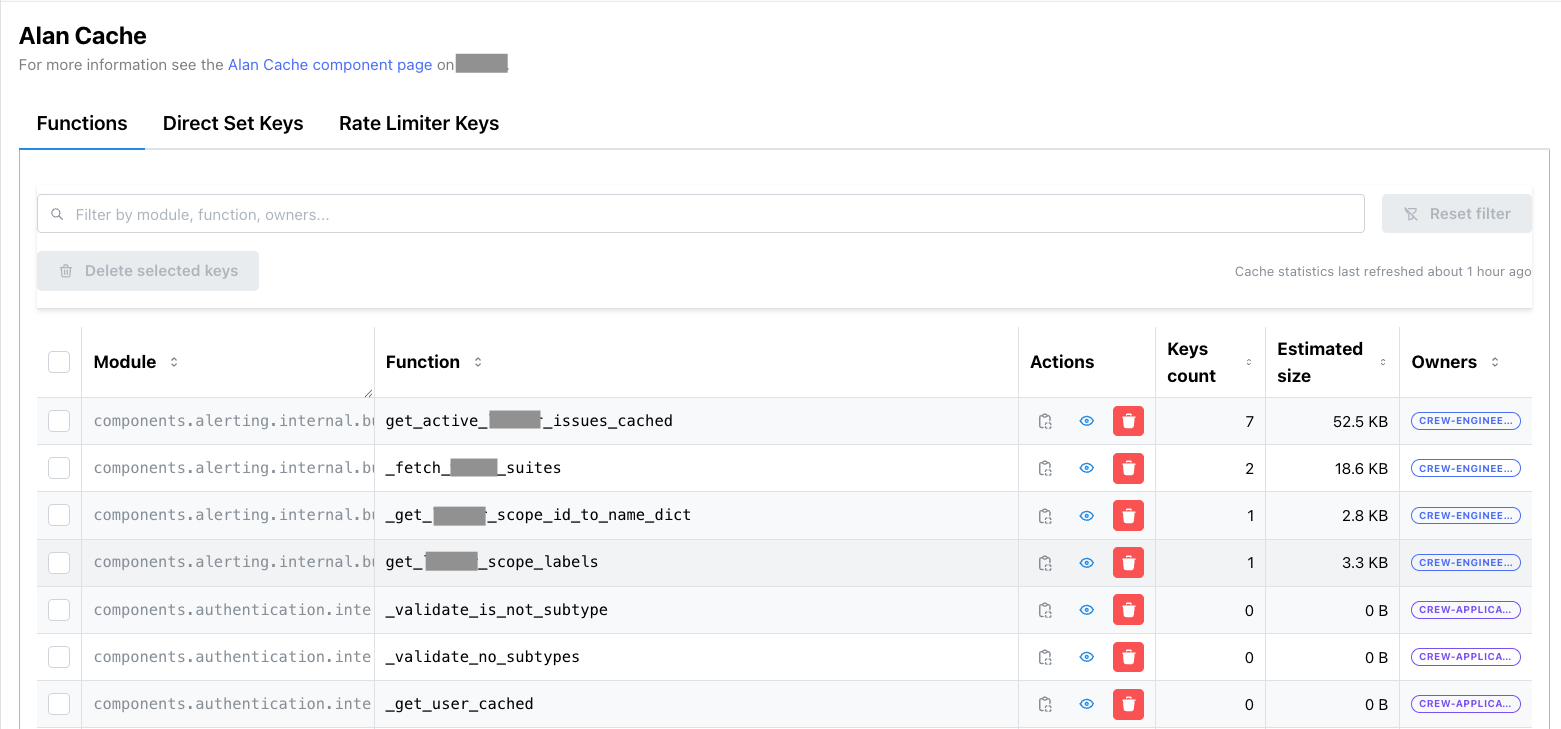
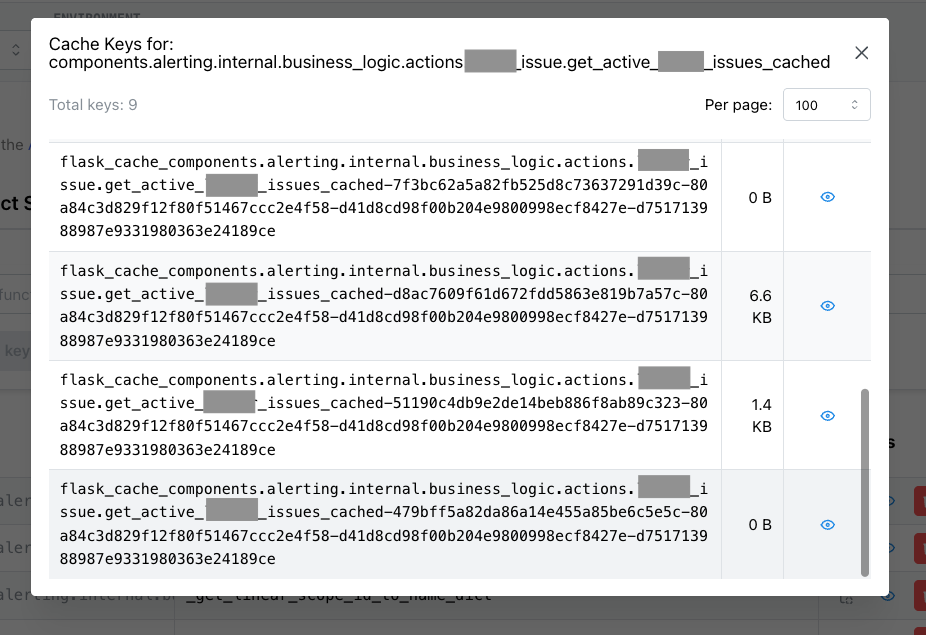
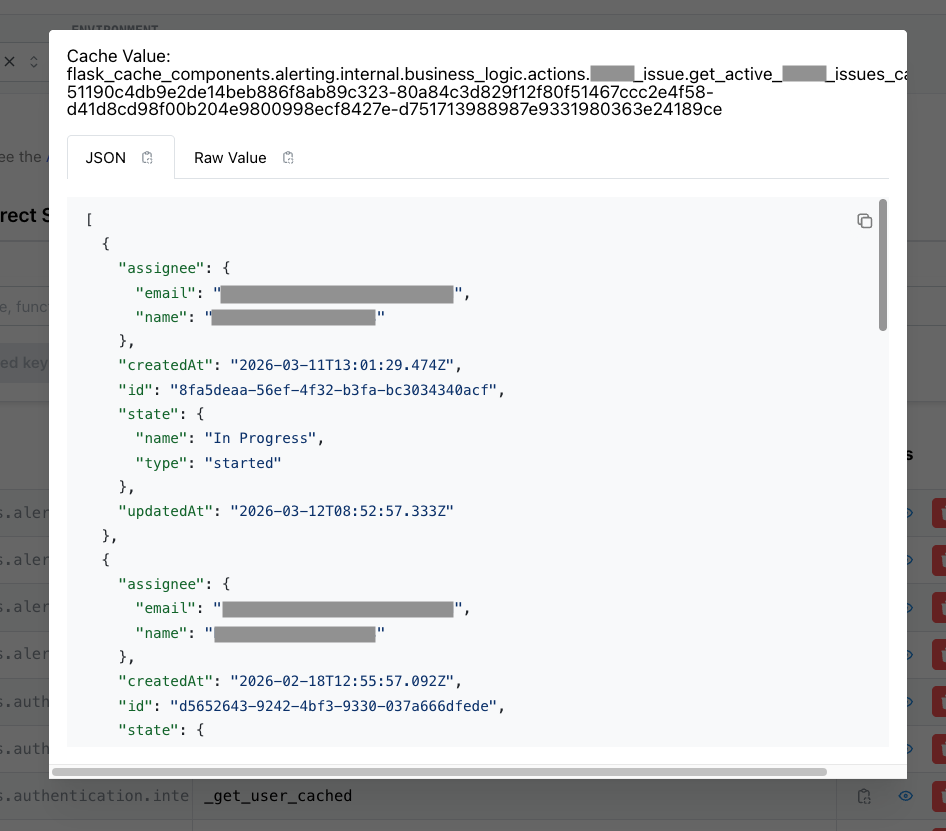
<h1 id="riak-as-events-storage">Riak as Events Storage</h1>

<p><a href="http://booking.com">Booking.com</a> constantly monitors, inspects, and
analyzes our systems in order to make decisions. We capture and channel
<strong>events</strong> from our various subsystems, then perform real-time, medium
and long-term computation and analysis.</p>

<p>This is a critical operational process, since our daily work always gives
precedence to data. Relying on data removes the guesswork in making sound
decisions.</p>

<p>In this series of blog posts, we will outline details of our data pipeline, and
take a closer look at the short and medium-term storage layer that was
implemented using <a href="http://basho.com/products/#riak"><strong>Riak</strong></a>.</p>

<h2 id="introduction-to-events-storage">Introduction to Events Storage</h2>

<p>Booking.com receives, creates, and sends an enormous amount of data. Usual
business-related data is handled by traditional databases, caching systems,
etc. We define <em>events</em> as data that is generated by all the subsystems on
Booking.com.</p>

<p>In essence, events are free-form documents that contain a variety of metrics.
The generated data does not contain any direct operational information.
Instead, it is used to report status, states, secondary information, logs,
messages, errors and warnings, health, and so on. The data flow represents a
detailed status of the platform and contains crucial information that will be
harvested and used further down the stream.</p>

<p>To put this in numerical terms - we have more than <strong>billions of events per
day</strong>, streaming at more than <strong>100 MB per second</strong>, and adding up to more than
<strong>6 TB per day</strong>.</p>

<p>Here are some examples of how we use the events stream:</p>

<ul>
  <li><strong>Visualisation</strong>: Wherever possible, we use graphs to express data. To create them, we use a heavily-modified version of <a href="http://graphite.readthedocs.org/en/latest/overview.html">Graphite</a>.</li>
  <li><strong>Looking for anomalies</strong>: When something goes wrong, we need to be notified. We use threshold-based notification systems (like <a href="https://github.com/scobal/seyren">seyren</a>) as well as a custom <em>anomaly detection software</em>, which creates statistical metrics (e.g. change in standard deviation) and alerts if those metrics look suspicious.</li>
  <li><strong>Gathering errors</strong>: We use our data pipeline to pass stack traces from all our production servers into <a href="https://www.elastic.co/products/elasticsearch">ElasticSearch</a>. Doing it this way (as opposed to straight from the web application log files) allows us to correlate errors with the wealth of the information we store in the events.</li>
</ul>

<p>These typical use-cases are made available in less than one-minute after the related event has been generated.</p>

<h2 id="high-level-overview">High Level overview</h2>

<p>This is a very simplified diagram of the data flow:</p>

<p><center><img src="/images/riak1_flow.png" alt="simplified diagram of the data flow" /></center></p>

<p>We can generate events by using literally any piece of code that exists on our
servers. We pass a HashMap to a function, which packages the provided document
into a UDP packet and sends it to a collection layer. This layer aggregates all
the events together into “blobs”, which are split by seconds (also called
epochs) and other variables. These event <em>blobs</em> are then sent to the storage
layer running Riak. Finally, Riak sends them on to
<a href="https://hadoop.apache.org/">Hadoop</a>. The Riak cluster is meant to safely store
around ten days of data. It is used for <strong>near real-time</strong> analysis (something
that happened seconds or minutes ago), and <strong>medium-term</strong> analysis of
relatively small amounts of data. We use Hadoop for older data analysis or
analysis of a larger volume of data.</p>

<p>The above diagram is a simplified version of our data flow. In practical application, it’s spread across multiple datacenters (DC), and includes an additional aggregation layer.</p>

<h2 id="individual-events">Individual Events</h2>

<p>An event is a small <strong>schema-less</strong> <strong>[1]</strong> piece of data sent by our systems.
That means that the data can be in any structure with any level of depth, as
long as the top level is a HashTable. This is crucial to Booking.com - the goal
is to give as much flexibility as possible for the sender, so that it’s easy to
add or modify the structure, or the type and number of events.</p>

<p>Events are also tagged in four different ways:</p>

<ul>
  <li>the epoch at which they were created</li>
  <li>the DC where they originated</li>
  <li>the type of event</li>
  <li>the subtype.</li>
</ul>

<p>Some common types are:</p>

<ul>
  <li>WEB events (events produced by code running under a web server)</li>
  <li>CRON events (output of cron jobs)</li>
  <li>LB events (load balancer events)</li>
</ul>

<p>The subtypes are there for further specification and can answer questions like:
“Which one of web server systems are we talking about?”.</p>

<p>Events are compressed <a href="https://github.com/Sereal/Sereal">Sereal</a>
blobs. Sereal is possibly the
<a href="https://github.com/Sereal/Sereal/wiki/Sereal-Comparison-Graphs">best schema-less serialisation format</a>
currently available. It was also
<a href="http://blog.booking.com/sereal-a-binary-data-serialization-format.html">written at Booking.com</a>.</p>

<p>An individual event is not very big, but a huge number of them are sent every
second.</p>

<p>We use UDP as transport because it provides a fast and simple way to send data.
Despite some (very low) risk of data loss, it doesn’t impact senders sending
events. We are experimenting with an UDP-to-TCP relay that will be local to the
senders.</p>

<h2 id="aggregated-events">Aggregated Events</h2>

<p>Literally every second, events from this particular second (called <em>epoch</em>), DC
number, type, and subtype are merged together as an Array of events on the
aggregation layer. At this point, it’s important to try and get the smallest
size possible, so the events of a given epoch are re-serialized as a Sereal
blob, using these options:</p>

<div class="language-plaintext highlighter-rouge"><div class="highlight"><pre class="highlight"><code>compress =&gt; Sereal::Encoder::SRL_ZLIB,
dedupe_strings =&gt; 1
</code></pre></div></div>

<p><code class="language-plaintext highlighter-rouge">dedupe_strings</code> increases the serialisation time slightly. However it removes
strings duplications which occur a lot since events are usually quite similar
between them. We also add gzip compression.</p>

<p>We also add the checksum of the blob as a postfix, to be able to ensure data
integrity later on. The following diagram shows what an aggregated blob of
events looks like for a given epoch, DC, type, and subtype. You can get more
information about the Sereal encoding in the
<a href="https://github.com/Sereal/Sereal/blob/master/sereal_spec.pod">Sereal Specification</a>.</p>

<p>This is the general structure of an events blob:</p>

<p><center><img src="/images/riak1_blob.png" alt="general structure of an events blob" /></center></p>

<p>The compressed payload contains the events themselves. It’s an Array of HashMaps,
Serialized in a Sereal structure and gzip-compressed. Here is an example of a
trivial payload of two events, as follows:</p>

<div class="language-plaintext highlighter-rouge"><div class="highlight"><pre class="highlight"><code>[
  { cpu =&gt; 5  },
  { cpu =&gt; 99 }
]
</code></pre></div></div>

<p>And the gzipped payload would be the compressed version of this binary string:</p>

<p><center><img src="/images/riak1_gzip.png" alt="gzipped payload would be the compressed version of this binary string" /></center></p>

<p>It can be hard to follow these hexdigits <strong>[2]</strong>, yet it’s a nice illustration
of why the Sereal format helps us to reduce the size of serialised data. The
second array element is encoded on far fewer bytes than the first one, since
the key has already be seen. The resulting binary is then re-compressed. The
Sereal implementation offers multiple compression algorithms, including
<a href="http://google.github.io/snappy/">Snappy</a> and <a href="http://www.gzip.org/">gzip</a>.</p>

<p>A typical blob of events for one second/DC/type/subtype can weight anywhere from
several kilobytes to several megabytes, which translates into a (current) average
of around 250 gigabytes per hour.</p>

<p>Side note: smaller subtypes on this level of aggregation aren’t always used,
because we want to minimise the data we transmit over our network by having good
compression ratios. Therefore we split types into subtypes only when the blobs
are big enough. The downside to this approach is that consumers have to fetch
data for the whole type, then filter out only subtypes they want. We’re looking
at ways to find more balance here.</p>

<h2 id="data-flow-size-and-properties">Data flow size and properties</h2>

<p>Data flow properties are important, since they’re used to decide how data
should be stored:</p>

<ul>
  <li>The data is timed and all the events blobs are associated with an epoch. It’s
important to bear in mind that events are schema-less, so the data is not a
traditional time series.</li>
  <li>Data can be considered read-only; the aggregated events blobs are written every second and almost never modified
(history rewriting happens very rarely).</li>
  <li>Once sent to the storage, the data must be available as soon as possible</li>
</ul>

<p>Data is used in different ways on the client side. A lot of consumers are
actually daemons that will consume the fresh data as soon as possible - usually
seconds after an event was emitted. A large number of clients read the last few
hours of data in a chronological sequence. On rare occasions, consumers access
random data that is over a few days old. Finally, consumers that want to work on larger
amounts of older data would have to create Hadoop jobs.</p>

<p>There is a large volume of data to be moved and stored. In numerical terms:</p>

<ul>
  <li>Once serialized and compressed into blobs, it is usually larger than 50 MB/s</li>
  <li>That’s around <strong>250 GB per hour</strong> and more than <strong>6 TB per day</strong></li>
  <li>There is a daily <em>peak hour</em> but the variance of the data size is not huge:
There are no quiet periods</li>
  <li>Yearly <em>peak season</em> stresses all our systems, including events
transportation and storage, so we need to provision capacity for that</li>
</ul>

<h2 id="why-riak">Why Riak</h2>

<p>In order to find the best storage solution for our needs, we tested and
benchmarked several different products and solutions.</p>

<p>The solutions had to reach the right balance of multiple features:</p>

<ul>
  <li>Read performance had to be high as a lot of external processes will use the data.</li>
  <li>Write security was important, as we had to ensure that the continuous flow of
data could be stored. Write performance should not be impacted by reads.</li>
  <li>Horizontal scalability was of utmost importance, as our business and traffic continuously grows.</li>
  <li>Data resilience was key: we didn’t want to lose portions of our data because of a hardware problem.</li>
  <li>Allowed a small team to administrate and make the storage evolve.</li>
  <li>The storage shouldn’t require the data to have a specific schema or
structure.</li>
  <li>If possible, it would be able to bring code to data, perform computation on the
storage itself, instead of having to get data out of the storage.</li>
</ul>

<p>After exploring a number of distributed file systems and databases, we chose
Riak over distributed Key-Value stores. Riak had good performance and
predictable behavior when nodes fail and when scaling up. It also had the
advantage of being easy to grasp and implement within a small team. Extending
it was very easy (which we’ll see in the next part of this series of blog
posts) and we found the system very robust - we never had to face dramatic
issues or data loss.</p>

<p><strong>Disclaimer</strong>: This is not an endorsment for Riak. We compared it carefully to
other solutions over a long period of time and it seemed to be the best product
to suit our needs. As an example, we thoroughly tested Cassandra as an
alternative: it had a larger community and similar performance but was less
robust and predictable; it also lacked some advanced features. The choice is
ultimately a question of priorities. The fact that our events are
<em>schema-less</em> made it almost impossible for us to use solutions that require
knowledge of the data structures. Also we needed a small team to be able to
operate the storage, and a way to process data on the cluster itself, using
MapReduce or similar mechanisms.</p>

<h2 id="riak-101">Riak 101</h2>

<p>The Riak cluster is a collection of nodes (in our case physical servers), each
of which claims ownership of a given key. Depending on the chosen replication
factor, each key might be owned by multiple nodes. You can ask any node for
a key and your request will be redirected to one of the owners. Same goes for
writes.</p>

<p>On closer inspection of Riak, we see that keys are grouped into virtual nodes.
Each physical node can own multiple virtual nodes. This simplifies data
rebalancing when growing a cluster. Riak does not need to recalculate the owner
for each individual key; it will only do it per virtual node.</p>

<p>We won’t cover Riak architecture in a great detail in this post, but we
recommend reading the
<a href="http://docs.basho.com/riak/latest/theory/concepts/Clusters/">following article</a>
for further information.</p>

<h2 id="riak-clusters-configuration">Riak clusters configuration</h2>

<p>The primary goal of this storage is to keep the data safe. We went with the
regular replication number value of <em>three</em>. Even if two nodes owning the same
data will go down, we won’t lose our data.</p>

<p>Riak offers multiple back-ends for actual data storage. The main three are
Memory, LevelDB, and Bitcask. We chose Bitcask, since it was suitable for our
particular needs. Bitcask uses log-structured hash tables that provide very
fast access. As data gets written to the storage, Bitcask simply appends data
to a number of opened files. Even if a key is modified or deleted, the
information will be written at the end of these storage files. An in-memory
HashTable maps the keys with the position of their (latest) value in files.
That way, at most one seek is needed to fetch data from the file system.</p>

<p>Data files are then periodically compacted, and Bitcask provides very good
expiration flexibility. Since Riak is a temporary storage solution for us, we
set it up with automatic expiration. Our expiration period varies. It depends
on the current cluster shape, but usually falls between 8-11 days.</p>

<p>Bitcask keeps all of the keys of a node in memory, so keeping large numbers of
individual events as key value pairs isn’t trivial. We sidestep any issues by
using aggregations of events (blobs), which drastically reduce the number of
needed keys.</p>

<p>More information about Bitcask can be found <a href="http://docs.basho.com/riak/latest/ops/advanced/backends/bitcask/">here</a>.</p>

<p>For our conflict resolution strategy, we use Last Write Wins. The nature of our
data (which is immutable as we described before) allows us to avoid the need
for conflict resolution.</p>

<p>The last important part of our setup is load balancing. It is crucial in an
enviromnent with a high level of reads, and only 1 gigabyte network. We use our
own solution for that based on <a href="https://zookeeper.apache.org/">Zookeeper</a>.
Zooanimal daemons are running on the riak nodes, and collect information about
system health. The information is then aggregated into simple text files, where
we have an ordered list of IP addresses, plus up and running Riak nodes, which
we can connect to. All our Riak clients simply choose a random node to send
their requests to.</p>

<p>We currently have two Riak clusters in different geographical locations, each
of which have more than 30 nodes. More nodes equates to more storage space, CPU
power, RAM, and more network bandwidth available.</p>

<h2 id="data-design">Data Design</h2>

<p>Riak is primarily a key-value store. Although it provides advanced features
(secondary indexes, MapReduce, CRDTs), the simplest and most efficient way to
store and retrieve data is to use the key-value model.</p>

<p>Riak has three concepts - a <strong>bucket</strong> is a namespace, in which a key is
unique. A <strong>key</strong> is the identifier of the data; and has to be stored in a
bucket. A <strong>value</strong> is the data; it has an associated mime-type, which can
enable Riak awareness of its type.</p>

<p>Riak doesn’t provide efficient ways to retrieve the list of buckets or the list
of keys by default <strong>[3]</strong>. When using Riak, it’s important to know the bucket
and key to access. This is usually resolved by using self-explanatory
identifiers.</p>

<p>In our case, our events are stored as Sereal-encoded blobs. From these, we know
the datacenter, type, subtype, and of course the time at which it was created.</p>

<p>When we need to retrieve data, we always know the time we want. We are also
confident in the list of our datacenters. It doesn’t change unexpectedly so we
can make it static for our applications. We are not always sure about what
types or subtypes will appear in a given epoch for a given datacenter. On some
seconds events of certain types may not arrive.</p>

<p>We came up with this simple data design:</p>

<ul>
  <li>events blobs are stored in the <strong>events</strong> bucket, keys being
<code class="language-plaintext highlighter-rouge">&lt;epoch&gt;:&lt;dc&gt;:&lt;type&gt;:&lt;subtype&gt;:&lt;chunk&gt;</code></li>
  <li>metadata are stored in the <strong>epochs</strong> bucket, keys being <code class="language-plaintext highlighter-rouge">&lt;epoch&gt;:&lt;dc&gt;</code> and
values being the list of events keys for this epoch and DC combination</li>
</ul>

<p>The value of chunk is an integer, starting at zero, which keeps event blobs
smaller than 500 kilobytes each. We use the integer to split big events blobs
into smaller ones, so that Riak can function more efficiently.</p>

<p>We’ll now see this data design in action when pushing data to Riak</p>

<h1 id="pushing-to-riak">Pushing to Riak</h1>

<p>Pushing data to Riak is done by a number of <strong>relocators</strong>, which are daemons
running on the aggregation layer that then push events blobs to Riak.</p>

<p>Side note: it’s not recommended to have keys more then 1-2MB in Riak (see <a href="http://docs.basho.com/riak/latest/community/faqs/developing/#is-there-a-limit-on-the-size-of-files-that-can-be">this FAQ</a>).
And since our blobs can be 5-10MB in size, we shard them into chunks, 500KB each.
Chunks are valid Sereal documents, which means we do not have to stich chunks together in order to retrieve data back.</p>

<p>This means that we have quite a lot of blobs to send to Riak, so to maximise our usage of
networking, I/O, and CPU, it’s best to send data in a mass-parallel way. To do so, we maintain a number of
forked processes (20 per host is a good start), in which each of them push data to Riak.</p>

<p>Pushing data to Riak can be done using the
<a href="http://docs.basho.com/riak/latest/dev/references/http/">HTTP API</a>, or the
<a href="http://docs.basho.com/riak/latest/dev/references/protocol-buffers/">Protocol Buffers Client (PBC) API</a>.
PBC has a slighly better performance.</p>

<p>Whatever protocol is used, it’s important to maximise I/O utilisation. One way
is to use an HTTP library that parallelises the requests in term of I/O
(<a href="https://metacpan.org/pod/YAHC">YAHC</a> is an example). Another method is to use
an asynchronous Riak Client like
<a href="https://metacpan.org/pod/AnyEvent::Riak">AnyEvent::Riak</a>.</p>

<p>We use an in-house library to create and maintain a pool of forks, but there are more than one existing libraries on CPAN, like
<a href="https://metacpan.org/pod/Parallel::ForkManager">Parallel::ForkManager</a>.</p>

<h2 id="put-to-riak">PUT to Riak</h2>

<p>Writing data to Riak is rather simple. For a given epoch, we have the list of
events blobs, each of them having a different DC/type/subtype combination (remember, DC is short for Data Center). For example:</p>

<p><center><img src="/images/riak_put.png" alt="PUT to Riak" /></center></p>

<p>The first task is to slice the blobs into 500 KB chunks and add a postfix index
number to their name. That gives:</p>

<p><center><img src="/images/riak_put_result.png" alt="PUT to Riak - result" /></center></p>

<p>Next, we can store all the event blobs in Riak in the <code class="language-plaintext highlighter-rouge">events</code> bucket. We can
simulate it with curl:</p>

<div class="language-plaintext highlighter-rouge"><div class="highlight"><pre class="highlight"><code>curl -d &lt;data&gt; -XPUT "http://node:8098/buckets/events/keys/1413813813:1:type1:subtype1:0"
# ...
curl -d &lt;data&gt; -XPUT "http://node:8098/buckets/events/keys/1413813813:2:type3::0"
</code></pre></div></div>

<p>Side note: we store all events in each of the available Riak clusters. In other
words, all events from all DCs will be stored in the Riak cluster which is in DC
1, as well as in the Riak cluster which is in DC 2. We do not use cross DC
replication to achieve that - instead we simply push data to all our clusters
from the relocators.</p>

<p>Once all the events blobs are stored, we can store the <strong>metadata</strong>, which is
the list of the event keys, in the <code class="language-plaintext highlighter-rouge">epochs</code> bucket. This metadata is stored in one
key per epoch and DC. So for the current example, we will have 2 keys:
<code class="language-plaintext highlighter-rouge">1413813813-1</code> and <code class="language-plaintext highlighter-rouge">1413813813-2</code>. We have chosen to store the list of events
blobs names as pipe separated values. Here is a simulation with curl for
DC 2:</p>

<div class="language-plaintext highlighter-rouge"><div class="highlight"><pre class="highlight"><code>curl -d "type1:subtype1:0|type1:subtype1:1|type3::0" -XPUT "http://riak_host:8098/buckets/epochs/keys/1413813813-2"
</code></pre></div></div>

<p>Because the epoch and DC are already in the key name, it’s not necessary to
repeat that in the content. It’s important to push the metadata <strong>after</strong> 
pushing the data.</p>

<h2 id="put-options">PUT options</h2>

<p>When pushing data to the Riak cluster, we can use different attributes to
change the way data is written - either by specifying which ones when using the PBC
API, or by setting the buckets defaults.</p>

<p><a href="http://docs.basho.com/riak/latest/dev/advanced/replication-properties/#Available-Parameters">Riak’s documentation</a> provides a comprehensive list of the parameters and their meaning. We have set these parameters as follows:</p>

<div class="language-plaintext highlighter-rouge"><div class="highlight"><pre class="highlight"><code>"n_val" : 3,

"allow_mult"      : false,
"last_write_wins" : true,

"w"  : 3,
"dw" : 0,
"pw" : 0,
</code></pre></div></div>

<p>Here is a brief explanation of these parameters:</p>

<ul>
  <li><code class="language-plaintext highlighter-rouge">n_val:3</code> means that the data is replicated three times</li>
  <li><code class="language-plaintext highlighter-rouge">allow_mult</code> and <code class="language-plaintext highlighter-rouge">last_write_wins</code> prohibit siblings values; conflicts are resolved right away by using the last value
written</li>
  <li><code class="language-plaintext highlighter-rouge">w:3</code> means that when writing data to a node, we get a success response only when the data has been written to all the three
replica nodes</li>
  <li><code class="language-plaintext highlighter-rouge">dw:0</code> instruct Riak to wait for the data to have reached the node, not the backend on the node, before returning success.</li>
  <li><code class="language-plaintext highlighter-rouge">pw:0</code> is here to specify that it’s OK if the nodes that store the replicas are not the primary nodes (i.e. the ones that are supposed to hold the data), but replacement nodes, in case the primary ones were unavailable.</li>
</ul>

<p>In a nutshell, we have a reasonably robust way of writing data. Because our
data is immutable and never modified, we don’t want to have siblings or
conflict resolution on the application level. Data loss could, in theory, happen
if a major network issue happened just after having acknowledged a write, but
before the data reached the backend. However, in the worst case we would lose a
fraction of one second of events, which is acceptable for us.</p>

<h1 id="reading-from-riak">Reading from Riak</h1>

<p>This is how the data and metadata for a given epoch is laid out in Riak:</p>

<div class="language-plaintext highlighter-rouge"><div class="highlight"><pre class="highlight"><code>bucket: epochs
key: 1428415043-1
value: 1:cell0:WEB:app:chunk0|1:cell0:EMK::chunk0

bucket: events
key: 1428415043:1:cell0:WEB:app:chunk0
value: &lt;binary sereal blob&gt;

bucket: events
key: 1428415043:1:cell0:EMK::chunk0
value: &lt;binary sereal blob&gt;
</code></pre></div></div>

<p>Fetching one second of data from Riak is quite simple. Given a DC and an epoch,
the process is as follow:</p>

<ul>
  <li>Read the metadata by fetching the key <code class="language-plaintext highlighter-rouge">&lt;epoch&gt;-&lt;dc&gt;</code> from the bucket <code class="language-plaintext highlighter-rouge">"epochs"</code></li>
  <li>Parse the metadata value, split on the pipe character to get data keys, and prepend the epoch to them</li>
  <li>Reject data keys that we are not interested in by filtering on type/subtype</li>
  <li>Fetch the data keys in parallel</li>
  <li>Deserialise the data</li>
  <li>Data is now ready for processing</li>
</ul>

<p>Reading a time range of data is done the same way. Fetching ten minutes of
data from <em>Wed, 01 Jul 2015 11:00:00 GMT</em> would be done by enumerating all the
epochs, in this case:</p>

<div class="language-plaintext highlighter-rouge"><div class="highlight"><pre class="highlight"><code>1435748400
1435748401
1435748402
...
1435749000
</code></pre></div></div>

<p>Then, for each epoch, fetch the data as previously mentioned. It should be noted
that Riak is specifically tailored for this kind of workload, where multiple
parallel processes perform a huge number of small requests on different keys.
This is where distributed systems shine.</p>

<h2 id="get-options">GET options</h2>

<p>The <code class="language-plaintext highlighter-rouge">events</code> bucket (where the event data is stored) has the following properties:</p>

<div class="language-plaintext highlighter-rouge"><div class="highlight"><pre class="highlight"><code>"r"            : 1,
"pr"           : 0,
"rw"           : "quorum",
"basic_quorum" : true,
"notfound_ok"  : true,
</code></pre></div></div>

<p>Again, let’s look at these parameters in detail:</p>

<ul>
  <li><code class="language-plaintext highlighter-rouge">r:1</code> means that when fetching data, as soon as we have a reply from one replica
node, Riak considers this as a valid reply, it won’t to compare it with
other replicas.</li>
  <li><code class="language-plaintext highlighter-rouge">pr:0</code> remove the requirement that the data comes from a primary node</li>
  <li><code class="language-plaintext highlighter-rouge">notfound_ok:true</code> makes it so that as soon as one node can’t find a key, Riak considers that the
key doesn’t exist (<code class="language-plaintext highlighter-rouge">notfound_ok:true</code>).</li>
</ul>

<p>These parameter values allow to be as fast as possible when fetching data. In
theory, such values don’t protect against conflicts or data corruption.
However, in the “Aggregated Events” section (see the first post), we’ve seen that every event blob
has a suffix checksum. When fetching them from Riak, this enables the consumer
to verify that there is no data corruption. The fact that the events are never
modified ensures that no version conflict can occur. This is why having such
“careless” parameter values is not an issue for this use case.</p>

<h1 id="real-time-data-processing-outside-of-riak">Real time data processing outside of Riak</h1>

<p>After the events are properly stored in Riak, it’s time to use them. The first
usage is quite simple: extract data out of them and process it on dedicated
machines, usually grouped in clusters or aggregations of machines that perform
the same kind of analysis. These machines are called <em>consumers</em>, and they
usually run daemons that fetch data from Riak, either continuously or on
demand. Most of the continuous consumers are actually small clusters of machines
spreading the load of fetching data.</p>

<p><center><img src="/images/riak_outside.png" alt="Real time data processing outside of Riak" /></center></p>

<p>Some data processing is required at near real-time. This is the case for
monitoring, and building graphs. Booking.com heavily uses graphs at every
layer of its technical stack. A big portion of graphs are generated from
Events. Data is fetched every second from the Riak storage, processed, and
dedicated graphing data is sent to an in-house <a href="http://graphite.wikidot.com/">Graphite</a> cluster.</p>

<p>Other forms of monitoring also consume the events stream- fetched continuously
and aggregated in per-second, per-minute, and daily aggregations in external
databases, which are then provided to multiple departments via internal tools.</p>

<p>These kind of processes try to be as close as possible to real-time.
Currently there are 10 to 15 seconds of lag. This lag could be shorter: a
portion of it is due to the collection part of the pipeline, and an even bigger
part of it is due to the re-serialisation of the events as they are grouped
together, to reduce their size. A good deal of optimisation could be done there
to reduce the lag down to a couple of seconds <strong>[4]</strong>. However, there was no operational
requirement for reducing it and 15 seconds is small enough for our current
needs.</p>

<p>Another way of using the data is to stick to real-time, but accumulate seconds
in periods. One example is our Anomaly Detector, which continuously fetches
events from the Riak clusters. However, instead of using the data right away,
it accumulates it on short moving windows of time (every few minutes) and applies
statistical algorithms on it. The goal is to detect anomalous patterns in our
data stream and provide the first alert that prompts further action. Needless to
say, this client is critical.</p>

<p>Another similar usage is done when gathering data related to A/B testing. A large
number of machines harvest data from the events’ flow before processing it and storing
the results in dedicated databases for use in experimentation-related tooling.</p>

<p>There are a number of other usages of the data outside of Riak, including
manually looking at events to check new features behaviours or analysing past
issues / outages.</p>

<h2 id="limitations-of-data-processing-outside-of-riak">Limitations of data processing outside of Riak</h2>

<p>Fetching data outside of the Riak clusters raises some issues that are
difficult to work around without changing the processing mechanism.</p>

<p>First of all, there is a clear network bandwidth limitation to the design: the
more consumer clusters there are, the more network bandwidth is used. Even with
large clusters (more than 30 nodes), it’s relatively easy to exhaust the
network capacity of all the nodes as more and more fetchers try to get data
from them.</p>

<p>Secondly, each consumer cluster tends to use only a small part of the events
flow. Even though consumers can filter out types, subtypes, and DCs, the
resulting events blobs still contain a large quantity of data that is
useless to the consumer. For storage efficiency, events need to be stored as
large compressed serialised blobs, so splitting them more by allowing more
subtyping is not possible <strong>[5]</strong>.</p>

<p>Additionally, statically splitting the events content is too rigid since use of
the data changes over time and we do not want to be a bottleneck to change for
our downstream consumers. Part of an event from a given type that was critical
2 years ago might be used for minor monitoring now. A subtype that was heavily
used for six month may now be rarely used because of a technical change in the
producers.</p>

<p>Finally, the amount of CPU time needed to uncompress, load, and filter the
big events blobs is not tiny. It usually takes around five seconds to fetch,
uncompress, and filter one second’s worth of events. Which means that any
real-time data crunching requires multiple threads and likely multiple hosts -
usually a small cluster. It would be much simpler if Riak could provide a
real-time stream of data exactly tailored to the consumer need.</p>

<h2 id="next-data-filtering-and-processing-inside-riak">Next: data filtering and processing inside Riak</h2>

<p>What if we could remove the CPU limitations by doing processing <em>on</em> the Riak
cluster itself? What if we could work around the network bandwidth issue
by generating sub-streams on the fly and in real-time <em>on</em> the Riak cluster?</p>

<p>This is exactly what we implemented, using simple concepts, and leveraging the
ease of use and <em>hackability</em> of Riak. These concepts and implementations will
be described in the next sections</p>

<h2 id="real-time-server-side-data-processing-the-theory">Real-time server-side data processing: the theory</h2>

<p>The reasoning is actually very simple. The final goal is to perform data
processing of the events blobs that are stored in Riak <strong>in real-time</strong>. Data
processing usually produces a very small result, and it appears to be a waste
of network bandwidth to fetch data outside of Riak to perform data analysis on consumer clusters, as in this example::</p>

<p><center><img src="/images/riak_outside.png" alt="The Theory" /></center></p>

<p>This diagram is equivalent to:</p>

<p><center><img src="/images/equivalent_to.png" alt="This diagram is equivalent to" /></center></p>

<p>So instead of bringing the data to the processing code, let’s bring the code to
the data:</p>

<p><center><img src="/images/code_to_data.png" alt="instead of bringing the data to the processing code, let's bring the code to the data" /></center></p>

<p>This is a typical use case for MapReduce. We’re going to see how to use
MapReduce on our dataset in Riak, and also why it’s not a usable solution.</p>

<p>For the rest of this post, it’s important to establish a reference for <strong>all the events that are stored for a time period of exactly one second</strong>. Because we already happen to store our events by a second (and call it an “epoch”), using this unit of measure is a practical consideration that we’ll refer to as <strong>epoch-data</strong>.</p>

<h2 id="a-first-attempt-mapreduce">A first attempt: MapReduce</h2>

<p>MapReduce is a very well known (if somewhat outdated) way of bringing the code near the data and distributing data processing. There are excellent papers explaining this approach for further background study.</p>

<p>Riak has a very good MapReduce implementation. MapReduce jobs can be written in
Javascript or Erlang. We highly recommend using Erlang for better performance.</p>

<p>To perform events processing of an epoch-data on Riak, the MapReduce job would
look like the following list. Metadata and data keys concepts are explained in
the <a href="using-riak-as-events-storage-part2.html">part 2</a> of the blog series. Here are the MapReduce phases:</p>

<ul>
  <li>Given a list of epochs and DCs, the <strong>input</strong> is the list of metadata keys,
and as additional parameter, the processing code to apply to the data.</li>
  <li>A first <strong>Map</strong> phase reads the metadata values and returns a list of data keys.</li>
  <li>A second <strong>Map</strong> phase reads the data values, deserialises it, applies the
processing code and returns the list of results.</li>
  <li>A <strong>Reduce</strong> phase aggregates the results together</li>
</ul>

<p><center><img src="/images/mapreduce.png" alt="MapReduce" /></center></p>

<p>This works just fine. For one epoch-data, one data processing code is properly
mapped to the events, the data deserialised and processed in around 0.1 second
(on our initial 12 nodes cluster). This is by itself an important result: it’s
taking less than one second to fully process one second worth of events. Riak
makes it possible to implement a <strong>real-time MapReduce processing system</strong> <strong>[6]</strong>.</p>

<p>Should we just use MapReduce and be done with it? Not really, because our
use case involves multiple consumers doing different data processing <strong>at the
same time</strong>. Let’s see why this is an issue.</p>

<h2 id="the-metrics">The metrics</h2>

<p>To be able to test the MapReduce solution, we need a use case and some metrics
to measure.</p>

<p>The use case is the following: every second, multiple consumers (say 20) need
the result of one of the data processing (say 10) of the previous second.</p>

<p>We’ll consider that an epoch-data is roughly <strong>70MB</strong>, data processing results
are around <strong>10KB</strong> each. Also, we’ll consider that the Riak cluster is a 30
nodes ring with 10 real CPUs available for data processing on each node.</p>

<p>The first metric we can measure is the <strong>external network bandwidth</strong> usage. This is
the first factor that encouraged us to move away from fetching the events out
of Riak to do external processing. External bandwidth usage is the bandwidth
used to transfer data between the cluster as a whole, and the outside world.</p>

<p>The second metric is the <strong>internal network bandwidth</strong> usage. This represents
the network used between the nodes, inside of the Riak cluster.</p>

<p>Another metric is the time (more precisely the CPU-time) it takes to
<strong>deserialise</strong> the data. Because of the heavily compressed nature of our data,
decompression and deserialising one epoch-data takes roughly <strong>5 sec</strong>.</p>

<p>The fourth metric is the CPU-time it take to <strong>process</strong> the deserialized data,
analyze it and produce a result. This is very fast (compared to
deserialisation), let’s assume <strong>0.01 sec.</strong> at most.</p>

<p>Note: we are not taking into account the impact of storing the data in the
cluster (remember that events blobs are being stored every second) because it’s impacting the system the same way in both external processing and MapReduce.</p>

<h2 id="metrics-when-doing-external-processing">Metrics when doing external processing</h2>

<p>When doing standard data processing as seen in the previous part of this blog
series, one <strong>epoch-data</strong> is fetched out from Riak, and deserialised and
processed outside of Riak.</p>

<h4 id="external-bandwidth-usage">External bandwidth usage</h4>

<p>The external bandwidth usage is high. For each query, the epoch-data is
transferred, so that’s 20 queries times 70MB/s = 1400 MB/s. Of course, this
number is properly spread across all the nodes, but that’s still roughly 1400
/ 30 = 47 MB/s. That, however, is just for the data processing. There is a small
overhead that comes from the clusterised nature of the system and from gossiping,
so let’s round that number to 50 MB/s per node, in external output network
bandwidth usage.</p>

<h4 id="internal-bandwidth-usage">Internal bandwidth usage</h4>

<p>The internal bandwidth usage is very high. Each time a key value is requested,
Riak will check its 3 replicas, and return the value. So 3 x 20 x 70MB/s = 4200
MB/s. Per node, it’s 4200 MB/s / 30 = 140 MB/s</p>

<h4 id="deserialise-time">Deserialise time</h4>

<p>Deserialise time is zero: the data is deserialised outside of Riak.</p>

<h4 id="processing-time">Processing time</h4>

<p>Processing time is zero: the data is processed outside of Riak.</p>

<h2 id="metrics-when-using-mapreduce">Metrics when using MapReduce</h2>

<p>When using MapReduce, the data processing code is sent to Riak, included in an
ad hoc MapReduce job, and executed on the Riak cluster by sending the orders
to the nodes where the <strong>epoch-data</strong> related data chunks are stored.</p>

<h4 id="external-bandwidth-usage-1">External bandwidth usage</h4>

<p>When using MapReduce to perform data processing jobs, there is certainly a huge
gain in network bandwidth usage. For each query, only the results are
transferred, so 20 x 10KB/s = 200 KB/s.</p>

<h4 id="internal-bandwidth-usage-1">Internal bandwidth usage</h4>

<p>The internal usage is also very low: it’s only used to spread the MapReduce
jobs, transfer the results, and do bookkeeping. It’s hard to put a proper number
on it because of the way jobs and data are spread on the cluster, but overall
it’s using a couple of MB/s at most.</p>

<h4 id="deserialise-time-1">Deserialise time</h4>

<p>Deserialise time is high: for each query, the data is deserialised, so 20 x 5 =
100 sec for the whole cluster. Each node has 10 CPUs available for
deserialisation, so the time needed to deserialise one second worth of data is
100/300 = 0.33 sec. We can easily see that this is an issue, because already
one third of all our CPU power is used for deserialising the same data in each
MapReduce instance. It’s a big waste of CPU time.</p>

<h4 id="processing-time-1">Processing time</h4>

<p>Processing time is 20 x 0.01 = 0.2s for the whole cluster. This is really low
compared to the deserialise time.</p>

<h2 id="limitations-of-mapreduce">Limitations of MapReduce</h2>

<p>As we’ve seen, using MapReduce has its advantages: it’s a well-known standard,
and allows us to create real-time processing jobs. However it doesn’t scale:
because MapReduce jobs are isolated, they can’t share the deserialised data,
and CPU time is wasted, so it’s not possible to have more than one or two
dozens of real-time data processing jobs at the same time.</p>

<p>It’s possible to overcome this difficulty by caching the deserialised data in
memory, within the Erlang VM, on each node. CPU time would still be 3 times
higher than needed (because a map job can run on any of the 3 replicas that
contains the targeted data) but at least it wouldn’t be tied to the number of
parallel jobs.</p>

<p>Another issue is the fact that writing MapReduce jobs is not that easy,
especially because — in this case — it’s a prerequisite to know Erlang.</p>

<p>Last but not least, it’s possible to create very heavy MapReduce jobs, easily
consuming all the CPU time. This directly impacts the performance and
reliability of the cluster, and in extreme cases the cluster may be unable to
store incoming events at a sufficient pace. It’s not trivial to fully protect
the cluster against MapReduce misuse.</p>

<h1 id="a-better-solution-post-commit-hooks">A better solution: post-commit hooks</h1>

<p>To work around these limitations, We explored a different approach to enable real-time data processing on the
cluster that scales properly by deserialising data only once, allows us to cap
its CPU usage, and allows us to write the processing jobs in any language, while
still bringing the code to the data, removing most of the internal and external
network usage.</p>

<p>This technical solution is what is currently in production at
<a href="http://www.booking.com">Booking.com</a> on our Riak events storage clusters, and
it uses post-commit hooks and a companion service on the cluster nodes.</p>

<h2 id="strategy-and-features">Strategy and Features##</h2>

<p>The previous parts introduced the need for data processing of the events blobs
that are stored in Riak <strong>in real-time</strong>, and the strategy of bringing the code to the data:</p>

<p><center><img src="/images/code_to_data.png" alt="instead of bringing the data to the processing code, let's bring the code to the data" /></center></p>

<p>Using MapReduce for computing on-demand data processing worked fine but didn’t
scale to many users (see <a href="using-riak-as-events-storage-part3.html">part 3</a>).</p>

<p>Finding an alternative to MapReduce for server-side real-time data processing
requires listing the required features of the system and the compromises that
can be made:</p>

<h3 id="real-time-isolated-data-transformation">Real-time isolated data transformation</h3>

<p>As seen in the previous parts of this blog series, we need to be able to
perform transformation on the incoming events, with as little delay as
possible. We don’t want any lag induced by a large batch processing. Luckily,
these transformations are usually small and fast. Moreover, they are
<em>isolated</em>: the real-time processing may involve multiple types and subtypes of
events data, but should not depend on previous events knowledge. Cross-epoch
data processing can be implemented by reusing the MapReduce concept, computing
a Map-like transformation on each events blobs by computing them independently,
but leaving the Reduce phase up to the consumer.</p>

<h3 id="performance-and-scalability">Performance and scalability</h3>

<p>The data processing should have a very limited bandwidth usage and reasonable
CPU usage. However, we also need the CPU usage not to be affected by the number
of clients using the processed data. This is where the previous attempt using
MapReduce showed its limits. Of course, horizontal scalability has to be
ensured, to be able to scale with the Riak cluster.</p>

<p>One way of achieving this is to perform the data processing continuously for
every datum that reach Riak, upfront. That way, client requests are actually
only querying the <em>results</em> of the processing, and not triggering computation at
query time.</p>

<h3 id="no-back-processing">No back-processing</h3>

<p>The data processing will have to be performed on real-time data, but no
back-processing will be done. When a data processing implementation changes, it
will be effective on future events only. If old data is changed or added
(usually as a result of reprocessing), data processing will be applied,
but using the latest version of processing jobs. We don’t want to maintain any
history of data processing, nor any migration of processed data.</p>

<h3 id="only-fast-transformations">Only fast transformations</h3>

<p>To avoid putting too much pressure on the Riak cluster, we only allow data
transformation that produces a small result (to limit storage and bandwidth
footprint), and that runs quickly, with a strong timeout on execution time.
Back-pressure management is very important, and we have a specific strategy to
handle it (see <strong>“Back-pressure management strategy”</strong> below)</p>

<h2 id="the-solution-substreams">The solution: Substreams</h2>

<p><center><img src="/images/simplified_substream.png" alt="Substreams, a simplified overview" /></center></p>

<p>With these features and compromises listed, it is now possible to describe the
data processing layer that we ended up implementing at Booking.com.</p>

<p>This system is called <strong>Substreams</strong>. Every seconds, the list of keys of the
data that has just been stored is sent to a companion app - a home-made daemon -
running on every Riak node. This fetches the data, decompresses it, runs a
list of data transformation code on it, and stores the results back into Riak,
using the same key name but with a different namespace. Users can now fetch the
processed data.</p>

<p>A data transformation code is called a <em>substream</em> because most of the time the
data transformation is more about cherry-picking exactly the needed fields and
values out of the full stream, rather than performing complex operations.</p>

<p>The companion app is actually a simple pre-forking daemon with a Rest API. It’s
installed on all nodes of the cluster, with around 10 forks. The Rest API is
used to send it the list of keys, and wait for the process completion. The
events data doesn’t transit via this API; the daemon is fetching itself the key
values from Riak, and stores the substreams (results of data transformation)
back into Riak.</p>

<p>The main purpose of this system is to drastically reduce the size of data
transferred to the end user by enabling the cherry-picking of specific branches
or leaves of the events structures, and also to perform preliminary data
processing on the events. Usually, clients are fetching these substreams to
perform more complex and broader aggregations and computations (for instance
as a data source for Machine Learning).</p>

<p>Unlike MapReduce, this system has multiple benefits:</p>

<h3 id="data-decompressed-only-once">Data decompressed only once</h3>

<p><center><img src="/images/decompress_once.png" alt="Deserialisation and decompression is done once, for many data processing jobs" /></center></p>

<p>A given binary blob of events (at mot 500K of compressed data) is handled by
one instance of the companion app, which will decompress it once, then run all
the data processing jobs on the decompressed data structure in RAM. This is a
big improvement compared to MapReduce, the most CPU intensive task is
actually to <em>decompress</em> and deserialise the data, not to <em>transform</em> it. Here
we have the guarantee that data is decompressed only once in its lifetime.</p>

<h3 id="transformation-at-write-time-not-at-query-time">Transformation at write time, not at query time</h3>

<p><center><img src="/images/computation_once.png" alt="Data is created once and for all" /></center></p>

<p>Unlike MapReduce, once a transformation code is setup and enabled, it’ll be
computed for every epoch, <strong>even if nobody uses the result</strong>. However, the
computation will happen <strong>only once</strong>, even if multiple users request it later
on. Data transformation is already done when users want to fetch the result.
That way, the cluster is protected against simultaneous requests of a big
number of users. It’s also easier to predict the performance of the substreams
creations.</p>

<h3 id="hard-timeout---open-platform">Hard timeout - open platform</h3>

<p>Data decompression and transformation by the companion app is performed under a
global timeout that would kill the processing if it takes too long. It’s easy
to come up with a realistic timeout value given the average size of event
blobs, the number of companion instances, and the total number of nodes. The
hard timeout makes sure that data processing is not using too many resources,
ensuring that Riak KV works smoothly.</p>

<p>This mechanism allows the cluster to be an open platform: any developer in the
company can create a new substream transformation and quickly get it up and
running on the cluster on its own without asking for permission. There is no
critical risk for the business as substreams runs are capped by a global
timeout. This approach is a good illustration of the flexible and agile
spirit in IT that we have at Booking.com.</p>

<h2 id="implementation-using-a-riak-commit-hook">Implementation using a Riak commit hook</h2>

<p><center><img src="/images/commit_hook.png" alt="detailed picture with the commit hook" /></center></p>

<p>In this diagram we can see where the Riak commit hook kicks in. We can also see
that when the companion requests data from the Riak service, there is a high
chance that the data is not on the current node and Riak has to get it from
other nodes. This is done transparently by Riak, but it consumes bandwidth. In
the next section we’ll see how to reduce this bandwidth usage and have full
data locality. But for now, let’s focus on the commit hook.</p>

<p><a href="http://docs.basho.com/riak/kv/latest/developing/usage/commit-hooks/">Commit hooks</a> are
a feature of Riak that allow the Riak cluster to execute a provided callback
just before or just after a value is written, using respectively pre-commit and
post-commit hooks. The commit hook is executed on the node that coordinated the
write.</p>

<p>We set up a post-commit hook on the metadata bucket (the <code class="language-plaintext highlighter-rouge">epochs</code> bucket). We
implemented the commit hook callback, which is executed each time a key is
stored to that metadata bucket. In
<a href="using-riak-as-events-storage-part2.html">part 2</a> of this series, we explained
that the metadata is stored in the following way:</p>
<ul>
  <li>the key is <code class="language-plaintext highlighter-rouge">&lt;epoch&gt;-&lt;datacenter_id&gt;</code>, for example: <code class="language-plaintext highlighter-rouge">1413813813-1</code></li>
  <li>the value is the list of data keys (for instance <code class="language-plaintext highlighter-rouge">1413813813:2:type3::0</code>)</li>
</ul>

<p>The post-commit hook callback is quite simple: for each <em>metadata</em> key, it gets
the value (the list of <em>data</em> keys), and sends it over HTTP in async
mode to the <em>companion app</em>. Proper timeouts are set so that the execution of
the callback is capped and can’t impact the Riak cluster performance.</p>

<h3 id="hook-implementation">Hook implementation</h3>

<p>First, let’s write the post commit hook code:</p>

<div class="language-plaintext highlighter-rouge"><div class="highlight"><pre class="highlight"><code>:::erlang
metadata_stored_hook(RiakObject) -&gt;
    Key = riak_object:key(RiakObject),
    Bucket = riak_object:bucket(RiakObject),
    [ Epoch, DC ] = binary:split(Key, &lt;&lt;"-"&gt;&gt;),
    MetaData = riak_object:get_value(RiakObject),
    DataKeys = binary:split(MetaData, &lt;&lt;"|"&gt;&gt;, [ global ]),
    send_to_REST(Epoch, Hostname, DataKeys),
    ok.

send_to_REST(Epoch, Hostname, DataKeys) -&gt;
    Method = post,
    URL = "http://" ++ binary_to_list(Hostname)
       ++ ":5000?epoch=" ++ binary_to_list(Epoch),
    HTTPOptions = [ { timeout, 4000 } ],
    Options = [ { body_format, string },
    		         { sync, false },
            		  { receiver, fun(ReplyInfo) -&gt; ok end }
              ],
    Body = iolist_to_binary(mochijson2:encode( DataKeys )),
    httpc:request(Method,
                  {URL, [], "application/json", Body},
                  HTTPOptions, Options),
    ok.
</code></pre></div></div>

<p>These two Erlang functions (here they are simplified and would probably not
compile), are the main part of the hook. The function <code class="language-plaintext highlighter-rouge">metadata_stored_hook</code> is
going to be the entry point of the commit hook, when a <em>metadata</em> key is
stored. It receives the key and value that was stored, via the <code class="language-plaintext highlighter-rouge">RiakObject</code>,
uses its value to extract the list of data keys. This list is then sent to the
companion damone over Http using <code class="language-plaintext highlighter-rouge">send_to_REST</code>.</p>

<p>The second step is to get the code compiled and Riak setup to be able to use it
is properly. This is described in the documentation about
<a href="http://docs.basho.com/riak/kv/latest/using/reference/custom-code/">custom code</a>.</p>

<h3 id="enabling-the-hook">Enabling the Hook</h3>

<p>Finally, the commit hook has to be added to a Riak bucket-type:</p>

<div class="language-plaintext highlighter-rouge"><div class="highlight"><pre class="highlight"><code>riak-admin bucket-type create metadata_with_post_commit \
'{"props":{"postcommit":["metadata_stored_hook"]}'
</code></pre></div></div>

<p>Then the type is activated:</p>

<div class="language-plaintext highlighter-rouge"><div class="highlight"><pre class="highlight"><code>riak-admin bucket-type activate metadata_with_post_commit
</code></pre></div></div>

<p>Now, anything sent to Riak to be stored with a key within a bucket whose
bucket-type is <code class="language-plaintext highlighter-rouge">metadata_with_post_commit</code> will trigger our callback
<code class="language-plaintext highlighter-rouge">metadata_stored_hook</code>.</p>

<p>The hook is executed on the coordinator node, that is, the node that received
the write request from the client. It’s not necessary the node where this
metadata will be stored.</p>

<h3 id="the-companion-app">The companion app</h3>

<p>The companion app is a Rest service, running on all Riak nodes, listening on
port 5000, ready to receive a json blob, which is the list of data keys that
Riak has just stored. The daemon will fetch these keys from Riak, decompress
their values, deserialise them and run the data transformation code on them.
The results are then stored back to Riak.</p>

<p>There is little point showing the code of this piece of software here, as it’s
trivial to write. We implemented it in Perl using
a <a href="https://en.wikipedia.org/wiki/PSGI">PSGI</a> preforking web server
(<a href="https://metacpan.org/pod/Starman">Starman</a>). Using a Perl based web server
allowed us to also have the data transformation code in Perl, making
it easy for anyone in the IT department to write some of their own.</p>

<h3 id="optimising-intra-cluster-network-usage">Optimising intra-cluster network usage</h3>

<p>As seen saw earlier, if the commit hook simply sends the request to the local
companion app on the same Riak node, additional bandwidth usage is consumed to
fetch data from other Riak nodes. As the full stream of events is quite big
(around 150 MB per second), this bandwidth usage is significant.</p>

<p>In an effort to optimise the network usage, we have changed the post-commit
hook callback to group the keys by the node that is responsible for their
values. The keys are then sent to the companion apps running on the associated
nodes. That way, a companion app will always receive event keys for which data
are on the node they are running on. Hence, fetching events value will not use
any network bandwidth. We have effectively implemented 100% data locality
when computing substreams.</p>

<p><center><img src="/images/substream_optimized.png" alt="Better implementation where metadata is sent to the Riak node that contains the data" /></center></p>

<p>This optimisation is implemented by using Riak’s internal API that gives the list
of primary nodes responsible for storing the value of a given key. More
precisely, Riak’s Core application API provides the <code class="language-plaintext highlighter-rouge">preflist()</code> function: (see
<a href="http://basho.github.io/riak_core/riak_core_apl.html">the API here</a>) that is
used to map the result of the hashed key to its primary nodes.</p>

<p>The result is a dramatic reduction of network usage. Data processing is
optimised by taking place on one of the nodes that store the given data. Only
the metadata (very small footprint) and the results (a tiny fraction
of the data) travel on the wire. Network usage is greatly reduced.</p>

<h2 id="back-pressure-management-strategy">Back-pressure management strategy</h2>

<p>For a fun and easy-to-read description of what back-pressure is and how to
react to it, you can read this great post by Fred Hebert (<a href="https://twitter.com/mononcqc/">@mononcqc</a>):
<a href="http://ferd.ca/queues-don-t-fix-overload.html">Queues Don’t Fix Overload</a>.</p>

<p>What if there are too many substreams, or one substream is buggy and performs
very costly computations (especially as we allow developers to easily write
their own substream), or all of a sudden the events fullstream change, one
type becomes huge and a previously working substream now takes 10 times
more to compute?</p>

<p>One way of dealing with that is to allow back-pressure: the substream creation
system will inform the stream storage (Riak) that it cannot keep up, and that
it should reduce the pace at which it stores events. This is however not
practical here. Doing back-pressure that way will lead to the storage slowing
down, and transmitting the back-pressure upward the pipeline.
However, events can’t be “slowed down”. Applications send events at a given pace
and if the pipeline can’t keep up, events are simply lost. So propagating
<em>back-pressure</em> upstream will actually lead to <em>load-shedding</em> of events.</p>

<p>The other typical alternative is applied here: doing <em>load-shedding</em> straight
away. If a substream computation is too costly in CPU time, wallclock time,
disk IO or space, the data processing is simply aborted. This protects the Riak
cluster from slowing down events storage - which after all, is its main and
critical job.</p>

<p>That leaves the substream consumers downstream with missing data. Substreams
creation is <em>not guaranteed</em> anymore. However, we used a trick to mitigate the
issue. We implemented a dedicated feature in the common consumer library code;
when a substream is unavailable, the <em>full stream</em> is fetched instead, and the
data transformation is performed on the <em>client side</em>.</p>

<p>It effectively pushes the overloading issue down to the consumer, who can
react appropriately, depending on the guarantees they have to fulfill, and
their properties.</p>

<ul>
  <li>Some consumers are part of a cluster of hosts that are capable of sustaining
the added bandwidth and CPU usage for some time.</li>
  <li>Some other systems are fine with delivering their results later on, so the consumers will simply be very slow and lag behind real-time.</li>
  <li>Finally, some less critical consumers will be rendered useless because they
cannot catch up with real-time.</li>
</ul>

<p>However, this multitude of ways of dealing with the absence of
substreams, concentrated at the end of the pipeline, is a very safe yet
flexible approach. In practice, it is not so rare that a substream result for
one epoch is missing (one blob every couple of days), and such blips have no
incidence on the consumers, allowing for a very conservative behaviour of the Riak
cluster regarding substreams: “when in doubt, stop processing substreams”.</p>

<h3 id="conclusion">Conclusion</h3>

<p>This data processing mechanism proved to be very reliable and well-suited for
our needs. The implementation required surprisingly small amount of
code, leveraging features of Riak that proved to be flexible and easy to use.</p>

<h2 id="notes">Notes</h2>

<p><strong>[1]</strong> It is not strictly true that our events are schema-less. They obey the
structure that the producers found the most useful and natural. But they are so
many producers which each of them sending events that have a different schema,
so it’s almost equivalent to considering them schema-less. Our events can be
seen as structured, yet with so many schemas that they can’t be traced. There
is also complete technical freedom to change the structure of an event, if it’s
seen as useful by a producer.</p>

<p><strong>[2]</strong> After spending some time looking at and decoding Sereal blobs, the
human eye easily recognizes common data structures like small HashMaps, small
Arrays, small Integers and VarInts, and of course, Strings, since their content
is untouched. That makes Sereal an almost human readable serialisation format,
especially after a hexdump.</p>

<p><strong>[3]</strong> This can be worked around by using secondary indexes (2i) if the
backend is eleveldb or Riak Search, to create additional indexes on keys, thus
enabling listing them in various ways.</p>

<p><strong>[4]</strong> Some optimisation has been done, the main action was to implement a
module to split a sereal blob without deserialising it, thus speeding up the
process greatly. This module can be found here:
<a href="https://metacpan.org/pod/Sereal::Splitter">Sereal::Splitter</a>. Most of the time
spent in splitting sereal blobs is now spent in decompressing it. The next
optimization step would be to use compression that decrunches faster than the
currently used gzip; for instance <a href="https://code.google.com/p/lz4/">LZ4_HC</a>.</p>

<p><strong>[5]</strong> At that point, the attentive reader may jump in the air and proclaim
“LevelDB and snappy compression!”. It is indeed possible to use LevelDB as Riak
storage backend, which provides an option to use Snappy compression on the
blocks of data stored. However, this compression algorithm is not good enough
for our need (using gzip reduced the size by a factor of almost 2). Also,
Leveldb (or at least the eleveldb implementation that is used in Riak) doesn’t
provide automatic expiration which is critical to us, and had issues with
reclaiming free space after key deletions, with versions below 2.x</p>

<p><strong>[6]</strong> Using MapReduce on Riak is usually somewhat discouraged because most of the
time it’s being used in a wrong way, for instance when performing bulk fetch or bulk
insert or traversing a bucket. The MapReduce implementation in Riak is very
powerful and efficient, but must be used properly. It works best when
used on a small number of keys, even if the size of data processed is very
large. The fewer keys the less bookkeeping and the better performance. In our
case, there are only a couple of hundred keys for one second worth of data (but
somewhat large values, around 400K), which is not a lot. Hence the great
performance of MapReduce we’ve witnessed. YMMV.</p>]]></content><author><name>Damien Krotkine</name></author><summary type="html"><![CDATA[– This post is a compilation of four old posts. They are gathered here in one piece for more clarity, and for archiving purpose. The work described in this post was done over the years 2014-2016 – Riak as Events Storage Booking.com constantly monitors, inspects, and analyzes our systems in order to make decisions. We capture and channel events from our various subsystems, then perform real-time, medium and long-term computation and analysis. This is a critical operational process, since our daily work always gives precedence to data. Relying on data removes the guesswork in making sound decisions. In this series of blog posts, we will outline details of our data pipeline, and take a closer look at the short and medium-term storage layer that was implemented using Riak. Introduction to Events Storage Booking.com receives, creates, and sends an enormous amount of data. Usual business-related data is handled by traditional databases, caching systems, etc. We define events as data that is generated by all the subsystems on Booking.com. In essence, events are free-form documents that contain a variety of metrics. The generated data does not contain any direct operational information. Instead, it is used to report status, states, secondary information, logs, messages, errors and warnings, health, and so on. The data flow represents a detailed status of the platform and contains crucial information that will be harvested and used further down the stream. To put this in numerical terms - we have more than billions of events per day, streaming at more than 100 MB per second, and adding up to more than 6 TB per day. Here are some examples of how we use the events stream: Visualisation: Wherever possible, we use graphs to express data. To create them, we use a heavily-modified version of Graphite. Looking for anomalies: When something goes wrong, we need to be notified. We use threshold-based notification systems (like seyren) as well as a custom anomaly detection software, which creates statistical metrics (e.g. change in standard deviation) and alerts if those metrics look suspicious. Gathering errors: We use our data pipeline to pass stack traces from all our production servers into ElasticSearch. Doing it this way (as opposed to straight from the web application log files) allows us to correlate errors with the wealth of the information we store in the events. These typical use-cases are made available in less than one-minute after the related event has been generated. High Level overview This is a very simplified diagram of the data flow: We can generate events by using literally any piece of code that exists on our servers. We pass a HashMap to a function, which packages the provided document into a UDP packet and sends it to a collection layer. This layer aggregates all the events together into “blobs”, which are split by seconds (also called epochs) and other variables. These event blobs are then sent to the storage layer running Riak. Finally, Riak sends them on to Hadoop. The Riak cluster is meant to safely store around ten days of data. It is used for near real-time analysis (something that happened seconds or minutes ago), and medium-term analysis of relatively small amounts of data. We use Hadoop for older data analysis or analysis of a larger volume of data. The above diagram is a simplified version of our data flow. In practical application, it’s spread across multiple datacenters (DC), and includes an additional aggregation layer. Individual Events An event is a small schema-less [1] piece of data sent by our systems. That means that the data can be in any structure with any level of depth, as long as the top level is a HashTable. This is crucial to Booking.com - the goal is to give as much flexibility as possible for the sender, so that it’s easy to add or modify the structure, or the type and number of events. Events are also tagged in four different ways: the epoch at which they were created the DC where they originated the type of event the subtype. Some common types are: WEB events (events produced by code running under a web server) CRON events (output of cron jobs) LB events (load balancer events) The subtypes are there for further specification and can answer questions like: “Which one of web server systems are we talking about?”. Events are compressed Sereal blobs. Sereal is possibly the best schema-less serialisation format currently available. It was also written at Booking.com. An individual event is not very big, but a huge number of them are sent every second. We use UDP as transport because it provides a fast and simple way to send data. Despite some (very low) risk of data loss, it doesn’t impact senders sending events. We are experimenting with an UDP-to-TCP relay that will be local to the senders. Aggregated Events Literally every second, events from this particular second (called epoch), DC number, type, and subtype are merged together as an Array of events on the aggregation layer. At this point, it’s important to try and get the smallest size possible, so the events of a given epoch are re-serialized as a Sereal blob, using these options: compress =&gt; Sereal::Encoder::SRL_ZLIB, dedupe_strings =&gt; 1 dedupe_strings increases the serialisation time slightly. However it removes strings duplications which occur a lot since events are usually quite similar between them. We also add gzip compression. We also add the checksum of the blob as a postfix, to be able to ensure data integrity later on. The following diagram shows what an aggregated blob of events looks like for a given epoch, DC, type, and subtype. You can get more information about the Sereal encoding in the Sereal Specification. This is the general structure of an events blob:]]></summary></entry><entry><title type="html">PromCon2017 - Prometheus Conference 2017</title><link href="http://damien.krotkine.com/2017/08/22/PromCon.html" rel="alternate" type="text/html" title="PromCon2017 - Prometheus Conference 2017" /><published>2017-08-22T00:00:00+00:00</published><updated>2017-08-22T00:00:00+00:00</updated><id>http://damien.krotkine.com/2017/08/22/PromCon</id><content type="html" xml:base="http://damien.krotkine.com/2017/08/22/PromCon.html"><![CDATA[<p>This post is a list of things that I found interesting about Prometheus and its
ecosystem while attending <a href="https://promcon.io/2017-munich/">PromCon2017, the Prometheus Conference</a>, the 17th and
18th august 2017 in Munich (Germany). Things are not split per talks; instead I
have gathered information from all the talks and grouped them by topics, so
that it’s more organised, and easier to read.</p>

<p>The conference was very nice, well organized, and with a good mix of talks:
technical, less technical, war zone experience, (remotely) related topics and
products. It was a medium-sized one track conference, which are the ones I
prefer, as one can grasp everything that happens and talk to everybody in the
hallways.</p>

<h1 id="best-practises---general">Best practises - general</h1>
<ul>
  <li>monitor all metrics from all services, and from all libraries</li>
  <li>when coding, instead of printing debug messages or sending to log, send
metrics!</li>
  <li>USE method for resources (queues, CPU, disks…): “Utilization, Saturation, Errors”</li>
  <li>RED method for endpoints and services: “Rate, Errors, Duration”</li>
</ul>

<p />

<h1 id="best-practises---metrics-and-label-naming">Best practises - metrics and label naming</h1>
<ul>
  <li>standardize metric names and labels early on before it’s chaos</li>
  <li>you need conventions</li>
  <li>add unit suffixes</li>
  <li>base units (<code class="language-plaintext highlighter-rouge">seconds</code> vs <code class="language-plaintext highlighter-rouge">milliseconds</code>, bytes instead of megabytes)</li>
  <li>add <code class="language-plaintext highlighter-rouge">_total</code> counter suffixes to differenciate between counters and gauge</li>
  <li>all the labels of a given metrics should be summable or average-able</li>
  <li>be carefull about label cardinality
    <ul>
      <li>it’s OK to ingest millions of series</li>
      <li>but one metric should have max 1000 or 10_000 series (labels combinations)</li>
    </ul>
  </li>
  <li>more best practises (<a href="https://prometheus.io/docs/practices/naming">website</a>]</li>
  <li>when querying counters, don’t do <code class="language-plaintext highlighter-rouge">rate(sum())</code>, because it masks the resets. Do <code class="language-plaintext highlighter-rouge">sum(rate())</code></li>
</ul>

<p />

<h1 id="best-practises---alerting">Best practises - alerting</h1>
<ul>
  <li>use label and regex to do alert routing</li>
  <li>page only on user-visible symptoms, not causes</li>
  <li>“My Philosophy on Alerting” (see the SRE book or the <a href="https://docs.google.com/document/d/199PqyG3UsyXlwieHaqbGiWVa8eMWi8zzAn0YfcApr8Q/edit">google doc</a>)</li>
  <li>for all jobs: have these 2 basic alerts
    <ul>
      <li>alert on the prometheus job being up</li>
      <li>alert if the job is not even there</li>
    </ul>
  </li>
  <li>don’t use a too short FOR duration (4 or 5 min) or too long (no persistence between restart)</li>
  <li>keep labels when alerting (both recording and alerting rules) to know where it comes from</li>
  <li>use filtering per job, as metrics are per jobs</li>
</ul>

<p />

<h1 id="remote-storage">Remote storage</h1>
<ul>
  <li>prometheus provides an API to send/read/write data to a remote storage</li>
  <li>it also provides a gateway to act as a proxy to other DB like OpenTSDB or
InfluxDB</li>
  <li>in real life some people use OpenTSDB, others influxDB</li>
</ul>

<p />

<h1 id="influxdb">InfluxDB</h1>
<ul>
  <li>influxDB works fine with remote storage, read/write</li>
  <li>influxDB will (once again) change a lot of things
    <ul>
      <li>new data model similar to prometheus</li>
      <li>new QL called Influx Functional Query Language (IFQL)</li>
      <li>isolate QL, storage, computation, have them on different nodes</li>
      <li>generate a DAG for queries, and use an execution engine</li>
    </ul>
  </li>
</ul>

<p />

<h1 id="exporters">Exporters</h1>
<ul>
  <li>telegraf: having one telegraf instance per service is a SPOF, so be careful
and either have redundant telegraf instances or multiple telegrafs per
service.</li>
  <li>useful exporters: node exporters, blackbox (check urls), mtail</li>
  <li>don’t use one exporter to collect more than one service: one thing going
crazy won’t pollute other metrics collections.</li>
  <li>graphite exporter is easy and useful but it’s tricky to get labels exported
and transformed in graphite metric names in the right way</li>
</ul>

<p />

<h1 id="alerting-tools">Alerting tools</h1>
<ul>
  <li>alert manager deduplicates, so can be used from federated prometheus</li>
  <li>use jiralert (<a href="https://github.com/fabxc/jiralerts">github</a>), it’ll reopen
existing ticket if an alarm is triggered, avoids overcreating tickets.</li>
  <li>use alertmanager2es (<a href="https://github.com/cloudflare/alertmanager2es">github</a>) to
index alerts in ES</li>
  <li>unsee (<a href="https://github.com/cloudflare/unsee">github</a>) is a dashboard for alerts</li>
</ul>

<p />

<h1 id="meta-alerting">Meta Alerting</h1>
<ul>
  <li>send one alert on page duty at start of shift, make sure it’s received</li>
  <li>or use grafana for graphing alert manager and to alert about it (basic alerts)</li>
</ul>

<p />

<h1 id="grafana">Grafana</h1>
<ul>
  <li>lots of improvements of the query box (auto complettion, syntax highlighting, etc)</li>
  <li>improvements of displaying graph, with spread, upper limit points</li>
  <li>emoji available for quick glimpse at a state</li>
  <li>table panels available</li>
  <li>heatmap panel: histogram over time</li>
  <li>diagram panel: awesome feature to display your pipeline with annotated metrics/colors</li>
  <li>dashboard version history is available</li>
  <li>dashboards in git:
    <ul>
      <li>currently possible via the grafana lib from cortex</li>
      <li>later on will be provided by grafana</li>
    </ul>
  </li>
  <li>dashboards folders available</li>
  <li>grafana data source supports templating so you can change quickly data
sources when one prometheus instance is down, nice for fault tolerance</li>
</ul>

<p />

<h1 id="cortex">Cortex</h1>
<ul>
  <li>A multitenant, horizontally scalable Prometheus as a Service (<a href="https://github.com/weaveworks/cortex">github</a>)</li>
  <li>has multiple parts, ingesters, storage, service discovery, read/write query paths</li>
  <li>storage is implemented through an API so one could use a different storage</li>
</ul>

<p />

<h1 id="various">Various</h1>
<ul>
  <li>promgen: a prometheus configuration tool, worth checking
out (<a href="https://github.com/line/promgen">github</a>)</li>
  <li>load testing: <a href="http://gatling.io/">Gatling</a> (scriptable, generate scala code, Akka
based) vs <a href="http://jmeter.apache.org/">JMeter</a> (UI oriented, XML, threads)</li>
</ul>

<p />

<h1 id="prometheus-limitations">Prometheus limitations</h1>
<ul>
  <li>HA issues: when restarting/upgrading prometheus, gaps in data/graph can appear</li>
  <li>there is no horizontal scaling but sharding + federation; can be surprising at first</li>
  <li>remote storage API and gateway can work around limitation of the local storage</li>
  <li>hard time figuring out where the data is located on disk</li>
  <li>retention issues: you can’t specify a disk size, only expiration date; there
is no downsampling feature, which limit retention capacity</li>
</ul>

<p />

<h1 id="prometheus-v2">Prometheus v2</h1>
<ul>
  <li>will use Facebook’s Gorilla paper optimization, and Damian Gryski
(<a href="https://github.com/dgryski">github</a>) implementation</li>
  <li>prometheus 2 new storage, not a distributed storage but huge improvement in
ram, cpu, disk usage</li>
  <li>libTSDB is the new storage lib for prometheus v2. It can be used outside of
prometheus: an embeddable TSDB Go library.</li>
  <li>alertmanager with HA through gossip protocol and CRDTs using the mesh library
by Weaveworks (<a href="https://github.com/weaveworks/mesh">github</a>). It’s AP.</li>
  <li>beta avaioable now, stable enough for testing and some level of production use</li>
</ul>]]></content><author><name>Damien Krotkine</name></author><summary type="html"><![CDATA[This post is a list of things that I found interesting about Prometheus and its ecosystem while attending PromCon2017, the Prometheus Conference, the 17th and 18th august 2017 in Munich (Germany). Things are not split per talks; instead I have gathered information from all the talks and grouped them by topics, so that it’s more organised, and easier to read. The conference was very nice, well organized, and with a good mix of talks: technical, less technical, war zone experience, (remotely) related topics and products. It was a medium-sized one track conference, which are the ones I prefer, as one can grasp everything that happens and talk to everybody in the hallways. Best practises - general monitor all metrics from all services, and from all libraries when coding, instead of printing debug messages or sending to log, send metrics! USE method for resources (queues, CPU, disks…): “Utilization, Saturation, Errors” RED method for endpoints and services: “Rate, Errors, Duration” Best practises - metrics and label naming standardize metric names and labels early on before it’s chaos you need conventions add unit suffixes base units (seconds vs milliseconds, bytes instead of megabytes) add _total counter suffixes to differenciate between counters and gauge all the labels of a given metrics should be summable or average-able be carefull about label cardinality it’s OK to ingest millions of series but one metric should have max 1000 or 10_000 series (labels combinations) more best practises (website] when querying counters, don’t do rate(sum()), because it masks the resets. Do sum(rate()) Best practises - alerting use label and regex to do alert routing page only on user-visible symptoms, not causes “My Philosophy on Alerting” (see the SRE book or the google doc) for all jobs: have these 2 basic alerts alert on the prometheus job being up alert if the job is not even there don’t use a too short FOR duration (4 or 5 min) or too long (no persistence between restart) keep labels when alerting (both recording and alerting rules) to know where it comes from use filtering per job, as metrics are per jobs Remote storage prometheus provides an API to send/read/write data to a remote storage it also provides a gateway to act as a proxy to other DB like OpenTSDB or InfluxDB in real life some people use OpenTSDB, others influxDB InfluxDB influxDB works fine with remote storage, read/write influxDB will (once again) change a lot of things new data model similar to prometheus new QL called Influx Functional Query Language (IFQL) isolate QL, storage, computation, have them on different nodes generate a DAG for queries, and use an execution engine Exporters telegraf: having one telegraf instance per service is a SPOF, so be careful and either have redundant telegraf instances or multiple telegrafs per service. useful exporters: node exporters, blackbox (check urls), mtail don’t use one exporter to collect more than one service: one thing going crazy won’t pollute other metrics collections. graphite exporter is easy and useful but it’s tricky to get labels exported and transformed in graphite metric names in the right way Alerting tools alert manager deduplicates, so can be used from federated prometheus use jiralert (github), it’ll reopen existing ticket if an alarm is triggered, avoids overcreating tickets. use alertmanager2es (github) to index alerts in ES unsee (github) is a dashboard for alerts Meta Alerting send one alert on page duty at start of shift, make sure it’s received or use grafana for graphing alert manager and to alert about it (basic alerts) Grafana lots of improvements of the query box (auto complettion, syntax highlighting, etc) improvements of displaying graph, with spread, upper limit points emoji available for quick glimpse at a state table panels available heatmap panel: histogram over time diagram panel: awesome feature to display your pipeline with annotated metrics/colors dashboard version history is available dashboards in git: currently possible via the grafana lib from cortex later on will be provided by grafana dashboards folders available grafana data source supports templating so you can change quickly data sources when one prometheus instance is down, nice for fault tolerance Cortex A multitenant, horizontally scalable Prometheus as a Service (github) has multiple parts, ingesters, storage, service discovery, read/write query paths storage is implemented through an API so one could use a different storage Various promgen: a prometheus configuration tool, worth checking out (github) load testing: Gatling (scriptable, generate scala code, Akka based) vs JMeter (UI oriented, XML, threads) Prometheus limitations HA issues: when restarting/upgrading prometheus, gaps in data/graph can appear there is no horizontal scaling but sharding + federation; can be surprising at first remote storage API and gateway can work around limitation of the local storage hard time figuring out where the data is located on disk retention issues: you can’t specify a disk size, only expiration date; there is no downsampling feature, which limit retention capacity Prometheus v2 will use Facebook’s Gorilla paper optimization, and Damian Gryski (github) implementation prometheus 2 new storage, not a distributed storage but huge improvement in ram, cpu, disk usage libTSDB is the new storage lib for prometheus v2. It can be used outside of prometheus: an embeddable TSDB Go library. alertmanager with HA through gossip protocol and CRDTs using the mesh library by Weaveworks (github). It’s AP. beta avaioable now, stable enough for testing and some level of production use]]></summary></entry><entry><title type="html">Exception::Stringy - Modern exceptions for legacy code</title><link href="http://damien.krotkine.com/2015/02/10/exception-stringy.html" rel="alternate" type="text/html" title="Exception::Stringy - Modern exceptions for legacy code" /><published>2015-02-10T00:00:00+00:00</published><updated>2015-02-10T00:00:00+00:00</updated><id>http://damien.krotkine.com/2015/02/10/exception-stringy</id><content type="html" xml:base="http://damien.krotkine.com/2015/02/10/exception-stringy.html"><![CDATA[<h1 id="a-small-recap-of-perl-exceptions">A small recap of Perl exceptions</h1>

<h2 id="basic-usage-of-exceptions">Basic Usage Of Exceptions</h2>

<p>In Perl, exceptions are a well known and widely used mechanism. It is an old
feature that has been enhanced over time. At the basic level, exceptions are
triggered by the keyword <code class="language-plaintext highlighter-rouge">die</code>. Exceptions were initially used as a way to stop
the execution of a program in case of a fatal error. The too famous line:</p>

<figure class="highlight"><pre><code class="language-perl" data-lang="perl">    <span class="nb">open</span> <span class="k">my</span> <span class="nv">$fh</span><span class="p">,</span> <span class="nv">$file</span> <span class="ow">or</span> <span class="nb">die</span> <span class="p">"</span><span class="s2">failed to open '</span><span class="si">$file</span><span class="s2">', error: $!</span><span class="p">";</span></code></pre></figure>

<p>is a good example.</p>

<p>The original way to catch exceptions in Perl has a somewhat strange syntax,
it’s based on the <code class="language-plaintext highlighter-rouge">eval</code> keyword and the special variable <code class="language-plaintext highlighter-rouge">$@</code>:</p>

<figure class="highlight"><pre><code class="language-perl" data-lang="perl">    <span class="nb">eval</span> <span class="p">{</span> <span class="nv">code_that_may_die</span><span class="p">();</span> <span class="mi">1</span><span class="p">;</span> <span class="p">}</span>
      <span class="ow">or</span> <span class="nv">say</span> <span class="p">"</span><span class="s2">exception has been caught: $@</span><span class="p">"</span></code></pre></figure>

<p>Nowadays, exceptions are usually thrown using <code class="language-plaintext highlighter-rouge">croak</code> and friends, from the
<a href="https://metacpan.org/pod/Carp"><code class="language-plaintext highlighter-rouge">Carp</code></a> module. It allows for a much better flexibility about where the exception
seems to originate, and how to display the stack trace, if any.</p>

<p>Catching exceptions with <code class="language-plaintext highlighter-rouge">eval</code> is also supersed by try/catch mechanisms. The
most used one is via the [<code class="language-plaintext highlighter-rouge">Try::Tiny</code>][try-tiny] module by Yuval Kogman and Jesse Luehrs,
and goes like this:</p>

<figure class="highlight"><pre><code class="language-perl" data-lang="perl">    <span class="nv">try</span> <span class="p">{</span>
      <span class="nv">croak</span> <span class="p">"</span><span class="s2">exception</span><span class="p">";</span>
    <span class="p">}</span> <span class="nv">catch</span> <span class="p">{</span>
      <span class="nb">warn</span> <span class="p">"</span><span class="s2">caught error: </span><span class="si">$_</span><span class="p">";</span>
    <span class="p">};</span></code></pre></figure>

<h2 id="throwing-objects">Throwing Objects</h2>

<p>The good thing about <code class="language-plaintext highlighter-rouge">die</code> (or <code class="language-plaintext highlighter-rouge">croak</code>), is that it’s very easy to use, when
given a string. It’s perfect for using in scripts, or moderately big
projects. However, for more features, or extensive usage of exceptions, then
it’s better to throw objects instead of strings, like this:</p>

<figure class="highlight"><pre><code class="language-perl" data-lang="perl">    <span class="nb">open</span> <span class="nv">$file</span> <span class="ow">or</span> <span class="nb">die</span> <span class="nn">MyExceptions::IO::</span><span class="nv">File</span><span class="o">-&gt;</span><span class="k">new</span><span class="p">(</span>
      <span class="s">filename</span> <span class="o">=&gt;</span> <span class="nv">$file</span><span class="p">,</span>
      <span class="s">error</span> <span class="o">=&gt;</span> <span class="vg">$!</span>
    <span class="p">);</span></code></pre></figure>

<p>For this snippet of code to work, the <code class="language-plaintext highlighter-rouge">MyExceptions::IO::File</code> class has to be
declared, its fields as well, and the it should probably inherit from
<code class="language-plaintext highlighter-rouge">MyExceptions::IO</code>. So it requires some amount of work.</p>

<p>Some modules have been created - long time ago - to automate or help with
declaring exception classes. The most well known one is [<code class="language-plaintext highlighter-rouge">Exception::Class</code>][exception-class], by
Dave Rolsky. For instance, here is how to declare two exceptions matching with
previous example:</p>

<figure class="highlight"><pre><code class="language-perl" data-lang="perl">    <span class="nb">package</span> <span class="nv">MyExceptions</span><span class="p">;</span>

    <span class="k">use</span> <span class="nn">Exception::</span><span class="nv">Class</span> <span class="p">(</span>
        <span class="p">'</span><span class="s1">MyException::IO</span><span class="p">',</span>
        <span class="p">'</span><span class="s1">MyException::IO::File</span><span class="p">'</span> <span class="o">=&gt;</span> <span class="p">{</span>
            <span class="s">isa</span> <span class="o">=&gt;</span> <span class="p">'</span><span class="s1">MyException::IO</span><span class="p">',</span>    
            <span class="s">fields</span> <span class="o">=&gt;</span> <span class="p">[</span> <span class="p">'</span><span class="s1">filename</span><span class="p">'</span> <span class="p">],</span>
        <span class="p">},</span>
    <span class="p">);</span></code></pre></figure>

<p>And then, here is the code to make use of that and throw an exception when
failing to open a file:</p>

<figure class="highlight"><pre><code class="language-perl" data-lang="perl">    <span class="k">use</span> <span class="nv">MyExceptions</span><span class="p">;</span>

    <span class="nb">open</span> <span class="nv">$file</span> <span class="ow">or</span> <span class="nn">MyException::IO::</span><span class="nv">File</span><span class="o">-&gt;</span><span class="nv">throw</span><span class="p">(</span>
      <span class="s">filename</span> <span class="o">=&gt;</span> <span class="nv">$file</span><span class="p">,</span>
      <span class="s">error</span> <span class="o">=&gt;</span> <span class="vg">$!</span>
    <span class="p">);</span></code></pre></figure>

<h2 id="catching-objects-exceptions">Catching Objects Exceptions</h2>

<p>When using objects as exceptions, a set of features becomes available, thanks
to Object Oriented Programming. Inheritance, attributes and introspection are
some of them. However the most visible and used feature is about catching such
exceptions:</p>

<figure class="highlight"><pre><code class="language-perl" data-lang="perl">    <span class="k">use</span> <span class="nv">MyException</span><span class="p">;</span>

    <span class="nv">try</span> <span class="p">{</span>
        <span class="nb">open</span> <span class="nv">$file</span> <span class="ow">or</span> <span class="nn">MyException::IO::</span><span class="nv">File</span><span class="o">-&gt;</span><span class="nv">throw</span><span class="p">(</span>
          <span class="s">filename</span> <span class="o">=&gt;</span> <span class="nv">$file</span><span class="p">,</span>
          <span class="s">error</span> <span class="o">=&gt;</span> <span class="vg">$!</span>
        <span class="p">);</span>
    <span class="p">}</span> <span class="nv">catch</span> <span class="p">{</span>
        <span class="k">my</span> <span class="nv">$exception</span> <span class="o">=</span> <span class="vg">$_</span><span class="p">;</span>
        <span class="k">if</span> <span class="p">(</span><span class="nv">$exception</span><span class="o">-&gt;</span><span class="nv">isa</span><span class="p">(</span><span class="nn">MyException::</span><span class="nv">IO</span><span class="p">))</span> <span class="p">{</span>
            <span class="c1"># we know how to handle these</span>
        <span class="p">}</span> <span class="k">else</span> <span class="p">{</span>
            <span class="nv">$exception</span><span class="o">-&gt;</span><span class="nv">rethrow</span>
        <span class="p">}</span>
    <span class="p">};</span></code></pre></figure>

<p>As you can see, it’s easy to introspect an exception if it’s an object. In this
case we use the <code class="language-plaintext highlighter-rouge">isa</code> keyword to know if the exception is or inherits from a
given class name.</p>

<h1 id="when-things-go-wrong">When things go wrong</h1>

<h2 id="mixing-objects-and-string-exceptions">Mixing Objects And String Exceptions</h2>

<p>As we saw in the previous chapter, Perl allows exceptions being whatever you
like (string, objects, but actually numbers, structures, etc, work as well).</p>

<p>Usually, when starting a project, the author decides whether to use simple
strings or objects with a class hierarchy. With very big projects, it is
sometimes not possible to impose one kind of exceptions. This may be due to
legacy code, a subproject that was included, or the wish to give people freedom
about what they want to use depending on the context.</p>

<p>In these cases, the code may have to handle exceptions of two kinds: strings
and objects. This can be done via this kind of code:</p>

<figure class="highlight"><pre><code class="language-perl" data-lang="perl">    <span class="k">use</span> <span class="nv">MyException</span><span class="p">;</span>
    <span class="k">use</span> <span class="nn">Scalar::</span><span class="nv">Util</span> <span class="sx">qw(blessed)</span><span class="p">;</span>

    <span class="nv">try</span> <span class="p">{</span>
        <span class="c1"># ... code that may die</span>
    <span class="p">}</span> <span class="nv">catch</span> <span class="p">{</span>
        <span class="k">my</span> <span class="nv">$exception</span> <span class="o">=</span> <span class="vg">$_</span><span class="p">;</span>
        <span class="k">if</span> <span class="p">(</span><span class="nv">blessed</span> <span class="nv">$exception</span><span class="p">)</span> <span class="p">{</span>
            <span class="c1"># exception is an object</span>
            <span class="c1"># ...</span>
        <span class="p">}</span> <span class="k">else</span> <span class="p">{</span>
            <span class="c1"># exception is a normal string</span>
            <span class="c1"># ...</span>
        <span class="p">}</span>
    <span class="p">};</span></code></pre></figure>

<h2 id="mixed-exceptions-issues">Mixed Exceptions Issues</h2>

<p>The previous code snippet suffers from increased complexity due to the
additional checks and two different codepaths for handling potential errors.
This is clearly both suboptimal and error prone.</p>

<p>Another issue is that some code may consider that the exception it is catching
is of one type, whereas it could be of an other type, especially because of the
action-at-distance nature of the exception. Consider this function:</p>

<figure class="highlight"><pre><code class="language-perl" data-lang="perl">    <span class="k">sub </span><span class="nf">do_stuff</span> <span class="p">{</span>
        <span class="nv">try</span> <span class="p">{</span>
            <span class="c1"># ... code that can only throw objects exceptions</span>
        <span class="p">}</span> <span class="nv">catch</span> <span class="p">{</span>
            <span class="k">my</span> <span class="nv">$exception</span> <span class="o">=</span> <span class="vg">$_</span><span class="p">;</span>
            <span class="c1"># exception is always an object</span>
            <span class="k">if</span> <span class="p">(</span><span class="nv">$exception</span><span class="o">-&gt;</span><span class="nv">isa</span><span class="p">(</span><span class="o">...</span><span class="p">))</span> <span class="p">{</span>
                <span class="c1"># ...</span>
            <span class="p">}</span>
        <span class="p">};</span>
    <span class="p">}</span></code></pre></figure>

<p>This code assumes that the exception will always be an object. However,
let’s consider this: in following example, the function <code class="language-plaintext highlighter-rouge">do_stuff</code> is called
(its original code is unchanged), but before doing so, the special signal
handler for <code class="language-plaintext highlighter-rouge">__DIE__</code> is changed.</p>

<figure class="highlight"><pre><code class="language-perl" data-lang="perl">    <span class="nv">$SIG</span><span class="p">{</span><span class="bp">__DIE__</span><span class="p">}</span> <span class="o">=</span> <span class="k">sub </span><span class="p">{</span> <span class="nb">die</span> <span class="p">"</span><span class="s2">FATAL: </span><span class="si">$_</span><span class="s2">[0]</span><span class="p">"</span> <span class="p">};</span>
    <span class="nv">do_stuff</span><span class="p">();</span></code></pre></figure>

<p>The first line of the example is being called when an exception is raised, and
will be executed instead of propagating the exception. What this code does is
prepending <code class="language-plaintext highlighter-rouge">FATAL: </code>to it, then propagate the exception again by using <code class="language-plaintext highlighter-rouge">die</code>.</p>

<p>Alas, it is doing so in a naive way, by forcing the exception (in <code class="language-plaintext highlighter-rouge">$_[0]</code>) to be
evaluated as a string. So when the exception is then re-thrown, it is now a
string ! and Boom, the <code class="language-plaintext highlighter-rouge">-&gt;isa</code> call in <code class="language-plaintext highlighter-rouge">do_stuff</code> won’t work.</p>

<p>The worst thing about this kind of issue is that it doesn’t appear at compile
time, nor at execution time, but at <em>exception time</em>, which is the worst
time…</p>

<h2 id="the-overloaded-stringification-route">The Overloaded Stringification Route</h2>

<p>So at that point, most developers will choose the following strategy. Use
object exceptions for their code, but guard against receiving string exceptions,
and also make their object exceptions nicely degrade into strings, by using
stringification overloading. That means that if an object exception is managed
by a handler that threats it as a string, the exception will transform itself
into a string, and try to present some meaningful aspect of itself.</p>

<p>The issue is that handling exception is now back to square one, having to deal
with strings, trying to parse it looking for meaningful information to
hopefully make a good decision.</p>

<p>What if, instead of taking an object exception and <strong>downgrading it to a
string</strong> while keeping as much information as possible, one <strong>starts from a
string, and enhance it until it looks like an object</strong>, without being one ? That
way we would have the best of both worlds</p>

<p>This is what <code class="language-plaintext highlighter-rouge">Exception::Stringy</code> tries to achieve.</p>

<h1 id="exceptionsstringy-from-scratch">Exceptions::Stringy from scratch</h1>

<h2 id="the-needed-features">The Needed Features</h2>

<p>A perfect exception would have these features:</p>

<ul>
  <li>be a string, containing an error message</li>
  <li>be an instance of a class</li>
  <li>be able to inherit from an other exception</li>
  <li>have simple fields with values</li>
  <li>provide a way to introspect itself</li>
</ul>

<p>This set of features is not big, but it’s probably enough for a start. Let’s
see how we can implement them in a simple string. We’re going to use an
exception with these attributes:</p>

<ul>
  <li>an error message ‘permission denied’</li>
  <li>from the class MyException::IO</li>
  <li>which inherits from MyException</li>
  <li>with a field <code class="language-plaintext highlighter-rouge">filename</code></li>
</ul>

<h2 id="class-instance">Class Instance</h2>

<p>Let’s start with the first feature: <em>be a string, containing an error message</em>.
That’s easy:</p>

<figure class="highlight"><pre><code class="language-perl" data-lang="perl">    <span class="p">"</span><span class="s2">permission denied</span><span class="p">"</span></code></pre></figure>

<p>Being an instance of a class is usually done in Perl by using <code class="language-plaintext highlighter-rouge">bless</code> on a
ScalarRef. But we don’t want the eception to be an object. What <code class="language-plaintext highlighter-rouge">bless</code> does -
and what it ultimately means to “be an instance of a class”, is just attaching
a <em>label</em> to a value. Let’s do that, by having a label as a substring in our
exception. For instance:</p>

<figure class="highlight"><pre><code class="language-perl" data-lang="perl">    <span class="p">"</span><span class="s2">[MyException::IO]permission denied</span><span class="p">"</span></code></pre></figure>

<p>We could add a magic mark or have a more complex label syntax to make sure it’s
a legit label.</p>

<p>To know what the class of a given exception is, we just need to extract the
label, for instance with a regex.</p>

<h2 id="class-inheritance">Class Inheritance</h2>

<p>Inheritance is easy, it only requires that standard Perl classes be created to
map the exception labels, and then Perl usual inheritance can be used.</p>

<p>So, following our example, we need two packages, <code class="language-plaintext highlighter-rouge">MyException</code> and
<code class="language-plaintext highlighter-rouge">MyException::IO</code>, and <code class="language-plaintext highlighter-rouge">@MyException::IO::ISA</code> set to <code class="language-plaintext highlighter-rouge">['MyException']</code>. This can
be made automatically at exception declaration time.</p>

<h2 id="fields">Fields</h2>

<p>For simplicity, <code class="language-plaintext highlighter-rouge">Exception::Stringy</code> only handles simple field values, that is
strings and numbers basically. To put fields into our string, we need to be
able to identify them, so for instance with a separator between the different
fields, and an other one between a field name and its value. Like this:</p>

<figure class="highlight"><pre><code class="language-perl" data-lang="perl">    <span class="p">"</span><span class="s2">[MyException::IO|filename:/tmp/file|]permission denied</span><span class="p">"</span></code></pre></figure>

<p>And if the field name or value contains one of the separators ( <code class="language-plaintext highlighter-rouge">[</code>, <code class="language-plaintext highlighter-rouge">|</code>, <code class="language-plaintext highlighter-rouge">:</code>
or <code class="language-plaintext highlighter-rouge">]</code>), let’s encode them in base64, and mark it as such.</p>

<p>So, by now, we have fleshed out a string with useful data, which is properly
parseable, and can be described. Let’s add methods to the data now.</p>

<h2 id="introspection-and-modification">Introspection and Modification</h2>

<p>Given an exception, it is mandatory to be able to introspect and modify it, namely be able to:</p>

<ul>
  <li>get/set the class of the exception,</li>
  <li>get/set the fields values attached to the exception,</li>
  <li>get/set the exception message,</li>
  <li>other useful methods.</li>
</ul>

<p>In an ideal world, we would want methods, that we can call on our exception
instances. However because our exceptions are regular strings, we can’t do
this:</p>

<figure class="highlight"><pre><code class="language-perl" data-lang="perl">    <span class="nv">$exception</span><span class="o">-&gt;</span><span class="nv">message</span><span class="p">();</span></code></pre></figure>

<p>Usually, this way of calling a method (the arrow notation) works only if
$exception is a blessed reference (that is, an object). However, there are
other cases in which we can use the arrow notation, and have it work in a
similar way. One of it is this one:</p>

<figure class="highlight"><pre><code class="language-perl" data-lang="perl">    <span class="nv">$exception</span><span class="o">-&gt;</span><span class="nv">$message</span><span class="p">();</span></code></pre></figure>

<p>If $message is a variable that contains a reference on a subroutine, then the previous line will translate into:</p>

<figure class="highlight"><pre><code class="language-perl" data-lang="perl">    <span class="nv">$message</span><span class="o">-&gt;</span><span class="p">(</span><span class="nv">$exception</span><span class="p">);</span></code></pre></figure>

<p>And it works whatever the type of <code class="language-plaintext highlighter-rouge">$exception</code>, like in our case, a string. So,
<code class="language-plaintext highlighter-rouge">Exception::Stringy</code> creates the needed subroutine references for the user and
allow such arrow notation, which is very similar to the OO method invocation. I
call these <strong>pseudo methods</strong>.</p>

<p>However, to avoid clobbering an existing variable, the pseudo methods need to
have names that are unlikely to be already used in the target package. It’s
even better if there is an option to add a prefix to these pseudo-methods.
Once again, <code class="language-plaintext highlighter-rouge">Exception::Stringy</code> provides these features. The default pseudo
method names are :</p>

<figure class="highlight"><pre><code class="language-perl" data-lang="perl">    <span class="nv">$exception</span><span class="o">-&gt;</span><span class="nv">$xthrow</span><span class="p">()</span>
    <span class="nv">$exception</span><span class="o">-&gt;</span><span class="nv">$xrethrow</span><span class="p">()</span>
    <span class="nv">$exception</span><span class="o">-&gt;</span><span class="nv">$xraise</span><span class="p">()</span>
    <span class="nv">$exception</span><span class="o">-&gt;</span><span class="nv">$xclass</span><span class="p">()</span>
    <span class="nv">$exception</span><span class="o">-&gt;</span><span class="nv">$xisa</span><span class="p">()</span>
    <span class="nv">$exception</span><span class="o">-&gt;</span><span class="nv">$xfields</span><span class="p">()</span>
    <span class="nv">$exception</span><span class="o">-&gt;</span><span class="nv">$xfield</span><span class="p">()</span>
    <span class="nv">$exception</span><span class="o">-&gt;</span><span class="nv">$xmessage</span><span class="p">()</span>
    <span class="nv">$exception</span><span class="o">-&gt;</span><span class="nv">$xerror</span><span class="p">()</span></code></pre></figure>

<h2 id="launching-the-exception">Launching The Exception</h2>

<p>Finally, once we have created the exception, let’s throw it. The first think to
do is to implement a <code class="language-plaintext highlighter-rouge">throw</code>or `raise class method on all the exception class,
so that we can do</p>

<figure class="highlight"><pre><code class="language-perl" data-lang="perl">    <span class="nv">MyException</span><span class="o">-&gt;</span><span class="nv">throw</span><span class="p">(</span><span class="o">...</span><span class="p">)</span></code></pre></figure>

<p>That will basically craft a new exception string, with all the properties
encoded in it, and call <code class="language-plaintext highlighter-rouge">die</code> or <code class="language-plaintext highlighter-rouge">croak</code> on it.</p>

<p>We can also use a <strong>pseudo method</strong> on an existing exception to (re)throw it:</p>

<figure class="highlight"><pre><code class="language-perl" data-lang="perl">    <span class="nv">$exception</span><span class="o">-&gt;</span><span class="nv">$xthrow</span><span class="p">();</span></code></pre></figure>

<h1 id="exceptionsstringy-example">Exceptions::Stringy example</h1>

<h2 id="synopsis">Synopsis</h2>

<p>Below is the synopsis of the <code class="language-plaintext highlighter-rouge">Exceptions::Stringy</code> module. It’s basically a
wrap up of what has been explained above. The exceptions definition is heavily
inspired from <code class="language-plaintext highlighter-rouge">Exception::Class</code>.</p>

<figure class="highlight"><pre><code class="language-perl" data-lang="perl">    <span class="k">use</span> <span class="nn">Exception::</span><span class="nv">Stringy</span><span class="p">;</span>
    <span class="nn">Exception::</span><span class="nv">Stringy</span><span class="o">-&gt;</span><span class="nv">declare_exceptions</span><span class="p">(</span>
        <span class="p">'</span><span class="s1">MyException</span><span class="p">',</span>
     
        <span class="p">'</span><span class="s1">YetAnotherException</span><span class="p">'</span> <span class="o">=&gt;</span> <span class="p">{</span>
            <span class="s">isa</span>         <span class="o">=&gt;</span> <span class="p">'</span><span class="s1">AnotherException</span><span class="p">',</span>
        <span class="p">},</span>
     
        <span class="p">'</span><span class="s1">ExceptionWithFields</span><span class="p">'</span> <span class="o">=&gt;</span> <span class="p">{</span>
            <span class="s">isa</span>    <span class="o">=&gt;</span> <span class="p">'</span><span class="s1">YetAnotherException</span><span class="p">',</span>
            <span class="s">fields</span> <span class="o">=&gt;</span> <span class="p">[</span> <span class="p">'</span><span class="s1">grandiosity</span><span class="p">',</span> <span class="p">'</span><span class="s1">quixotic</span><span class="p">'</span> <span class="p">],</span>
            <span class="s">throw_alias</span>  <span class="o">=&gt;</span> <span class="p">'</span><span class="s1">throw_fields</span><span class="p">',</span>
        <span class="p">},</span>
    <span class="p">);</span>
    
    <span class="c1">### with Try::Tiny</span>
    
    <span class="k">use</span> <span class="nn">Try::</span><span class="nv">Tiny</span><span class="p">;</span>
     
    <span class="nv">try</span> <span class="p">{</span>
        <span class="c1"># throw an exception</span>
        <span class="nv">MyException</span><span class="o">-&gt;</span><span class="nv">throw</span><span class="p">('</span><span class="s1">I feel funny.</span><span class="p">');</span>
    
        <span class="c1"># or use an alias</span>
        <span class="nv">throw_fields</span> <span class="p">'</span><span class="s1">Error message</span><span class="p">',</span> <span class="s">grandiosity</span> <span class="o">=&gt;</span> <span class="mi">1</span><span class="p">;</span>
  
        <span class="c1"># or with fields</span>
        <span class="nv">ExceptionWithFields</span><span class="o">-&gt;</span><span class="nv">throw</span><span class="p">('</span><span class="s1">I feel funny.</span><span class="p">',</span>
                                   <span class="s">quixotic</span> <span class="o">=&gt;</span> <span class="mi">1</span><span class="p">,</span>
                                   <span class="s">grandiosity</span> <span class="o">=&gt;</span> <span class="mi">2</span><span class="p">);</span>
  
        <span class="c1"># you can build exception step by step</span>
        <span class="k">my</span> <span class="nv">$e</span> <span class="o">=</span> <span class="nv">ExceptionWithFields</span><span class="o">-&gt;</span><span class="k">new</span><span class="p">("</span><span class="s2">The error message</span><span class="p">");</span>
        <span class="nv">$e</span><span class="o">-&gt;</span><span class="nv">$xfield</span><span class="p">(</span><span class="s">quixotic</span> <span class="o">=&gt;</span> <span class="p">"</span><span class="s2">some_value</span><span class="p">");</span>
        <span class="nv">$e</span><span class="o">-&gt;</span><span class="nv">$xthrow</span><span class="p">();</span>
    
    <span class="p">}</span>
    <span class="nv">catch</span> <span class="p">{</span>
        <span class="k">if</span> <span class="p">(</span> <span class="vg">$_</span><span class="o">-&gt;</span><span class="nv">$xisa</span><span class="p">('</span><span class="s1">Exception::Stringy</span><span class="p">')</span> <span class="p">)</span> <span class="p">{</span>
            <span class="nb">warn</span> <span class="vg">$_</span><span class="o">-&gt;</span><span class="nv">$xerror</span><span class="p">,</span> <span class="p">"</span><span class="se">\n</span><span class="p">";</span>
        <span class="p">}</span>
    
        <span class="k">if</span> <span class="p">(</span> <span class="vg">$_</span><span class="o">-&gt;</span><span class="nv">$xisa</span><span class="p">('</span><span class="s1">ExceptionWithFields</span><span class="p">')</span> <span class="p">)</span> <span class="p">{</span>
            <span class="k">if</span> <span class="p">(</span> <span class="vg">$_</span><span class="o">-&gt;</span><span class="nv">$xfield</span><span class="p">('</span><span class="s1">quixotic</span><span class="p">')</span> <span class="p">)</span> <span class="p">{</span>
                <span class="nv">handle_quixotic_exception</span><span class="p">();</span>
            <span class="p">}</span>
            <span class="k">else</span> <span class="p">{</span>
                <span class="nv">handle_non_quixotic_exception</span><span class="p">();</span>
            <span class="p">}</span>
        <span class="p">}</span>
        <span class="k">else</span> <span class="p">{</span>
            <span class="vg">$_</span><span class="o">-&gt;</span><span class="nv">$xrethrow</span><span class="p">;</span>
        <span class="p">}</span>
    <span class="p">};</span>
   
    <span class="c1">### without Try::Tiny</span>
   
    <span class="nb">eval</span> <span class="p">{</span>
        <span class="c1"># ...</span>
        <span class="nv">MyException</span><span class="o">-&gt;</span><span class="nv">throw</span><span class="p">('</span><span class="s1">I feel funny.</span><span class="p">');</span>
        <span class="mi">1</span><span class="p">;</span>
    <span class="p">}</span> <span class="ow">or</span> <span class="k">do</span> <span class="p">{</span>
        <span class="k">my</span> <span class="nv">$e</span> <span class="o">=</span> <span class="vg">$@</span><span class="p">;</span>
        <span class="c1"># .. same as above with $e instead of $_</span>
    <span class="p">}</span></code></pre></figure>

<h1 id="conclusion">Conclusion</h1>

<p>This was an in-depth look at why and how to build up a resilient and
non-intrusive exception mecanism. I hope to have demonstrated one aspect of the
extreme flexibility of Perl.</p>

<p>Feel free to use <code class="language-plaintext highlighter-rouge">Exception::Stringy</code>, it is being used in production code for
some time now. Feedback welcome !</p>

<h1 id="links">Links</h1>]]></content><author><name>Damien Krotkine</name></author><summary type="html"><![CDATA[A small recap of Perl exceptions Basic Usage Of Exceptions In Perl, exceptions are a well known and widely used mechanism. It is an old feature that has been enhanced over time. At the basic level, exceptions are triggered by the keyword die. Exceptions were initially used as a way to stop the execution of a program in case of a fatal error. The too famous line: open my $fh, $file or die "failed to open '$file', error: $!"; is a good example. The original way to catch exceptions in Perl has a somewhat strange syntax, it’s based on the eval keyword and the special variable $@: eval { code_that_may_die(); 1; } or say "exception has been caught: $@" Nowadays, exceptions are usually thrown using croak and friends, from the Carp module. It allows for a much better flexibility about where the exception seems to originate, and how to display the stack trace, if any. Catching exceptions with eval is also supersed by try/catch mechanisms. The most used one is via the [Try::Tiny][try-tiny] module by Yuval Kogman and Jesse Luehrs, and goes like this: try { croak "exception"; } catch { warn "caught error: $_"; }; Throwing Objects The good thing about die (or croak), is that it’s very easy to use, when given a string. It’s perfect for using in scripts, or moderately big projects. However, for more features, or extensive usage of exceptions, then it’s better to throw objects instead of strings, like this: open $file or die MyExceptions::IO::File-&gt;new( filename =&gt; $file, error =&gt; $! ); For this snippet of code to work, the MyExceptions::IO::File class has to be declared, its fields as well, and the it should probably inherit from MyExceptions::IO. So it requires some amount of work. Some modules have been created - long time ago - to automate or help with declaring exception classes. The most well known one is [Exception::Class][exception-class], by Dave Rolsky. For instance, here is how to declare two exceptions matching with previous example: package MyExceptions; use Exception::Class ( 'MyException::IO', 'MyException::IO::File' =&gt; { isa =&gt; 'MyException::IO', fields =&gt; [ 'filename' ], }, ); And then, here is the code to make use of that and throw an exception when failing to open a file: use MyExceptions; open $file or MyException::IO::File-&gt;throw( filename =&gt; $file, error =&gt; $! );]]></summary></entry><entry><title type="html">Perl Redis Mailing List</title><link href="http://damien.krotkine.com/2013/11/12/perl-redis-mailing-list.html" rel="alternate" type="text/html" title="Perl Redis Mailing List" /><published>2013-11-12T00:00:00+00:00</published><updated>2013-11-12T00:00:00+00:00</updated><id>http://damien.krotkine.com/2013/11/12/perl-redis-mailing-list</id><content type="html" xml:base="http://damien.krotkine.com/2013/11/12/perl-redis-mailing-list.html"><![CDATA[<p>This is going to be a short post. I’m the new maintainer of
<a href="https://metacpan.org/module/Redis">Redis.pm</a>, the most used Redis Perl client.
Pedro Melo was the previous maintainer, but due to Real Life, he is unable to
continue. I’d like to thank him for all his efforts so far in maintaining and
improving this module. I hope I’ll be able to achieve the same level of
quality. Pedro will actually stay around for a while, watching over my
shoulder and giving his opinions about stuff, to allow for a smooth transition.</p>

<p>We’ve used this maintainership change to improve the tools we use around this
project. So we’ve moved the code to the github’s
<a href="https://github.com/PerlRedis">PerlRedis</a> organization (notice the cool logo),
and I’ve performed quite a few code cleanups and housekeeping.</p>

<p>But the big thing is the creation of a mailing list, that aims at gathering
forces around Redis support in Perl. It’s
<a href="http://lists.scsys.co.uk/cgi-bin/mailman/listinfo/redis">located here</a>, and
hosted by the good folks at <a href="http://shadow.cat/">ShadowCat Systems Limited</a>
(thank you guys).</p>

<p>It is not limited to the Redis.pm module: any Perl related Redis topic is
welcome, including other Perl clients. So if you have any interest in Perl and
Redis, feel free to <a href="http://lists.scsys.co.uk/cgi-bin/mailman/listinfo/redis">subscribe</a> !</p>

<p>dams.</p>]]></content><author><name>Damien Krotkine</name></author><summary type="html"><![CDATA[This is going to be a short post. I’m the new maintainer of Redis.pm, the most used Redis Perl client. Pedro Melo was the previous maintainer, but due to Real Life, he is unable to continue. I’d like to thank him for all his efforts so far in maintaining and improving this module. I hope I’ll be able to achieve the same level of quality. Pedro will actually stay around for a while, watching over my shoulder and giving his opinions about stuff, to allow for a smooth transition. We’ve used this maintainership change to improve the tools we use around this project. So we’ve moved the code to the github’s PerlRedis organization (notice the cool logo), and I’ve performed quite a few code cleanups and housekeeping. But the big thing is the creation of a mailing list, that aims at gathering forces around Redis support in Perl. It’s located here, and hosted by the good folks at ShadowCat Systems Limited (thank you guys). It is not limited to the Redis.pm module: any Perl related Redis topic is welcome, including other Perl clients. So if you have any interest in Perl and Redis, feel free to subscribe ! dams.]]></summary></entry><entry><title type="html">p5-mop: a gentle introduction</title><link href="http://damien.krotkine.com/2013/09/17/p5-mop.html" rel="alternate" type="text/html" title="p5-mop: a gentle introduction" /><published>2013-09-17T00:00:00+00:00</published><updated>2013-09-17T00:00:00+00:00</updated><id>http://damien.krotkine.com/2013/09/17/p5-mop</id><content type="html" xml:base="http://damien.krotkine.com/2013/09/17/p5-mop.html"><![CDATA[<p>I guess that you’ve heard about p5-mop by now.</p>

<p>If not, in a nutshell, p5-mop is an attempt to implement a subset of
<a href="http://moose.iinteractive.com/">Moose</a> into the core of Perl. Moose provides a
Meta Object Protocol (MOP) to Perl. So does p5-mop, however p5-mop is
implemented in a way that it can be properly included in the Perl core.</p>

<p>Keep in mind that p5-mop goal is to implement a <em>subset</em> of Moose, and. As
Stevan Little says:</p>

<blockquote>
  <p>We are not putting “Moose into the core” because Moose is too opinionated,
instead we want to put a minimal and less opinionated MOP in the core that is
capable of hosting something like Moose</p>
</blockquote>

<p>As far as I understood, after a first attempt that failed, Stevan Little
restarted the p5-mop implementation: the so-called p5-mop-redux
<a href="https://github.com/stevan/p5-mop-redux">github project</a>, using
<a href="https://metacpan.org/module/Devel::Declare">Devel::Declare</a>, ( then
<a href="https://metacpan.org/module/Parse::Keyword">Parse::Keyword</a> ), so that he can
experiment and release often, while keeping the implementation core-friendly.
Once he’s happy with the features and all, he’ll make sure it finds its way to
the core. A small team (Stevan Little, <a href="http://tozt.net/">Jesse Luehrs</a>, and
other contributors) is actively developping p5-mop, and Stevan is regularly
<a href="http://blogs.perl.org/users/stevan_little/">blogging about it</a>.</p>

<p>If you want more details about the failing first attempt, there is a bunch of
backlog and mailing lists archive to read. However, here is how Stevan would
summarize it:</p>

<blockquote>
  <p>We started the first prototype, not remembering the old adage of “write the
first one to throw away” and I got sentimentally attached to my choice of
design approach. This new approach (p5-mop-redux) was purposfully built with
a firm commitment to keeping it as simple as possible, therefore making it
simpler to hack on.
Also, instead of making the MOP I always wanted, I approached as building the
mop people actually needed (one that worked well with existing perl classes,
etc)</p>
</blockquote>

<p>Few months ago, when p5-mop-redux was announced, I tried to give it a go. And
you should too ! Because it’s easy.</p>

<h2 id="why-is-it-important-to-try-it-out-">Why is it important to try it out ?</h2>

<p>It’s important to have at least a vague idea of where p5-mop stands at, because
this project is shaping a big part of Perl’s future. IMHO, there will be a
<em>before</em> and an <em>after</em> having a MOP in core. And it is being designed and
tested <em>right</em> <em>now</em>. So as Perl users, it’s our chance to have a look at it,
test it, and give our feedback.</p>

<p>Do we like the syntax ? Is it powerful enough? What did we prefer more/less
in Moose ? etc. In few months, things will be decided and it’ll only be a
matter of time and implementation details. Now is the most exciting time to
participate in the project. You don’t need to hack on it, just try it out, and
provide feedback.</p>

<h2 id="install-it">Install it</h2>

<p>p5-mop is very easy to install:</p>

<ol>
  <li>you need at least perl 5.16. If you need to upgrade, consider <a href="http://perlbrew.pl/">perlbrew</a> or <a href="https://github.com/tokuhirom/plenv">plenv</a></li>
  <li>if you don’t have cpanm, get it with <code class="language-plaintext highlighter-rouge">curl -L http://cpanmin.us | perl - App::cpanminus</code></li>
  <li>first, we need to install twigils, with <code class="language-plaintext highlighter-rouge">cpanm --dev twigils</code></li>
  <li>if you’re using github, just fork the <code class="language-plaintext highlighter-rouge">p5-mop-redux</code> project. Otherwise you can get a zip <a href="https://github.com/stevan/p5-mop-redux/archive/master.zip">here</a>.</li>
  <li>using cpanm, execute <code class="language-plaintext highlighter-rouge">cpanm .</code> from within the p5-mop-redux directory.</li>
</ol>

<h2 id="a-first-example">A first example</h2>

<p>Here is the classical point example from the <a href="https://github.com/stevan/p5-mop-redux/blob/master/t/001-examples/001-point.t">p5-mop test suite</a></p>

<figure class="highlight"><pre><code class="language-perl" data-lang="perl"><span class="k">use</span> <span class="nv">mop</span><span class="p">;</span>

<span class="nv">class</span> <span class="nv">Point</span> <span class="p">{</span>
<span class="nv">has</span> <span class="err">$</span><span class="o">!</span><span class="nv">x</span> <span class="nv">is</span> <span class="nv">ro</span> <span class="o">=</span> <span class="mi">0</span><span class="p">;</span>
    <span class="nv">has</span> <span class="err">$</span><span class="o">!</span><span class="sr">y is ro = 0;

    method set_x ($x) {
        $!x = $x;
    }

    method set_y ($y) {
        $!y = $y;
    }

    method clear {
        ($!x, $!y) = (0, 0);
    }

    method pack {
        +{ x =&gt; $self-&gt;x, y =&gt; $self-&gt;y }
    }
}

# ... subclass it ...

class Poin</span><span class="nv">t3D</span> <span class="nv">extends</span> <span class="nv">Point</span> <span class="p">{</span>
    <span class="nv">has</span> <span class="err">$</span><span class="o">!</span><span class="nv">z</span> <span class="nv">is</span> <span class="nv">ro</span> <span class="o">=</span> <span class="mi">0</span><span class="p">;</span>

    <span class="nv">method</span> <span class="nv">set_z</span> <span class="p">(</span><span class="nv">$z</span><span class="p">)</span> <span class="p">{</span>
        <span class="err">$</span><span class="o">!</span><span class="nv">z</span> <span class="o">=</span> <span class="nv">$z</span><span class="p">;</span>
    <span class="p">}</span>

    <span class="nv">method</span> <span class="nb">pack</span> <span class="p">{</span>
        <span class="k">my</span> <span class="nv">$data</span> <span class="o">=</span> <span class="nv">$self</span><span class="o">-&gt;</span><span class="k">next</span><span class="o">::</span><span class="nv">method</span><span class="p">;</span>
        <span class="nv">$data</span><span class="o">-&gt;</span><span class="p">{</span><span class="nv">z</span><span class="p">}</span> <span class="o">=</span> <span class="err">$</span><span class="o">!</span><span class="nv">z</span><span class="p">;</span>
        <span class="nv">$data</span><span class="p">;</span>
    <span class="p">}</span>
<span class="p">}</span></code></pre></figure>

<p>This examples shows how straightforward it is to declare a class and a
subclass. The syntax is very friendly and similar to what you may find in other
languages.</p>

<p><code class="language-plaintext highlighter-rouge">class</code> declares a class, with proper scoping. <code class="language-plaintext highlighter-rouge">method</code> is used to define
methods, so no <code class="language-plaintext highlighter-rouge">sub</code> there. The distinction is important, because in <em>methods</em>,
additional variables will be automatically available:</p>

<ul>
  <li><code class="language-plaintext highlighter-rouge">$self</code> will be available directly, no need to shift <code class="language-plaintext highlighter-rouge">@_</code>.</li>
  <li>attributes variable will be available automatically, so you can access
attributes from within the class without having to use their
<code class="language-plaintext highlighter-rouge">$self-&gt;accessors</code>.</li>
</ul>

<p>Functions defined with the regular <code class="language-plaintext highlighter-rouge">sub</code> keyword won’t have all these features,
and that’s for good: it makes the difference between <em>function</em> and <em>method</em>
more explicit.</p>

<p><code class="language-plaintext highlighter-rouge">has</code>declares an attribute. Attribute names are <em>twigils</em>. Borrowed from Perl6,
and implemented by Florian Ragwitz in its
<a href="https://github.com/rafl/twigils/">twigils project on github</a>, twigils are
useful to differenciate standard variables from attributes variables:</p>

<figure class="highlight"><pre><code class="language-perl" data-lang="perl"><span class="nv">class</span> <span class="nv">Foo</span> <span class="p">{</span>
    <span class="nv">has</span> <span class="err">$</span><span class="o">!</span><span class="nv">stuff</span><span class="p">;</span>
	<span class="nv">method</span> <span class="nv">do_stuff</span> <span class="p">(</span><span class="nv">$stuff</span><span class="p">)</span> <span class="p">{</span>
        <span class="err">$</span><span class="o">!</span><span class="nv">stuff</span> <span class="o">=</span> <span class="nv">$stuff</span><span class="p">;</span>
    <span class="p">}</span>
<span class="p">}</span></code></pre></figure>

<p>As you can see, it’s important to be able to differenciate <code class="language-plaintext highlighter-rouge">stuff</code> (the
variable) and <code class="language-plaintext highlighter-rouge">stuff</code> (the attribute).</p>

<p>The added benefit of attributes variables is that one doesn’t need to contantly
use <code class="language-plaintext highlighter-rouge">$self</code>. A good proportion of the code in a class is about attributes.
Being able to use them directly is great.</p>

<p>Other notes worth mentiong:</p>

<ul>
  <li>Classes can have a <code class="language-plaintext highlighter-rouge">BUILD</code> method, as with Moose.</li>
  <li>A class can inherit from an other one by <code class="language-plaintext highlighter-rouge">extend</code>-ing it.</li>
  <li>In a inheriting class, calling the parent method is not done using <code class="language-plaintext highlighter-rouge">SUPER</code>,
but <code class="language-plaintext highlighter-rouge">$self-&gt;next::method</code>.</li>
  <li>A class <code class="language-plaintext highlighter-rouge">Foo</code> declared in the package <code class="language-plaintext highlighter-rouge">Bar</code> will be defined as <code class="language-plaintext highlighter-rouge">Bar::Foo</code>.</li>
</ul>

<h2 id="attributes-traits">Attributes traits</h2>

<p>When declaring an attribute name, you can add <code class="language-plaintext highlighter-rouge">is</code>, which is followed by a list of
<em>traits</em>:</p>

<figure class="highlight"><pre><code class="language-perl" data-lang="perl"><span class="nv">has</span> <span class="err">$</span><span class="o">!</span><span class="nv">bar</span> <span class="nv">is</span> <span class="nv">ro</span><span class="p">,</span> <span class="nv">lazy</span> <span class="o">=</span> <span class="vg">$_</span><span class="o">-&gt;</span><span class="nv">foo</span> <span class="o">+</span> <span class="mi">2</span><span class="p">;</span></code></pre></figure>

<ul>
  <li><code class="language-plaintext highlighter-rouge">ro</code> / <code class="language-plaintext highlighter-rouge">rw</code> means it’s read-only / read-write</li>
  <li><code class="language-plaintext highlighter-rouge">lazy</code> means the attribute constructor we’ll be called only when the
attribute is being used</li>
  <li><code class="language-plaintext highlighter-rouge">weak_ref</code> enables an attribute to be a weak reference</li>
</ul>

<h2 id="default-value--builder">Default value / builder</h2>

<figure class="highlight"><pre><code class="language-perl" data-lang="perl"><span class="nv">has</span> <span class="err">$</span><span class="o">!</span><span class="nv">foo</span> <span class="o">=</span> <span class="p">'</span><span class="s1">default value</span><span class="p">';</span></code></pre></figure>

<p>which is actually</p>

<figure class="highlight"><pre><code class="language-perl" data-lang="perl"><span class="nv">has</span> <span class="err">$</span><span class="o">!</span><span class="nv">foo</span> <span class="o">=</span> <span class="k">sub </span><span class="p">{</span> <span class="p">'</span><span class="s1">default value</span><span class="p">'</span> <span class="p">};</span></code></pre></figure>

<p>So, there is no default value, only builders. That means that <code class="language-plaintext highlighter-rouge">has $!foo = {};</code>
will work as expected ( creating a new hashref each time ).</p>

<p>You can reference the current instance in the attribute builder by using <code class="language-plaintext highlighter-rouge">$_</code>:</p>

<figure class="highlight"><pre><code class="language-perl" data-lang="perl"><span class="nv">has</span> <span class="err">$</span><span class="o">!</span><span class="nv">foo</span> <span class="o">=</span> <span class="vg">$_</span><span class="o">-&gt;</span><span class="nv">_init_foo</span><span class="p">;</span></code></pre></figure>

<p>There has been some comments about using <code class="language-plaintext highlighter-rouge">=</code> instead of <code class="language-plaintext highlighter-rouge">//</code> or <code class="language-plaintext highlighter-rouge">||</code> or
<code class="language-plaintext highlighter-rouge">default</code>, but this syntax is used in a lot of other programing language, and
considered somehow the default (ha-ha) syntax. I think it’s worth sticking with
<code class="language-plaintext highlighter-rouge">=</code> for an easier learning curve for newcomers.</p>

<h2 id="class-and-method-traits">Class and method traits</h2>

<p><strong>UPDATE</strong>: Similarly to attributes, classes and methods can have traits. I
won’t go in details to keep this post short, but you can make a class abstract,
change the default behaviour of all its attributes, make it work better with
Moose, etc. Currently there is only one method trait to allow for operator
overloading, but additional ones may appear shortly.</p>

<h2 id="methods-parameters">Methods parameters</h2>

<p>When calling a method, the parameters are as usual available in <code class="language-plaintext highlighter-rouge">@_</code>. However
you can also declare these parameters in the method signature:</p>

<figure class="highlight"><pre><code class="language-perl" data-lang="perl"><span class="nv">method</span> <span class="nv">foo</span> <span class="p">(</span><span class="nv">$arg1</span><span class="p">,</span> <span class="nv">$arg2</span><span class="o">=</span><span class="mi">10</span><span class="p">)</span> <span class="p">{</span>
    <span class="nv">say</span> <span class="nv">$arg1</span><span class="p">;</span>
<span class="p">}</span></code></pre></figure>

<p>Using <code class="language-plaintext highlighter-rouge">=</code> you can specify a default value. In the method body, these parameters
will be available directly.</p>

<h2 id="types">Types</h2>

<p>Types are not yet core to the p5-mop, and the team is questioning this idea.
The concensus is currently that types should not be part of the mop, to keep it
simple and flexible. You ought to be able to choose what type system you want
to use. I’m particularly happy about this decision. Perl is so versatile and
flexible that it can be used (and bent to be used) in numerous environment and
configuration. Sometimes you need robustness and high level powerful features,
and it’s great to use a powerful typing system like Moose’s one. Sometimes
(most of the time? ) Type::Tiny (before that I used Params::Validate) is good
enough and gives you faster processing. Sometimes you don’t want any type
checking.</p>

<h2 id="clearer--predicate">Clearer / predicate</h2>

<p>Because the attribute builder is already implemented using <code class="language-plaintext highlighter-rouge">=</code>, what about
clearer and predicate?</p>

<figure class="highlight"><pre><code class="language-perl" data-lang="perl"><span class="c1"># clearer</span>
<span class="nv">method</span> <span class="nv">clear_foo</span> <span class="p">{</span> <span class="nb">undef</span> <span class="err">$</span><span class="o">!</span><span class="nv">foo</span> <span class="p">}</span>

<span class="c1"># predicate</span>
<span class="nv">method</span> <span class="nv">has_foo</span> <span class="p">{</span> <span class="nb">defined</span> <span class="err">$</span><span class="o">!</span><span class="nv">foo</span> <span class="p">}</span></code></pre></figure>

<p>That was pretty easy, right? Predicates and clearers have been introduced in
Moose because writing them ourselves would require to access the underlying
HashRef behind an instance (e.g. <code class="language-plaintext highlighter-rouge">sub predicate { exists $self-&gt;{$attr_name}}</code>)
and that’s very bad. To work around that, Moose has to generate that kind of
code and provide a way to enable it or not. Hence the <code class="language-plaintext highlighter-rouge">predicate</code>and <code class="language-plaintext highlighter-rouge">clearer</code>
options. So you see that they exists mostly because of the implementation.</p>

<p>In p5-mop, thanks to the twigils, there is no issue in writing predicates and
cleare ourselves.</p>

<p>But I hear you say “Wait, these are no clearer nor predicate ! They are not testing the
existence of the attributes, but their define-ness!” You’re right, but read on!</p>

<h2 id="undef-versus-not-set">Undef versus not set</h2>

<p>In Moose there is a difference between an attribute being unset, and an
attribute being undef. In p5-mop, there is no such distinction. Technically, it
would be very difficult to implemente that distinction, because an attribute
variable is declared even if the attribute has not been set yet.</p>

<p>In Moose, because objects are stored in blessed hashes, an attribute can either
be:</p>

<ul>
  <li>non-existent in the underlying hash</li>
  <li>present in the hash but with an undef value</li>
  <li>present and defined but false</li>
  <li>present, defined and true</li>
</ul>

<p>That’s probably too many cases… Getting rid of one of them looks sane to me.</p>

<p>After all, we got this “not set” state only because objects are stored in
HashRef, so it looks like it’s an implementation detail that made its way into
becoming a concept on its own, which is rarely a good thing.</p>

<p>Plus, in standard Perl programming, if an optional argument is not passed to a
function, it’s not “non-existent”, it’s <em>undef</em>:</p>

<figure class="highlight"><pre><code class="language-perl" data-lang="perl"><span class="nv">foo</span><span class="p">();</span>
<span class="k">sub </span><span class="nf">foo</span> <span class="p">{</span>
    <span class="k">my</span> <span class="p">(</span><span class="nv">$arg</span><span class="p">)</span> <span class="o">=</span> <span class="nv">@_</span><span class="p">;</span> <span class="c1"># $arg is undef</span>
<span class="p">}</span></code></pre></figure>

<p>So it makes sense to have a similar behavior in p5-mop - that is, an attribute
that is not set is undef.</p>

<h2 id="roles">Roles</h2>

<p>Roles definition syntax is quite similar to defining a class.</p>

<figure class="highlight"><pre><code class="language-perl" data-lang="perl"><span class="nv">role</span> <span class="nv">Bar</span> <span class="p">{</span>
    <span class="nv">has</span> <span class="err">$</span><span class="o">!</span><span class="nv">additional_attr</span> <span class="o">=</span> <span class="mi">42</span><span class="p">;</span>
    <span class="nv">method</span> <span class="nv">more_feature</span> <span class="p">{</span> <span class="nv">say</span> <span class="err">$</span><span class="o">!</span><span class="nv">additional_attr</span> <span class="p">}</span>
<span class="p">}</span></code></pre></figure>

<p>They are consumed right in the class declaration line:</p>

<figure class="highlight"><pre><code class="language-perl" data-lang="perl"><span class="nv">class</span> <span class="nv">Foo</span> <span class="nv">with</span> <span class="nv">Bar</span><span class="p">,</span> <span class="nv">Baz</span> <span class="p">{</span>
    <span class="c1"># ...</span>
<span class="p">}</span></code></pre></figure>

<h2 id="meta">Meta</h2>

<p>Going meta is not difficult either but I won’t describe it here, as I just want
to showcase default OO programming syntax. On that note, it looks like Stevan
will make classes immutable by default, unless specified. I think that this is
a good idea (how many time have you written make_immutable ?).</p>

<h1 id="my-hopefully-constructive-remarks">My (hopefully constructive) remarks</h1>

<h2 id="method-modifiers">Method Modifiers</h2>

<p>Method modifiers are not yet implemented, but they won’t be difficult to
implement. Actually, here is an example of how to implement method modifiers
using p5-mop very own meta. It implements <code class="language-plaintext highlighter-rouge">around</code>:</p>

<figure class="highlight"><pre><code class="language-perl" data-lang="perl"><span class="k">sub </span><span class="nf">modifier</span> <span class="p">{</span>
    <span class="k">if</span> <span class="p">(</span><span class="vg">$_</span><span class="p">[</span><span class="mi">0</span><span class="p">]</span><span class="o">-&gt;</span><span class="nv">isa</span><span class="p">('</span><span class="s1">mop::method</span><span class="p">'))</span> <span class="p">{</span>
        <span class="k">my</span> <span class="nv">$method</span> <span class="o">=</span> <span class="nb">shift</span><span class="p">;</span>
        <span class="k">my</span> <span class="nv">$type</span>   <span class="o">=</span> <span class="nb">shift</span><span class="p">;</span>
        <span class="k">my</span> <span class="nv">$meta</span>   <span class="o">=</span> <span class="nv">$method</span><span class="o">-&gt;</span><span class="nv">associated_meta</span><span class="p">;</span>
        <span class="k">if</span> <span class="p">(</span><span class="nv">$meta</span><span class="o">-&gt;</span><span class="nv">isa</span><span class="p">('</span><span class="s1">mop::role</span><span class="p">'))</span> <span class="p">{</span>
            <span class="k">if</span> <span class="p">(</span> <span class="nv">$type</span> <span class="ow">eq</span> <span class="p">'</span><span class="s1">around</span><span class="p">'</span> <span class="p">)</span> <span class="p">{</span>
                <span class="nv">$meta</span><span class="o">-&gt;</span><span class="nb">bind</span><span class="p">('</span><span class="s1">after:COMPOSE</span><span class="p">'</span> <span class="o">=&gt;</span> <span class="k">sub </span><span class="p">{</span>
                    <span class="k">my</span> <span class="p">(</span><span class="nv">$self</span><span class="p">,</span> <span class="nv">$other</span><span class="p">)</span> <span class="o">=</span> <span class="nv">@_</span><span class="p">;</span>
                    <span class="k">if</span> <span class="p">(</span><span class="nv">$other</span><span class="o">-&gt;</span><span class="nv">has_method</span><span class="p">(</span> <span class="nv">$method</span><span class="o">-&gt;</span><span class="nv">name</span> <span class="p">))</span> <span class="p">{</span>
                        <span class="k">my</span> <span class="nv">$old_method</span> <span class="o">=</span> <span class="nv">$other</span><span class="o">-&gt;</span><span class="nv">remove_method</span><span class="p">(</span> <span class="nv">$method</span><span class="o">-&gt;</span><span class="nv">name</span> <span class="p">);</span>
                        <span class="nv">$other</span><span class="o">-&gt;</span><span class="nv">add_method</span><span class="p">(</span>
                            <span class="nv">$other</span><span class="o">-&gt;</span><span class="nv">method_class</span><span class="o">-&gt;</span><span class="k">new</span><span class="p">(</span>
                                <span class="s">name</span> <span class="o">=&gt;</span> <span class="nv">$method</span><span class="o">-&gt;</span><span class="nv">name</span><span class="p">,</span>
                                <span class="s">body</span> <span class="o">=&gt;</span> <span class="k">sub </span><span class="p">{</span>
                                    <span class="nb">local</span> <span class="nv">$</span><span class="p">{</span><span class="o">^</span><span class="nv">NEXT</span><span class="p">}</span> <span class="o">=</span> <span class="nv">$old_method</span><span class="o">-&gt;</span><span class="nv">body</span><span class="p">;</span>
                                    <span class="k">my</span> <span class="nv">$self</span> <span class="o">=</span> <span class="nb">shift</span><span class="p">;</span>
                                    <span class="nv">$method</span><span class="o">-&gt;</span><span class="nv">execute</span><span class="p">(</span> <span class="nv">$self</span><span class="p">,</span> <span class="p">[</span> <span class="err">@</span><span class="nv">_</span> <span class="p">]</span> <span class="p">);</span>
                                <span class="p">}</span>
                            <span class="p">)</span>
                        <span class="p">);</span>
                    <span class="p">}</span>
                <span class="p">});</span>
            <span class="p">}</span> <span class="k">elsif</span> <span class="p">(</span> <span class="nv">$type</span> <span class="ow">eq</span> <span class="p">'</span><span class="s1">before</span><span class="p">'</span> <span class="p">)</span> <span class="p">{</span>
                <span class="nb">die</span> <span class="p">"</span><span class="s2">before not yet supported</span><span class="p">";</span>
            <span class="p">}</span> <span class="k">elsif</span> <span class="p">(</span> <span class="nv">$type</span> <span class="ow">eq</span> <span class="p">'</span><span class="s1">after</span><span class="p">'</span> <span class="p">)</span> <span class="p">{</span>
                <span class="nb">die</span> <span class="p">"</span><span class="s2">after not yet supported</span><span class="p">";</span>
            <span class="p">}</span> <span class="k">else</span> <span class="p">{</span>
                <span class="nb">die</span> <span class="p">"</span><span class="s2">I have no idea what to do with </span><span class="si">$type</span><span class="p">";</span>
            <span class="p">}</span>
        <span class="p">}</span> <span class="k">elsif</span> <span class="p">(</span><span class="nv">$meta</span><span class="o">-&gt;</span><span class="nv">isa</span><span class="p">('</span><span class="s1">mop::class</span><span class="p">'))</span> <span class="p">{</span>
            <span class="nb">die</span> <span class="p">"</span><span class="s2">modifiers on classes not yet supported</span><span class="p">";</span>
        <span class="p">}</span>
    <span class="p">}</span>
<span class="p">}</span></code></pre></figure>

<p>It is supposed to be used like this:</p>

<figure class="highlight"><pre><code class="language-perl" data-lang="perl"><span class="nv">method</span> <span class="nv">my_method</span> <span class="nv">is</span> <span class="nv">modifier</span><span class="p">('</span><span class="s1">around</span><span class="p">')</span> <span class="p">(</span><span class="nv">$arg</span><span class="p">)</span> <span class="p">{</span>
    <span class="nv">$arg</span> <span class="o">%</span> <span class="mi">2</span> <span class="ow">and</span> <span class="k">return</span> <span class="nv">$self</span><span class="o">-&gt;</span><span class="nv">$</span><span class="p">{</span><span class="o">^</span><span class="nv">NEXT</span><span class="p">}(</span><span class="err">@</span><span class="nv">_</span><span class="p">);</span>
    <span class="nb">die</span> <span class="p">"</span><span class="s2">foo</span><span class="p">";</span>
<span class="p">}</span></code></pre></figure>

<p>I would like to see method modifiers in p5-mop. As per Stevan Little and Jesse
Luehrs, it may be that these won’t be part of the mop, but in a plugin or
extension. I’m not to sure about that, for me method modifier is really linked
to OO programmning. I prefer using <code class="language-plaintext highlighter-rouge">around</code> than fiddling with
<code class="language-plaintext highlighter-rouge">$self-&gt;next::method</code> or <code class="language-plaintext highlighter-rouge">${^NEXT}</code>.</p>

<p>Here are some syntax proposals I’ve gathered on IRC and blog comments regarding
what could be method modifiers in p5-mop:</p>

<div class="language-plaintext highlighter-rouge"><div class="highlight"><pre class="highlight"><code>around foo { }
method foo is around { ... }
method foo is modifier(around) { ... }
</code></pre></div></div>

<h2 id="next-and-self">${^NEXT} and ${^SELF}</h2>

<p>These special variables are pointing to the current instance (useful when
you’re not in a method - otherwise <code class="language-plaintext highlighter-rouge">$self</code> is available), and the next method
in the calling chain. It’s OK to have such variables, but their horrible name
makes it difficult to remember and use.</p>

<p>Can’t we have yet an other type of twigils for these variables ? so that we can
write <code class="language-plaintext highlighter-rouge">$^NEXT</code> and <code class="language-plaintext highlighter-rouge">$^SELF</code>.</p>

<h2 id="twigils-for-public--private-attributes">Twigils for public / private attributes</h2>

<p>Just an idea, but maybe we could have <code class="language-plaintext highlighter-rouge">$!public_attribute</code> and
<code class="language-plaintext highlighter-rouge">$.private_attribute</code>. Or is it the other way around ?</p>

<h2 id="why-is--we-already-have-has-">why <code class="language-plaintext highlighter-rouge">is</code> ? we already have <code class="language-plaintext highlighter-rouge">has</code> !</h2>

<p>This one thing is bothering me a lot: why do we have to use the word <code class="language-plaintext highlighter-rouge">is</code> when
declaring an attribute? The attribute declaration starts with <code class="language-plaintext highlighter-rouge">has</code>. So with
<code class="language-plaintext highlighter-rouge">is</code>, that makes it <em>two</em> <em>verbs</em> for <em>one</em> line of code. For me it’s too much.
in Moo* modules, the <code class="language-plaintext highlighter-rouge">is</code> was just one property. We had <code class="language-plaintext highlighter-rouge">default</code>, <code class="language-plaintext highlighter-rouge">lazy</code>,
etc. Now, <code class="language-plaintext highlighter-rouge">is</code> is just a seperator between the name and the ‘traits’. In my
opinion, it’s redundant.</p>

<p>Also, among the new keywords added by p5-mop, we have only <em>nouns</em> (<code class="language-plaintext highlighter-rouge">class</code>,
<code class="language-plaintext highlighter-rouge">role</code>, <code class="language-plaintext highlighter-rouge">method</code>). Only one <em>verb</em>, <code class="language-plaintext highlighter-rouge">has</code>.</p>

<p>The counter argument on this is that this syntax is inspired by Perl6:</p>

<figure class="highlight"><pre><code class="language-perl" data-lang="perl"><span class="nv">class</span> <span class="nv">Point</span> <span class="nv">is</span> <span class="nv">rw</span> <span class="p">{</span>
    <span class="nv">has</span> <span class="p">(</span><span class="err">$</span><span class="o">.</span><span class="nv">x</span><span class="p">,</span> <span class="err">$</span><span class="o">.</span><span class="nv">y</span><span class="p">);</span>
    <span class="nv">method</span> <span class="nv">gist</span> <span class="p">{</span> <span class="p">"</span><span class="s2">Point a x=$.x y=$.y</span><span class="p">"</span> <span class="p">}</span>
<span class="p">}</span></code></pre></figure>

<p>So, “blame Larry” ? :)</p>

<h2 id="exporter">Exporter</h2>

<p>p5-mop doesn’t use @ISA for inheritance, so <code class="language-plaintext highlighter-rouge">use base 'Exporter'</code> won’t work.
You have to do <code class="language-plaintext highlighter-rouge">use Exporter 'import'</code>. That is somewhat disturbing because
most Perl developers (I think) implement functions and variables exporting by inheriting from
Exporter (that’s also what the documentation of Exporter recommends).</p>

<p>You could argue that one should code clean classes (that don’t export anything,
and clean modules (that export stuff but don’t do OO). Mixing OO in a class
with methods and exportable subs looks a bit un-orthodox. But that’s what we do
all day long and it is almost part of the Perl culture now. Think about all the
modules that provides 2 APIs, a functional one and an OO one. All in the same
namespace. So, <em>somehow</em>, being able to easily export subs is needed.</p>

<p>However, as per Jesse Luehrs and Stevan Little, they don’t think a MOP
implementation should be in charge of implementing an Exporter module, and I
can totally agree with this. So it looks like the solution will be a method
trait, like <code class="language-plaintext highlighter-rouge">exportable</code>:</p>

<figure class="highlight"><pre><code class="language-perl" data-lang="perl"><span class="k">sub </span><span class="nf">foo</span> <span class="nf">is</span> <span class="nf">exportable</span> <span class="p">{</span> <span class="o">...</span> <span class="p">}</span></code></pre></figure>

<p>But that is not yet implemented.</p>

<h2 id="inside-out-objects-versus-blessed-structure-objects">Inside Out objects versus blessed structure objects</h2>

<p>p5-mop is not using the standard scheme where an object is simply a blessed
structure (usually a <code class="language-plaintext highlighter-rouge">HashRef</code>). Instead, it’s using InsideOut objects, where
all you get as an object is some kind of identification number (usually a
simple reference), which is used internally to retrieve the object properties,
only accessible from within the class.</p>

<p>This way of doing may seem odd at first: if I recall correctly, there a time
where InsideOut objects were trendy, especially using <code class="language-plaintext highlighter-rouge">Class::Std</code>. But that
didn’t last long, when Moose and its follow ups came back to using regular
blessed structured objects.</p>

<p>The important thing to keep in mind is that it doesn’t matter too much. Using
inside out objects is not a big deal because p5-mop provides so much power to
interact and introspect with the OO concepts that it’s not a problem at all
that the attributes are not in a blessed HashRef.</p>

<p>However, a lot of third-party modules <em>assume</em> that your objects are blessed
HashRef. So when switching to p5-mop, a whole little ecosystem will need to be
rewritten.</p>

<p><strong>UPDATE</strong>: ilmari pointed out in the comments that there is a class trait
called <code>repr</code> that makes it possible to change the way an instance
is implemented. You can specify if an object should be a reference on a scalar,
array, hash, glob, or even a reference on a provided CodeRef. This makes p5-mop
objects much more compatible with the OO ecosystem.</p>

<h1 id="now-where-to-">Now, where to ?</h1>

<p>Now, it’s your turn to try it out, make up your mind, try to port an
module or write on from scratch using p5-mop, and give your feedback. To do
that, go to the IRC channel #p5-mop on the irc.perl.org server, say hi,
and explain what you tried, what went well and what didn’t, and how you feel
about the syntax and concepts.</p>

<p>Also, spread the word by writing about your experience with p5-mop, for
instance on <a href="blogs.perl.org">blogs.perl.org</a>.</p>

<p>Lastly, don’t hesitate to participate in the comments below :) Especially if
you don’t agree with my remarks above.</p>

<h2 id="reference--see-also">Reference / See also</h2>

<ul>
  <li><a href="https://github.com/stevan/p5-mop-redux">p5-mop-redux on github</a></li>
  <li><a href="https://github.com/rafl/twigils">twigils on github</a></li>
  <li><a href="https://github.com/stevan/p5-mop-redux/blob/master/lib/mop/manual/tutorials/moose_to_mop.pod">Moose to mop tutorial</a></li>
  <li><a href="http://moose.iinteractive.com/">Moose project homepage</a></li>
  <li><a href="">Moops</a></li>
</ul>

<h2 id="contributors">Contributors</h2>

<p>This article has been written by <a href="damien.krotkine.com">Damien Krotkine</a>, but these people helped
proof-reading it:</p>

<ul>
  <li>Stevan Little</li>
  <li>Jesse Luehrs</li>
  <li>Toby Inkster</li>
  <li>Lukas Atkinson</li>
</ul>]]></content><author><name>Damien Krotkine</name></author><summary type="html"><![CDATA[I guess that you’ve heard about p5-mop by now. If not, in a nutshell, p5-mop is an attempt to implement a subset of Moose into the core of Perl. Moose provides a Meta Object Protocol (MOP) to Perl. So does p5-mop, however p5-mop is implemented in a way that it can be properly included in the Perl core. Keep in mind that p5-mop goal is to implement a subset of Moose, and. As Stevan Little says: We are not putting “Moose into the core” because Moose is too opinionated, instead we want to put a minimal and less opinionated MOP in the core that is capable of hosting something like Moose As far as I understood, after a first attempt that failed, Stevan Little restarted the p5-mop implementation: the so-called p5-mop-redux github project, using Devel::Declare, ( then Parse::Keyword ), so that he can experiment and release often, while keeping the implementation core-friendly. Once he’s happy with the features and all, he’ll make sure it finds its way to the core. A small team (Stevan Little, Jesse Luehrs, and other contributors) is actively developping p5-mop, and Stevan is regularly blogging about it. If you want more details about the failing first attempt, there is a bunch of backlog and mailing lists archive to read. However, here is how Stevan would summarize it: We started the first prototype, not remembering the old adage of “write the first one to throw away” and I got sentimentally attached to my choice of design approach. This new approach (p5-mop-redux) was purposfully built with a firm commitment to keeping it as simple as possible, therefore making it simpler to hack on. Also, instead of making the MOP I always wanted, I approached as building the mop people actually needed (one that worked well with existing perl classes, etc) Few months ago, when p5-mop-redux was announced, I tried to give it a go. And you should too ! Because it’s easy. Why is it important to try it out ? It’s important to have at least a vague idea of where p5-mop stands at, because this project is shaping a big part of Perl’s future. IMHO, there will be a before and an after having a MOP in core. And it is being designed and tested right now. So as Perl users, it’s our chance to have a look at it, test it, and give our feedback. Do we like the syntax ? Is it powerful enough? What did we prefer more/less in Moose ? etc. In few months, things will be decided and it’ll only be a matter of time and implementation details. Now is the most exciting time to participate in the project. You don’t need to hack on it, just try it out, and provide feedback. Install it p5-mop is very easy to install: you need at least perl 5.16. If you need to upgrade, consider perlbrew or plenv if you don’t have cpanm, get it with curl -L http://cpanmin.us | perl - App::cpanminus first, we need to install twigils, with cpanm --dev twigils if you’re using github, just fork the p5-mop-redux project. Otherwise you can get a zip here. using cpanm, execute cpanm . from within the p5-mop-redux directory. A first example Here is the classical point example from the p5-mop test suite use mop; class Point { has $!x is ro = 0; has $!y is ro = 0; method set_x ($x) { $!x = $x; } method set_y ($y) { $!y = $y; } method clear { ($!x, $!y) = (0, 0); } method pack { +{ x =&gt; $self-&gt;x, y =&gt; $self-&gt;y } } } # ... subclass it ... class Point3D extends Point { has $!z is ro = 0; method set_z ($z) { $!z = $z; } method pack { my $data = $self-&gt;next::method; $data-&gt;{z} = $!z; $data; } } This examples shows how straightforward it is to declare a class and a subclass. The syntax is very friendly and similar to what you may find in other languages. class declares a class, with proper scoping. method is used to define methods, so no sub there. The distinction is important, because in methods, additional variables will be automatically available: $self will be available directly, no need to shift @_. attributes variable will be available automatically, so you can access attributes from within the class without having to use their $self-&gt;accessors. Functions defined with the regular sub keyword won’t have all these features, and that’s for good: it makes the difference between function and method more explicit. hasdeclares an attribute. Attribute names are twigils. Borrowed from Perl6, and implemented by Florian Ragwitz in its twigils project on github, twigils are useful to differenciate standard variables from attributes variables: class Foo { has $!stuff; method do_stuff ($stuff) { $!stuff = $stuff; } } As you can see, it’s important to be able to differenciate stuff (the variable) and stuff (the attribute). The added benefit of attributes variables is that one doesn’t need to contantly use $self. A good proportion of the code in a class is about attributes. Being able to use them directly is great. Other notes worth mentiong: Classes can have a BUILD method, as with Moose. A class can inherit from an other one by extend-ing it. In a inheriting class, calling the parent method is not done using SUPER, but $self-&gt;next::method. A class Foo declared in the package Bar will be defined as Bar::Foo. Attributes traits When declaring an attribute name, you can add is, which is followed by a list of traits: has $!bar is ro, lazy = $_-&gt;foo + 2; ro / rw means it’s read-only / read-write lazy means the attribute constructor we’ll be called only when the attribute is being used weak_ref enables an attribute to be a weak reference Default value / builder has $!foo = 'default value'; which is actually has $!foo = sub { 'default value' }; So, there is no default value, only builders. That means that has $!foo = {}; will work as expected ( creating a new hashref each time ). You can reference the current instance in the attribute builder by using $_: has $!foo = $_-&gt;_init_foo; There has been some comments about using = instead of // or || or default, but this syntax is used in a lot of other programing language, and considered somehow the default (ha-ha) syntax. I think it’s worth sticking with = for an easier learning curve for newcomers. Class and method traits UPDATE: Similarly to attributes, classes and methods can have traits. I won’t go in details to keep this post short, but you can make a class abstract, change the default behaviour of all its attributes, make it work better with Moose, etc. Currently there is only one method trait to allow for operator overloading, but additional ones may appear shortly. Methods parameters When calling a method, the parameters are as usual available in @_. However you can also declare these parameters in the method signature: method foo ($arg1, $arg2=10) { say $arg1; } Using = you can specify a default value. In the method body, these parameters will be available directly. Types Types are not yet core to the p5-mop, and the team is questioning this idea. The concensus is currently that types should not be part of the mop, to keep it simple and flexible. You ought to be able to choose what type system you want to use. I’m particularly happy about this decision. Perl is so versatile and flexible that it can be used (and bent to be used) in numerous environment and configuration. Sometimes you need robustness and high level powerful features, and it’s great to use a powerful typing system like Moose’s one. Sometimes (most of the time? ) Type::Tiny (before that I used Params::Validate) is good enough and gives you faster processing. Sometimes you don’t want any type checking. Clearer / predicate Because the attribute builder is already implemented using =, what about clearer and predicate? # clearer method clear_foo { undef $!foo } # predicate method has_foo { defined $!foo } That was pretty easy, right? Predicates and clearers have been introduced in Moose because writing them ourselves would require to access the underlying HashRef behind an instance (e.g. sub predicate { exists $self-&gt;{$attr_name}}) and that’s very bad. To work around that, Moose has to generate that kind of code and provide a way to enable it or not. Hence the predicateand clearer options. So you see that they exists mostly because of the implementation. In p5-mop, thanks to the twigils, there is no issue in writing predicates and cleare ourselves. But I hear you say “Wait, these are no clearer nor predicate ! They are not testing the existence of the attributes, but their define-ness!” You’re right, but read on! Undef versus not set In Moose there is a difference between an attribute being unset, and an attribute being undef. In p5-mop, there is no such distinction. Technically, it would be very difficult to implemente that distinction, because an attribute variable is declared even if the attribute has not been set yet. In Moose, because objects are stored in blessed hashes, an attribute can either be: non-existent in the underlying hash present in the hash but with an undef value present and defined but false present, defined and true That’s probably too many cases… Getting rid of one of them looks sane to me. After all, we got this “not set” state only because objects are stored in HashRef, so it looks like it’s an implementation detail that made its way into becoming a concept on its own, which is rarely a good thing. Plus, in standard Perl programming, if an optional argument is not passed to a function, it’s not “non-existent”, it’s undef: foo(); sub foo { my ($arg) = @_; # $arg is undef } So it makes sense to have a similar behavior in p5-mop - that is, an attribute that is not set is undef. Roles Roles definition syntax is quite similar to defining a class. role Bar { has $!additional_attr = 42; method more_feature { say $!additional_attr } } They are consumed right in the class declaration line: class Foo with Bar, Baz { # ... } Meta Going meta is not difficult either but I won’t describe it here, as I just want to showcase default OO programming syntax. On that note, it looks like Stevan will make classes immutable by default, unless specified. I think that this is a good idea (how many time have you written make_immutable ?). My (hopefully constructive) remarks Method Modifiers Method modifiers are not yet implemented, but they won’t be difficult to implement. Actually, here is an example of how to implement method modifiers using p5-mop very own meta. It implements around: sub modifier { if ($_[0]-&gt;isa('mop::method')) { my $method = shift; my $type = shift; my $meta = $method-&gt;associated_meta; if ($meta-&gt;isa('mop::role')) { if ( $type eq 'around' ) { $meta-&gt;bind('after:COMPOSE' =&gt; sub { my ($self, $other) = @_; if ($other-&gt;has_method( $method-&gt;name )) { my $old_method = $other-&gt;remove_method( $method-&gt;name ); $other-&gt;add_method( $other-&gt;method_class-&gt;new( name =&gt; $method-&gt;name, body =&gt; sub { local ${^NEXT} = $old_method-&gt;body; my $self = shift; $method-&gt;execute( $self, [ @_ ] ); } ) ); } }); } elsif ( $type eq 'before' ) { die "before not yet supported"; } elsif ( $type eq 'after' ) { die "after not yet supported"; } else { die "I have no idea what to do with $type"; } } elsif ($meta-&gt;isa('mop::class')) { die "modifiers on classes not yet supported"; } } } It is supposed to be used like this: method my_method is modifier('around') ($arg) { $arg % 2 and return $self-&gt;${^NEXT}(@_); die "foo"; } I would like to see method modifiers in p5-mop. As per Stevan Little and Jesse Luehrs, it may be that these won’t be part of the mop, but in a plugin or extension. I’m not to sure about that, for me method modifier is really linked to OO programmning. I prefer using around than fiddling with $self-&gt;next::method or ${^NEXT}. Here are some syntax proposals I’ve gathered on IRC and blog comments regarding what could be method modifiers in p5-mop: around foo { } method foo is around { ... } method foo is modifier(around) { ... } ${^NEXT} and ${^SELF} These special variables are pointing to the current instance (useful when you’re not in a method - otherwise $self is available), and the next method in the calling chain. It’s OK to have such variables, but their horrible name makes it difficult to remember and use. Can’t we have yet an other type of twigils for these variables ? so that we can write $^NEXT and $^SELF. Twigils for public / private attributes Just an idea, but maybe we could have $!public_attribute and $.private_attribute. Or is it the other way around ? why is ? we already have has ! This one thing is bothering me a lot: why do we have to use the word is when declaring an attribute? The attribute declaration starts with has. So with is, that makes it two verbs for one line of code. For me it’s too much. in Moo* modules, the is was just one property. We had default, lazy, etc. Now, is is just a seperator between the name and the ‘traits’. In my opinion, it’s redundant. Also, among the new keywords added by p5-mop, we have only nouns (class, role, method). Only one verb, has. The counter argument on this is that this syntax is inspired by Perl6: class Point is rw { has ($.x, $.y); method gist { "Point a x=$.x y=$.y" } } So, “blame Larry” ? :) Exporter p5-mop doesn’t use @ISA for inheritance, so use base 'Exporter' won’t work. You have to do use Exporter 'import'. That is somewhat disturbing because most Perl developers (I think) implement functions and variables exporting by inheriting from Exporter (that’s also what the documentation of Exporter recommends). You could argue that one should code clean classes (that don’t export anything, and clean modules (that export stuff but don’t do OO). Mixing OO in a class with methods and exportable subs looks a bit un-orthodox. But that’s what we do all day long and it is almost part of the Perl culture now. Think about all the modules that provides 2 APIs, a functional one and an OO one. All in the same namespace. So, somehow, being able to easily export subs is needed. However, as per Jesse Luehrs and Stevan Little, they don’t think a MOP implementation should be in charge of implementing an Exporter module, and I can totally agree with this. So it looks like the solution will be a method trait, like exportable: sub foo is exportable { ... } But that is not yet implemented. Inside Out objects versus blessed structure objects p5-mop is not using the standard scheme where an object is simply a blessed structure (usually a HashRef). Instead, it’s using InsideOut objects, where all you get as an object is some kind of identification number (usually a simple reference), which is used internally to retrieve the object properties, only accessible from within the class. This way of doing may seem odd at first: if I recall correctly, there a time where InsideOut objects were trendy, especially using Class::Std. But that didn’t last long, when Moose and its follow ups came back to using regular blessed structured objects. The important thing to keep in mind is that it doesn’t matter too much. Using inside out objects is not a big deal because p5-mop provides so much power to interact and introspect with the OO concepts that it’s not a problem at all that the attributes are not in a blessed HashRef. However, a lot of third-party modules assume that your objects are blessed HashRef. So when switching to p5-mop, a whole little ecosystem will need to be rewritten. UPDATE: ilmari pointed out in the comments that there is a class trait called repr that makes it possible to change the way an instance is implemented. You can specify if an object should be a reference on a scalar, array, hash, glob, or even a reference on a provided CodeRef. This makes p5-mop objects much more compatible with the OO ecosystem. Now, where to ? Now, it’s your turn to try it out, make up your mind, try to port an module or write on from scratch using p5-mop, and give your feedback. To do that, go to the IRC channel #p5-mop on the irc.perl.org server, say hi, and explain what you tried, what went well and what didn’t, and how you feel about the syntax and concepts. Also, spread the word by writing about your experience with p5-mop, for instance on blogs.perl.org. Lastly, don’t hesitate to participate in the comments below :) Especially if you don’t agree with my remarks above. Reference / See also p5-mop-redux on github twigils on github Moose to mop tutorial Moose project homepage Moops Contributors This article has been written by Damien Krotkine, but these people helped proof-reading it: Stevan Little Jesse Luehrs Toby Inkster Lukas Atkinson]]></summary></entry><entry><title type="html">MooX::LvalueAttribute - improved</title><link href="http://damien.krotkine.com/2013/08/21/mooxlvalueattribute-improved.html" rel="alternate" type="text/html" title="MooX::LvalueAttribute - improved" /><published>2013-08-21T00:00:00+00:00</published><updated>2013-08-21T00:00:00+00:00</updated><id>http://damien.krotkine.com/2013/08/21/mooxlvalueattribute--improved</id><content type="html" xml:base="http://damien.krotkine.com/2013/08/21/mooxlvalueattribute-improved.html"><![CDATA[<p><img src="/images/val_approuve.png" alt="New and Improved!" title="I borrowed the image from @yenzie -
 hope you don't mind, Yannick !" /></p>

<p>Just a quick note to mention that following <a href="https://github.com/dams/moox-lvalueattribute/issues/1">Mike Doherty’s bug report</a>, I’ve released a new version of <a href="https://metacpan.org/module/DAMS/MooX-LvalueAttribute-0.12/lib/Method/Generate/Accessor/Role/LvalueAttribute.pm">MooX::LvalueAttribute</a>.</p>

<p>This release (version 0.12) allows you to use MooX::LvalueAttribute in a Moo::Role, like this;</p>

<figure class="highlight"><pre><code class="language-perl" data-lang="perl"><span class="p">{</span>
    <span class="nb">package</span> <span class="nv">MyRole</span><span class="p">;</span>
    <span class="k">use</span> <span class="nn">Moo::</span><span class="nv">Role</span><span class="p">;</span>
    <span class="k">use</span> <span class="nn">MooX::</span><span class="nv">LvalueAttribute</span><span class="p">;</span>
<span class="p">}</span>

<span class="p">{</span>
    <span class="nb">package</span> <span class="nv">MyApp</span><span class="p">;</span>
    <span class="k">use</span> <span class="nv">Moo</span><span class="p">;</span>

    <span class="nv">with</span> <span class="p">('</span><span class="s1">MyRole</span><span class="p">');</span>

    <span class="nv">has</span> <span class="s">name</span> <span class="o">=&gt;</span> <span class="p">(</span> <span class="s">is</span> <span class="o">=&gt;</span> <span class="p">'</span><span class="s1">rw</span><span class="p">',</span>
                  <span class="s">lvalue</span> <span class="o">=&gt;</span> <span class="mi">1</span><span class="p">,</span>
                <span class="p">);</span>
<span class="p">}</span>

<span class="k">my</span> <span class="nv">$object</span> <span class="o">=</span> <span class="nv">MyApp</span><span class="o">-&gt;</span><span class="k">new</span><span class="p">();</span>
<span class="nv">$object</span><span class="o">-&gt;</span><span class="nv">name</span> <span class="o">=</span> <span class="p">'</span><span class="s1">Joe</span><span class="p">';</span></code></pre></figure>

<p>So now it’s easier to specify which classes will have lvalue attributes and
which one won’t. Until now I avoided adding a flag to globally enable lvalue
attributes across all Moo classes (without having to say <code class="language-plaintext highlighter-rouge">lvalue =&gt; 1</code>). Maybe
that’s something some of you would like ?</p>

<p>Anyway, that’s all folks! Nothing revolutionary, but I’ve been told we should
talk more about what we do, so that’s what I’m doing.</p>

<p>For more detail about Moox::LvalueAttribute, see my <a href="http://damien.krotkine.com/2013/02/11/lvalue-accessors-in-moo.html">original post</a></p>]]></content><author><name>Damien Krotkine</name></author><summary type="html"><![CDATA[Just a quick note to mention that following Mike Doherty’s bug report, I’ve released a new version of MooX::LvalueAttribute. This release (version 0.12) allows you to use MooX::LvalueAttribute in a Moo::Role, like this; { package MyRole; use Moo::Role; use MooX::LvalueAttribute; } { package MyApp; use Moo; with ('MyRole'); has name =&gt; ( is =&gt; 'rw', lvalue =&gt; 1, ); } my $object = MyApp-&gt;new(); $object-&gt;name = 'Joe'; So now it’s easier to specify which classes will have lvalue attributes and which one won’t. Until now I avoided adding a flag to globally enable lvalue attributes across all Moo classes (without having to say lvalue =&gt; 1). Maybe that’s something some of you would like ? Anyway, that’s all folks! Nothing revolutionary, but I’ve been told we should talk more about what we do, so that’s what I’m doing. For more detail about Moox::LvalueAttribute, see my original post]]></summary></entry><entry><title type="html">New And Improved: Bloomd::Client</title><link href="http://damien.krotkine.com/2013/06/13/new-and-improved-bloomdclient.html" rel="alternate" type="text/html" title="New And Improved: Bloomd::Client" /><published>2013-06-13T00:00:00+00:00</published><updated>2013-06-13T00:00:00+00:00</updated><id>http://damien.krotkine.com/2013/06/13/new-and-improved-bloomdclient</id><content type="html" xml:base="http://damien.krotkine.com/2013/06/13/new-and-improved-bloomdclient.html"><![CDATA[<p><img src="/images/val_approuve.png" alt="New and Improved!" title="I borrowed the image from @yenzie -
 hope you don't mind, Yannick !" /></p>

<p><em>thanks to @yenzie for the picture :P</em></p>

<h2 id="bloom-filters">Bloom filters</h2>

<p><a href="http://en.wikipedia.org/wiki/Bloom_filter">Bloom filters</a> are statistical data
structures. The most common use of them is to consider them as buckets. In one
bucket, you add elements. Once you’ve added a bunch of elements, it’s ready to
be used.</p>

<p>You use it by presenting it yet an other element, and it’ll be able to say
almost always if the element is already in the bucket or not.</p>

<p>More precisely, when asking the question <em>“is this element in the filter ?”</em>, if it
answers <strong>no</strong>, then you are sure that it’s <strong>not</strong> in there. If it answers <strong>yes</strong>,
then there is a <strong>high probability</strong> that it’s there.</p>

<p>So basically, you never have false negatives, but you can get a few false
positives. The good thing is that depending on the space you allocate to the
filter, and the number of elements it contains, you know what will be the
probability of having false positives.</p>

<p>The <strong>huge</strong> benefit is that a bloom filter is very small, compared to a hash
table.</p>

<h2 id="bloomd">bloomd</h2>

<p>At work, I replaced a heavy Redis instance ( using 60g of RAM) that was used primarily as a
huge hash table, by a couple of bloom filters ( using 2g ). For that I used
<a href="https://github.com/armon/bloomd">bloomd</a>, from <em>Armon Dadgar</em>. It’s light,
fast, has enough features, and the code looks sane.</p>

<p>All I needed was a Perl client to connect to it.</p>

<h2 id="bloomdclient">Bloomd::Client</h2>

<p>So I wrote <a href="https://metacpan.org/module/Bloomd::Client">Bloomd::Client</a>. It is a light
client that connects to bloomd using a regular INET socket, and speaks the
simple ASCII protocol (very similar to Redis’ one) that bloomd implements.</p>

<figure class="highlight"><pre><code class="language-perl" data-lang="perl">    <span class="k">use</span> <span class="nn">Bloomd::</span><span class="nv">Client</span><span class="p">;</span>
    <span class="k">my</span> <span class="nv">$b</span> <span class="o">=</span> <span class="nn">Bloomd::</span><span class="nv">Client</span><span class="o">-&gt;</span><span class="k">new</span><span class="p">;</span>

    <span class="k">my</span> <span class="nv">$filter</span> <span class="o">=</span> <span class="p">'</span><span class="s1">test_filter</span><span class="p">';</span>
    <span class="nv">$b</span><span class="o">-&gt;</span><span class="nv">create</span><span class="p">(</span><span class="nv">$filter</span><span class="p">);</span>
    <span class="k">my</span> <span class="nv">$hash_ref</span> <span class="o">=</span> <span class="nv">$b</span><span class="o">-&gt;</span><span class="nv">info</span><span class="p">(</span><span class="nv">$filter</span><span class="p">);</span>

    <span class="nv">$b</span><span class="o">-&gt;</span><span class="nv">set</span><span class="p">(</span><span class="nv">$filter</span><span class="p">,</span> <span class="p">'</span><span class="s1">u1</span><span class="p">');</span>
    <span class="k">if</span> <span class="p">(</span><span class="nv">$b</span><span class="o">-&gt;</span><span class="nv">check</span><span class="p">(</span><span class="nv">$filter</span><span class="p">,</span> <span class="p">'</span><span class="s1">u1</span><span class="p">'))</span> <span class="p">{</span>
	  <span class="nv">say</span> <span class="p">"</span><span class="s2">it exists!</span><span class="p">"</span>
    <span class="p">}</span></code></pre></figure>

<p>When you use bloomd it usually means that you are in a high availibility
environment, where you can’t get stuck waiting on a socket, just because
something went wrong. So Bloomd::Client implements non-blocking timeouts on the
socket. It’ll die if bloomd didn’t answer fast enough or if something broke.
That allows you to incorporate the bloomd connection in a retry strategy to try
again later, or fallback to another server…</p>

<p>To implement such a strategy, I recommend using
<a href="https://metacpan.org/module/Action::Retry">Action::Retry</a>. There is a blog
post about it <a href="http://damien.krotkine.com/2013/01/21/new-module-actionretry.html">here</a> :)</p>

<p>dams.</p>]]></content><author><name>Damien Krotkine</name></author><summary type="html"><![CDATA[thanks to @yenzie for the picture :P Bloom filters Bloom filters are statistical data structures. The most common use of them is to consider them as buckets. In one bucket, you add elements. Once you’ve added a bunch of elements, it’s ready to be used. You use it by presenting it yet an other element, and it’ll be able to say almost always if the element is already in the bucket or not. More precisely, when asking the question “is this element in the filter ?”, if it answers no, then you are sure that it’s not in there. If it answers yes, then there is a high probability that it’s there. So basically, you never have false negatives, but you can get a few false positives. The good thing is that depending on the space you allocate to the filter, and the number of elements it contains, you know what will be the probability of having false positives. The huge benefit is that a bloom filter is very small, compared to a hash table. bloomd At work, I replaced a heavy Redis instance ( using 60g of RAM) that was used primarily as a huge hash table, by a couple of bloom filters ( using 2g ). For that I used bloomd, from Armon Dadgar. It’s light, fast, has enough features, and the code looks sane. All I needed was a Perl client to connect to it. Bloomd::Client So I wrote Bloomd::Client. It is a light client that connects to bloomd using a regular INET socket, and speaks the simple ASCII protocol (very similar to Redis’ one) that bloomd implements. use Bloomd::Client; my $b = Bloomd::Client-&gt;new; my $filter = 'test_filter'; $b-&gt;create($filter); my $hash_ref = $b-&gt;info($filter); $b-&gt;set($filter, 'u1'); if ($b-&gt;check($filter, 'u1')) { say "it exists!" } When you use bloomd it usually means that you are in a high availibility environment, where you can’t get stuck waiting on a socket, just because something went wrong. So Bloomd::Client implements non-blocking timeouts on the socket. It’ll die if bloomd didn’t answer fast enough or if something broke. That allows you to incorporate the bloomd connection in a retry strategy to try again later, or fallback to another server… To implement such a strategy, I recommend using Action::Retry. There is a blog post about it here :) dams.]]></summary></entry><entry><title type="html">MooX::LvalueAttribute - Lvalue accessors in Moo</title><link href="http://damien.krotkine.com/2013/02/11/lvalue-accessors-in-moo.html" rel="alternate" type="text/html" title="MooX::LvalueAttribute - Lvalue accessors in Moo" /><published>2013-02-11T00:00:00+00:00</published><updated>2013-02-11T00:00:00+00:00</updated><id>http://damien.krotkine.com/2013/02/11/lvalue-accessors-in-moo</id><content type="html" xml:base="http://damien.krotkine.com/2013/02/11/lvalue-accessors-in-moo.html"><![CDATA[<p>Yesterday I was reading <a href="http://blogs.perl.org/users/joel_berger/2013/02/in-the-name-of-create-great-things-in-perl.html">Joel’s
post</a>,
where he lists great Perl things he’s seen done lately. Indeed these are great
stuff. I was particulary interested by his try at playing with <a href="https://gist.github.com/jberger/4740303">Lvalue accessors</a>.</p>

<p>I thought that it would be a great exercise to try to implement it in Moo, as
an additional feature, trying to get rid of the <code class="language-plaintext highlighter-rouge">AUTOLOAD</code>. Also, I was willing
to avoid doing a <code class="language-plaintext highlighter-rouge">tie</code> every time an instance attribute accessor was called.
Surely, I needed to tie only <em>once</em> per instance and per attribute, not each
time the attribute is accessed.</p>

<p>So I started hacking on the code of Moo. Getting rid of the AUTOLOAD was easy,
as I could change the way the accessor generator was, well, generating the,
err, accessors.</p>

<p>Shortly after I started having issues to cache a tied variable. I asked the
all-mighty <a href="https://metacpan.org/author/VPIT">Vincent Pit</a>, and he found a
solution for my tied variables, but more importanlty pointed me to
<a href="https://metacpan.org/module/Variable::Magic">Variable::Magic</a>, which is
faster, more flexible and powerful.</p>

<p>All I needed was to move my hacks in a proper Role, and wrap the whole in a
module, and push it on CPAN. Tadaa, <a href="https://metacpan.org/module/MooX::LvalueAttribute">MooX::LvalueAttribute</a> was born.</p>

<p>In the process I used <a href="http://play-perl.org">play-perl</a> to register my quests,
and exchanged <a href="http://play-perl.org/quest/511800ae94f611130b000025">thoughts with Joel
Berger</a>. I think I’m going
to use this website more, see if it can boost my productivity, and help me
figure out what’s really important to do.</p>

<p>On IRC, haarg discovered a bug and recommended to use so-called <em>fieldhashes</em>,
from
<a href="https://metacpan.org/module/Hash::Util::FieldHash::Compat">Hash::Util::FieldHash::Compat</a>.
At the end of the day, I only acted as a glue between different pieces of
knowledges, and that was very satisfactory.</p>

<h2 id="tldr">TL:DR</h2>

<p><a href="https://metacpan.org/module/MooX::LvalueAttribute">MooX::LvalueAttribute</a> is a
module that provides Lvalue attributes:</p>

<figure class="highlight"><pre><code class="language-perl" data-lang="perl"><span class="nb">package</span> <span class="nv">App</span><span class="p">;</span>
<span class="k">use</span> <span class="nv">Moo</span><span class="p">;</span>
<span class="k">use</span> <span class="nn">MooX::</span><span class="nv">LvalueAttribute</span><span class="p">;</span>

<span class="nv">has</span> <span class="s">name</span> <span class="o">=&gt;</span> <span class="p">(</span>
  <span class="s">is</span> <span class="o">=&gt;</span> <span class="p">'</span><span class="s1">rw</span><span class="p">',</span>
  <span class="s">lvalue</span> <span class="o">=&gt;</span> <span class="mi">1</span><span class="p">,</span>
<span class="p">);</span>

<span class="c1"># Elsewhere</span>
<span class="k">my</span> <span class="nv">$app</span> <span class="o">=</span> <span class="nv">App</span><span class="o">-&gt;</span><span class="k">new</span><span class="p">(</span><span class="s">name</span> <span class="o">=&gt;</span> <span class="p">'</span><span class="s1">foo</span><span class="p">');</span>

<span class="nv">$app</span><span class="o">-&gt;</span><span class="nv">name</span> <span class="o">=</span> <span class="p">'</span><span class="s1">Bar</span><span class="p">';</span>

<span class="k">print</span> <span class="nv">$app</span><span class="o">-&gt;</span><span class="nv">name</span><span class="p">;</span>  <span class="c1"># Bar</span></code></pre></figure>

<p>Enjoy!</p>]]></content><author><name>Damien Krotkine</name></author><summary type="html"><![CDATA[Yesterday I was reading Joel’s post, where he lists great Perl things he’s seen done lately. Indeed these are great stuff. I was particulary interested by his try at playing with Lvalue accessors. I thought that it would be a great exercise to try to implement it in Moo, as an additional feature, trying to get rid of the AUTOLOAD. Also, I was willing to avoid doing a tie every time an instance attribute accessor was called. Surely, I needed to tie only once per instance and per attribute, not each time the attribute is accessed. So I started hacking on the code of Moo. Getting rid of the AUTOLOAD was easy, as I could change the way the accessor generator was, well, generating the, err, accessors. Shortly after I started having issues to cache a tied variable. I asked the all-mighty Vincent Pit, and he found a solution for my tied variables, but more importanlty pointed me to Variable::Magic, which is faster, more flexible and powerful. All I needed was to move my hacks in a proper Role, and wrap the whole in a module, and push it on CPAN. Tadaa, MooX::LvalueAttribute was born. In the process I used play-perl to register my quests, and exchanged thoughts with Joel Berger. I think I’m going to use this website more, see if it can boost my productivity, and help me figure out what’s really important to do. On IRC, haarg discovered a bug and recommended to use so-called fieldhashes, from Hash::Util::FieldHash::Compat. At the end of the day, I only acted as a glue between different pieces of knowledges, and that was very satisfactory. TL:DR MooX::LvalueAttribute is a module that provides Lvalue attributes: package App; use Moo; use MooX::LvalueAttribute; has name =&gt; ( is =&gt; 'rw', lvalue =&gt; 1, ); # Elsewhere my $app = App-&gt;new(name =&gt; 'foo'); $app-&gt;name = 'Bar'; print $app-&gt;name; # Bar Enjoy!]]></summary></entry><entry><title type="html">New Perl module: Action::Retry</title><link href="http://damien.krotkine.com/2013/01/21/new-module-actionretry.html" rel="alternate" type="text/html" title="New Perl module: Action::Retry" /><published>2013-01-21T00:00:00+00:00</published><updated>2013-01-21T00:00:00+00:00</updated><id>http://damien.krotkine.com/2013/01/21/new-module-actionretry</id><content type="html" xml:base="http://damien.krotkine.com/2013/01/21/new-module-actionretry.html"><![CDATA[<p><em>UPDATE: I have included a functional API, as per Oleg Komarov request, and amended this post accordingly</em>.</p>

<p>I’ve just released a new module called
<a href="https://metacpan.org/module/Action::Retry">Action::Retry</a>.</p>

<p>Use it when you want to run some code until it succeeds, waiting between two
retries.</p>

<p>A simple way to use it is :</p>

<figure class="highlight"><pre><code class="language-perl" data-lang="perl"><span class="k">use</span> <span class="nn">Action::</span><span class="nv">Retry</span> <span class="sx">qw(retry)</span><span class="p">;</span>
<span class="nv">retry</span> <span class="p">{</span> <span class="o">...</span> <span class="p">};</span></code></pre></figure>

<p>And the Object Oriented API:</p>

<figure class="highlight"><pre><code class="language-perl" data-lang="perl"><span class="nn">Action::</span><span class="nv">Retry</span><span class="o">-&gt;</span><span class="k">new</span><span class="p">(</span> <span class="s">attempt_code</span> <span class="o">=&gt;</span> <span class="k">sub </span><span class="p">{</span> <span class="o">...</span> <span class="p">}</span> <span class="p">)</span><span class="o">-&gt;</span><span class="nv">run</span><span class="p">();</span></code></pre></figure>

<p>The purpose of this module is similar to <code class="language-plaintext highlighter-rouge">Retry</code>, <code class="language-plaintext highlighter-rouge">Sub::Retry</code>, <code class="language-plaintext highlighter-rouge">Attempt</code> and
<code class="language-plaintext highlighter-rouge">AnyEvent::Retry</code>. However, it’s highly configurable, more flexible and has
more features.</p>

<p>You can specify the code to try, but also a callback that will be executed to
check the success or failure of the attempt. There is also a callback to execute code on
failure.</p>

<p>The module also supports different sleep strategies ( Constant, Linear,
Fibonacci…) and it’s easy to build yours. Strategies can have their options
as well.</p>

<figure class="highlight"><pre><code class="language-perl" data-lang="perl"><span class="k">my</span> <span class="nv">$action</span> <span class="o">=</span> <span class="nn">Action::</span><span class="nv">Retry</span><span class="o">-&gt;</span><span class="k">new</span><span class="p">(</span>
  <span class="s">attempt_code</span> <span class="o">=&gt;</span> <span class="k">sub </span><span class="p">{</span> <span class="o">...</span> <span class="p">},</span>
  <span class="s">retry_if_code</span> <span class="o">=&gt;</span> <span class="k">sub </span><span class="p">{</span> <span class="vg">$_</span><span class="p">[</span><span class="mi">0</span><span class="p">]</span> <span class="o">=~</span> <span class="sr">/Connection lost/</span> <span class="o">||</span> <span class="vg">$_</span><span class="p">[</span><span class="mi">1</span><span class="p">]</span> <span class="o">&gt;</span> <span class="mi">20</span> <span class="p">},</span>
  <span class="s">strategy</span> <span class="o">=&gt;</span> <span class="p">{</span> <span class="s">Fibonacci</span> <span class="o">=&gt;</span> <span class="p">{</span> <span class="s">multiplicator</span> <span class="o">=&gt;</span> <span class="mi">2000</span><span class="p">,</span>
                               <span class="s">initial_term_index</span> <span class="o">=&gt;</span> <span class="mi">3</span><span class="p">,</span>
                               <span class="s">max_retries_number</span> <span class="o">=&gt;</span> <span class="mi">5</span><span class="p">,</span>
                             <span class="p">}</span>
              <span class="p">},</span>
  <span class="s">on_failure_code</span> <span class="o">=&gt;</span> <span class="k">sub </span><span class="p">{</span> <span class="nv">say</span> <span class="p">"</span><span class="s2">Given up retrying</span><span class="p">"</span> <span class="p">},</span>
<span class="p">);</span>
<span class="nv">$action</span><span class="o">-&gt;</span><span class="nv">run</span><span class="p">();</span></code></pre></figure>

<p>And the functional API:</p>

<figure class="highlight"><pre><code class="language-perl" data-lang="perl">  <span class="k">use</span> <span class="nn">Action::</span><span class="nv">Retry</span> <span class="sx">qw(retry)</span><span class="p">;</span>
  <span class="nv">retry</span> <span class="p">{</span> <span class="o">...</span> <span class="p">}</span>
  <span class="s">retry_if_code</span> <span class="o">=&gt;</span> <span class="k">sub </span><span class="p">{</span> <span class="vg">$_</span><span class="p">[</span><span class="mi">0</span><span class="p">]</span> <span class="o">=~</span> <span class="sr">/Connection lost/</span> <span class="o">||</span> <span class="vg">$_</span><span class="p">[</span><span class="mi">1</span><span class="p">]</span> <span class="o">&gt;</span> <span class="mi">20</span> <span class="p">},</span>
  <span class="s">strategy</span> <span class="o">=&gt;</span> <span class="p">{</span> <span class="s">Fibonacci</span> <span class="o">=&gt;</span> <span class="p">{</span> <span class="s">multiplicator</span> <span class="o">=&gt;</span> <span class="mi">2000</span><span class="p">,</span>
                               <span class="s">initial_term_index</span> <span class="o">=&gt;</span> <span class="mi">3</span><span class="p">,</span>
                               <span class="s">max_retries_number</span> <span class="o">=&gt;</span> <span class="mi">5</span><span class="p">,</span>
                             <span class="p">}</span>
              <span class="p">},</span>
  <span class="s">on_failure_code</span> <span class="o">=&gt;</span> <span class="k">sub </span><span class="p">{</span> <span class="nv">say</span> <span class="p">"</span><span class="s2">Given up retrying</span><span class="p">"</span> <span class="p">};</span></code></pre></figure>

<p>Strategies can decide if it’s worthwhile continuing trying, or if it should fail.</p>

<p><a href="https://metacpan.org/module/Action::Retry">Action::Retry</a> also supports a
pseudo “non-blocking” mode, in which it doesn’t actually sleep, but instead
returns immediately, and won’t perform the action code until required time has
elapsed. Basicaly it allows to do this:</p>

<figure class="highlight"><pre><code class="language-perl" data-lang="perl"><span class="k">my</span> <span class="nv">$action</span> <span class="o">=</span> <span class="nn">Action::</span><span class="nv">Retry</span><span class="o">-&gt;</span><span class="k">new</span><span class="p">(</span>
  <span class="s">attempt_code</span> <span class="o">=&gt;</span> <span class="k">sub </span><span class="p">{</span> <span class="o">...</span> <span class="p">},</span>
  <span class="s">non_blocking</span> <span class="o">=&gt;</span> <span class="mi">1</span><span class="p">,</span>
  <span class="s">strategy</span> <span class="o">=&gt;</span> <span class="p">{</span> <span class="p">'</span><span class="s1">Constant</span><span class="p">'</span> <span class="p">}</span>
<span class="p">);</span>
<span class="k">while</span> <span class="p">(</span><span class="mi">1</span><span class="p">)</span> <span class="p">{</span>
  <span class="c1"># if the action failed, it doesn't sleep</span>
  <span class="c1"># next time it's called, it won't do anything until it's time to retry</span>
  <span class="nv">$action</span><span class="o">-&gt;</span><span class="nv">run</span><span class="p">();</span>

  <span class="nv">do_something_else</span><span class="p">();</span>
  <span class="c1"># do something else while time goes on</span>

<span class="p">}</span></code></pre></figure>

<p>of course <code class="language-plaintext highlighter-rouge">do_something_else</code> should be very fast, so that the loop goes back
quickly to retrying the <code class="language-plaintext highlighter-rouge">attempt_code</code>.</p>

<p><a href="https://metacpan.org/module/Action::Retry">Action::Retry</a> is based on
<a href="https://metacpan.org/module/Moo">Moo</a> for performance (and because the module
is simple enough to not require Moose). Moo classes properly expand to Moose
ones if needed, so there is no excuse not to use it.</p>

<p>So, please give a try to
<a href="https://metacpan.org/module/Action::Retry">Action::Retry</a>, and let me know
what you think.</p>]]></content><author><name>Damien Krotkine</name></author><summary type="html"><![CDATA[UPDATE: I have included a functional API, as per Oleg Komarov request, and amended this post accordingly. I’ve just released a new module called Action::Retry. Use it when you want to run some code until it succeeds, waiting between two retries. A simple way to use it is : use Action::Retry qw(retry); retry { ... }; And the Object Oriented API: Action::Retry-&gt;new( attempt_code =&gt; sub { ... } )-&gt;run(); The purpose of this module is similar to Retry, Sub::Retry, Attempt and AnyEvent::Retry. However, it’s highly configurable, more flexible and has more features. You can specify the code to try, but also a callback that will be executed to check the success or failure of the attempt. There is also a callback to execute code on failure. The module also supports different sleep strategies ( Constant, Linear, Fibonacci…) and it’s easy to build yours. Strategies can have their options as well. my $action = Action::Retry-&gt;new( attempt_code =&gt; sub { ... }, retry_if_code =&gt; sub { $_[0] =~ /Connection lost/ || $_[1] &gt; 20 }, strategy =&gt; { Fibonacci =&gt; { multiplicator =&gt; 2000, initial_term_index =&gt; 3, max_retries_number =&gt; 5, } }, on_failure_code =&gt; sub { say "Given up retrying" }, ); $action-&gt;run(); And the functional API: use Action::Retry qw(retry); retry { ... } retry_if_code =&gt; sub { $_[0] =~ /Connection lost/ || $_[1] &gt; 20 }, strategy =&gt; { Fibonacci =&gt; { multiplicator =&gt; 2000, initial_term_index =&gt; 3, max_retries_number =&gt; 5, } }, on_failure_code =&gt; sub { say "Given up retrying" }; Strategies can decide if it’s worthwhile continuing trying, or if it should fail. Action::Retry also supports a pseudo “non-blocking” mode, in which it doesn’t actually sleep, but instead returns immediately, and won’t perform the action code until required time has elapsed. Basicaly it allows to do this: my $action = Action::Retry-&gt;new( attempt_code =&gt; sub { ... }, non_blocking =&gt; 1, strategy =&gt; { 'Constant' } ); while (1) { # if the action failed, it doesn't sleep # next time it's called, it won't do anything until it's time to retry $action-&gt;run(); do_something_else(); # do something else while time goes on } of course do_something_else should be very fast, so that the loop goes back quickly to retrying the attempt_code. Action::Retry is based on Moo for performance (and because the module is simple enough to not require Moose). Moo classes properly expand to Moose ones if needed, so there is no excuse not to use it. So, please give a try to Action::Retry, and let me know what you think.]]></summary></entry></feed>